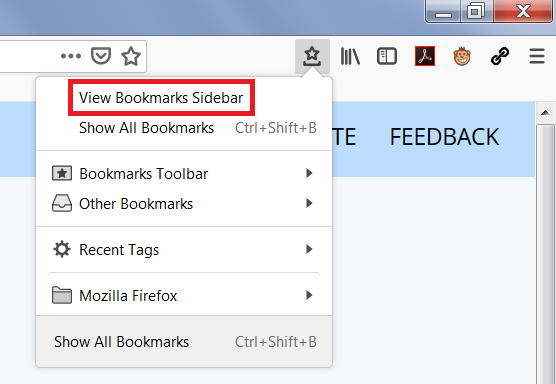
I can't get my bookmarks to restore after the update.

I tried all the suggestions to get my bookmarks back and they did not restore. I restored an older version saved on my computer but I wish i had the latest version. The old menu shows when i click the star and them select other bookmarks, but i want it to show on my sidebar. how can I get my current bookmarks back and have them show on my sidebar? I wish they would have left the bookmarks alone. this update messed me up.
Alle antwurden (1)
Hi Foxhelp22, how did you restore the older bookmarks? Was it one of the files listed on the Restore menu described in this article:
Restore bookmarks from backup or move them to another computer
That menu should show all the backups in the currently active profile folder, which usually will be made on a daily basis. Is there a gap between today and the latest backup listed? If so, there may be other places to look for more backups...
Sidebar
You can open the Bookmarks Sidebar using Ctrl+b (unless the current website intercepts that as a shortcut), or the Sidebars toolbar button, or the View Boomarks Sidebar command on the optional Bookmarks Menu Button for the toolbar ( -- see Customize Firefox controls, buttons and toolbars).

Has the appearance of the sidebar changed on your Firefox?