


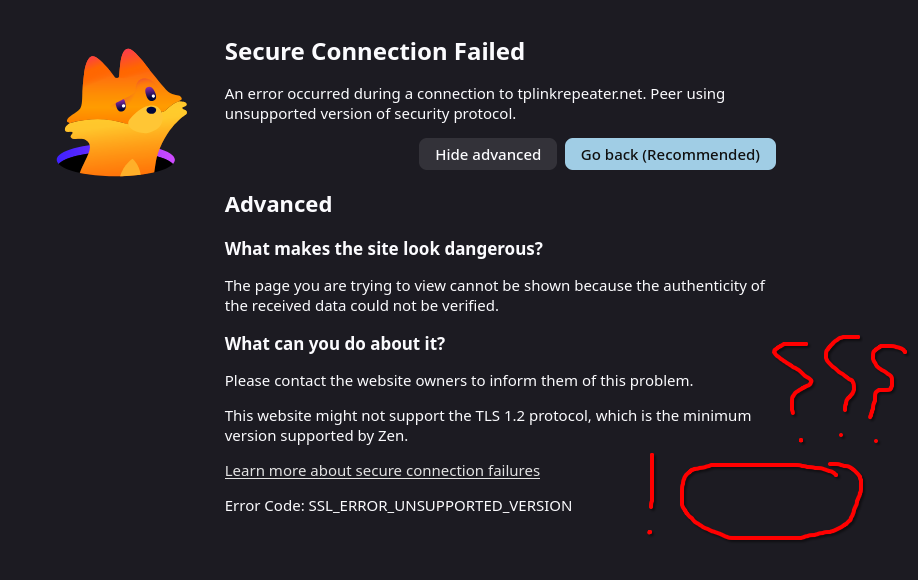
Secure connection fail, no way to connect to my range extender

I need to reconfigure my wifi range extender, and I have just now discovered you have removed the "Accept & continue" button in the "Secured connection failed" error screen . Now I am left with no way to reconfigure it and browse on my home internet. Is there a solution to this? How am I supposed to work? I'm in Uni rn and this is really disruptive
Toutes les réponses (4)
You might want to ask around Zen support how protocols are configured there.
Ah, sorry about that, it was the wrong screenshot, but I had the exact same thing happen on firefox, with only the name of the browser being the difference. That's why I assumed the firefox base is at fault and not the zen browser
Hi
This support article should help:
https://support.mozilla.org/en-US/kb/secure-connection-failed-firefox-did-not-connect
In Firefox this has been unreachable for years. The configuration to relax this for certain origins support.mozilla.org/questions/1056008 doesn't seem to work for me nowadays, so you might need to look for more severe changes — ones that I'd recommend doing only in a separate profile to manage the device, and not use that in day–to–day traffic, like support.mozilla.org/questions/1380486 (yes, just checked it generally works, but affects the whole browser unfortunately).