


Please change the Toolbar back

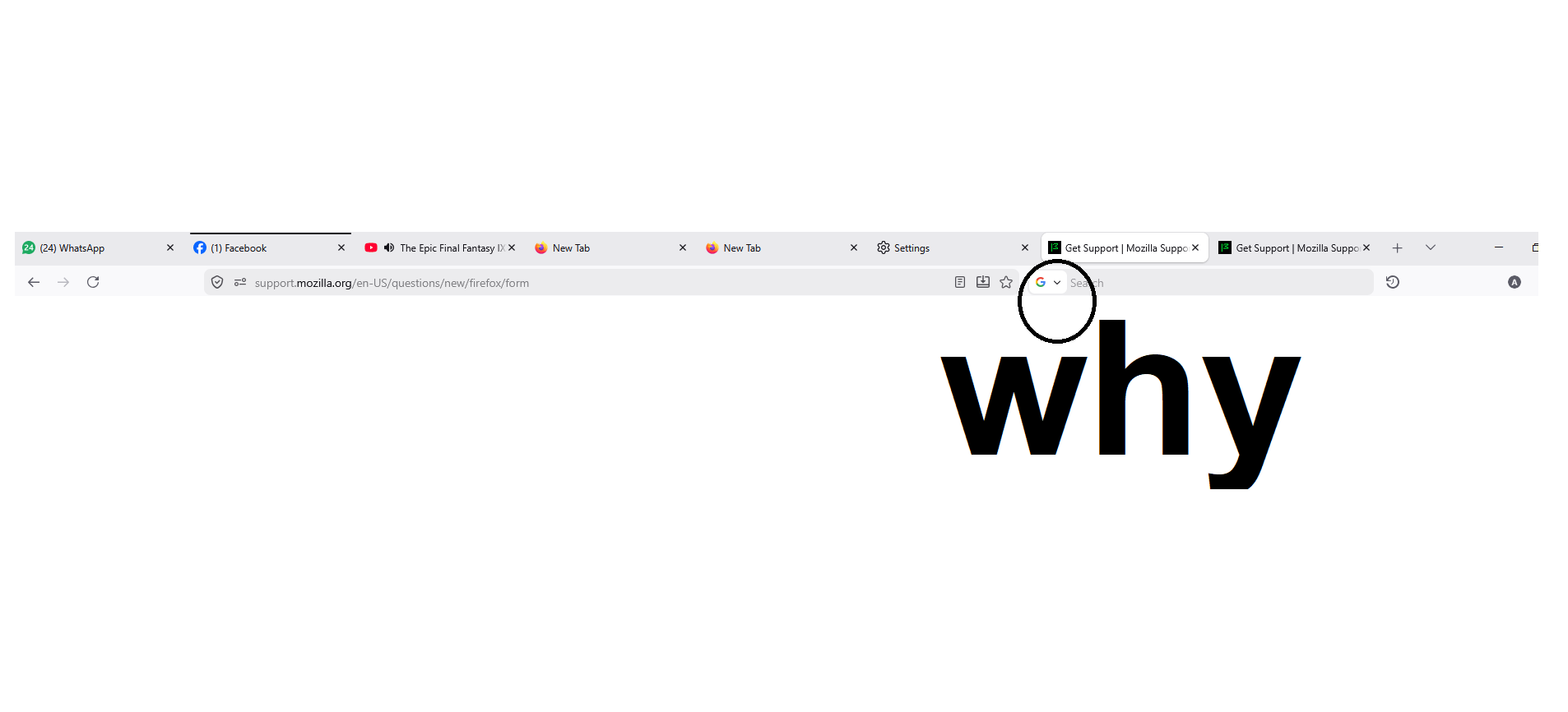
When I want to search something I usually open a new tab (Ctr+T) then quickly hit Tab so my typing indicator goes from the Address Bar to the Search Bar, but with a recent update there is now a "Search Selection" part that is in the way so I have to hit Tab twice.
I know this seems petty but I have been the simplest happiest minimalist user for the past 25 years and I've never had issues with Ctr+T followed by Tab to search something. Why did you implement a change that I am sure nobody has ever asked? Please revert it back or explain to my fatigued mind how to do it if it is possible.
When I want to search something I usually open a new tab (Ctr+T) then quickly hit Tab so my typing indicator goes from the Address Bar to the Search Bar, but with a recent update there is now a "Search Selection" part that is in the way so I have to hit Tab twice.
I know this seems petty but I have been the simplest happiest minimalist user for the past 25 years and I've never had issues with Ctr+T followed by Tab to search something. Why did you implement a change that I am sure nobody has ever asked? Please revert it back or explain to my fatigued mind how to do it if it is possible.
Toutes les réponses (2)
Hello
Is it, your question.
https://connect.mozilla.org/t5/discussions/update-149-0-made-searching-more-difficult/td-p/120608