


how to change background color from black to white

how to change background color from black to white
Toutes les réponses (2)

Please clarify: you are trying to change the background color of what exactly?
If you are referring to websites:
1. Check your extensions list by clicking on the puzzle piece in the Firefox toolbar. Are you using "Dark Reader" or another extension that is setting dark mode? Toggle them off or remove them.
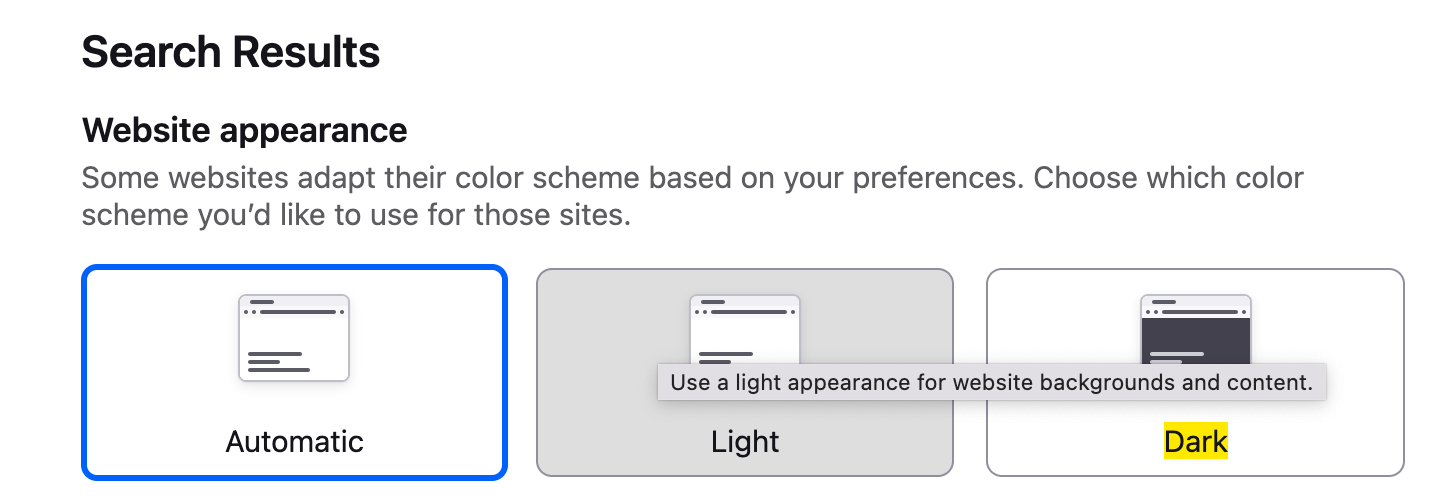
2. Go to Firefox settings -> type "light" in the settings search -> select Light (Screenshot).
If you are referring to blank tabs:
On a new tab, click on the pencil icon in the bottom right corner -> Wallpapers -> Solid colors -> Choose a color.
If none of these work, please provide the link of the website(s) where you have this issue.
Mark said
1. Check your extensions list by clicking on the puzzle piece in the Firefox toolbar. Are you using "Dark Reader" or another extension that is setting dark mode? Toggle them off or remove them.
THANK YOU for this answer! I'd tried everything I could find (appearance settings, auto:config mods, system defaults, etc.) and nothing was fully removing dark mode. I was about to lose my mind. Turns out I had this exact extension auto-enabled when I added my account to a new device. I didn't even remember adding it to my old one. Now I can see!