

Ce sujet de discussion a été archivé.
Veuillez poser une nouvelle question si vous avez besoin d’aide.

Archivé
How to remove bottom bar from Firefox Android
Hi!
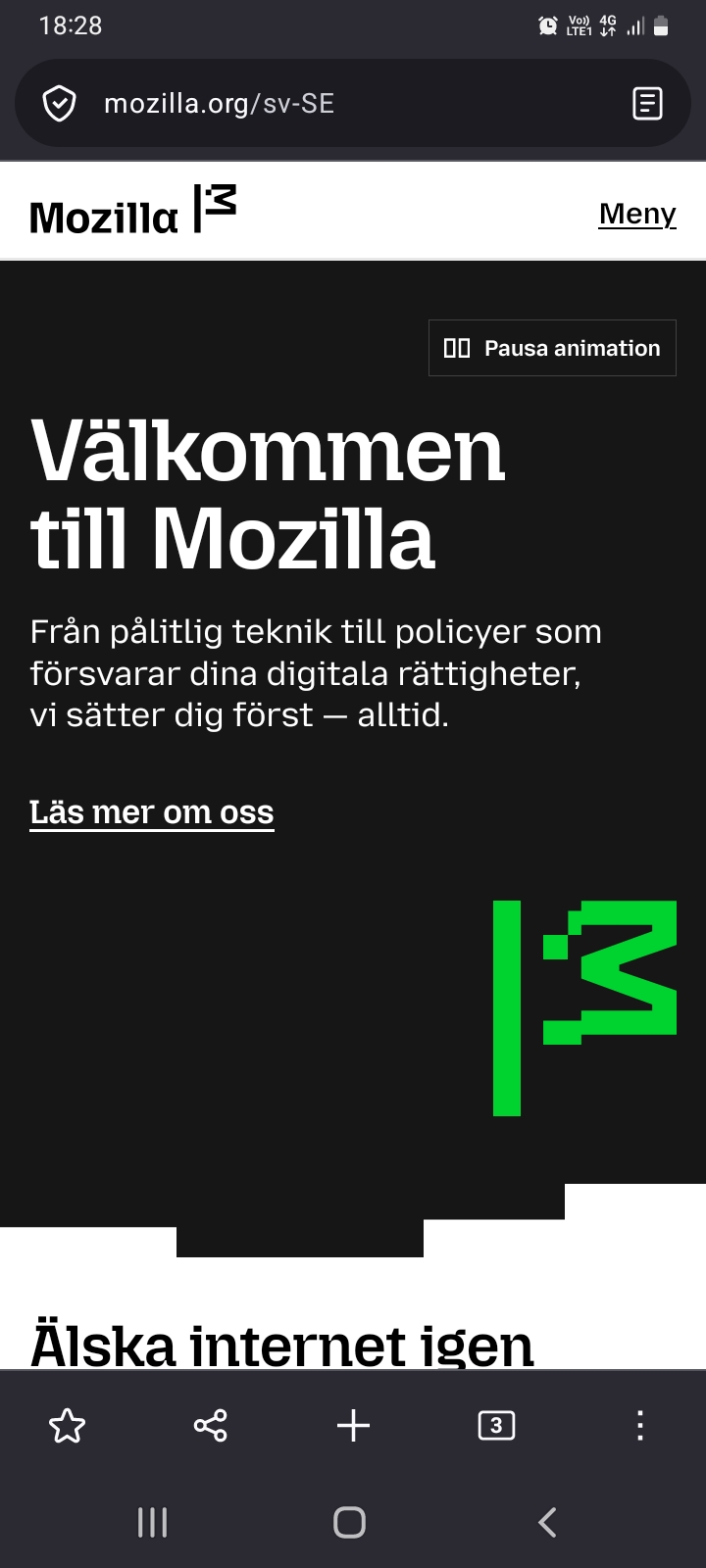
Suddenly the entire UI of the browser has changed. I have a big bar at the bottom of the screen taking far too much space with buttons I hardly ever need. And when I do need them I know where to find them. Thus they need not be as available as that (read: constantly in the way). It's not enough that it goes away when I scroll down as it pops up as soon as I scroll up again, along with the address bar.
How do I remove this bottom bar? The older UI was far better and didn't take this much space.
Thanks!
Hi!
Suddenly the entire UI of the browser has changed. I have a big bar at the bottom of the screen taking far too much space with buttons I hardly ever need. And when I do need them I know where to find them. Thus they need not be as available as that (read: constantly in the way). It's not enough that it goes away when I scroll down as it pops up as soon as I scroll up again, along with the address bar.
How do I remove this bottom bar?
The older UI was far better and didn't take this much space.
Thanks!
Toutes les réponses (3)
Go to Settings -> Customize. There should be Toolbar layout section, switch it to Simple.
Nope, sorry. I can't find any toolbar layout section. I'll try a bit more.
Is it 146? Try to update.