


Lost Tabs

It has always been the case that when I closed Firefox, it asked if I wanted my open files saved and reopened when I opened the browser again. I needed to restart my laptop and I decided to close Firefox first. It asked if tabs should be saved and I said yes. After I restarted the laptop and reopened Firefox, all of my open tabs (I think about 35) were gone. Can I get them back?
Toutes les réponses (3)
Hey Fredkiass,
Try this. When you restart your laptop, open firefox and press (Ctrl + Shift + T) or (command + shift + T) on Mac. It will restore all the tabs that you have closed previously.
Also, in the history, you can find option like recently closed tabs. You can also restore them from there.

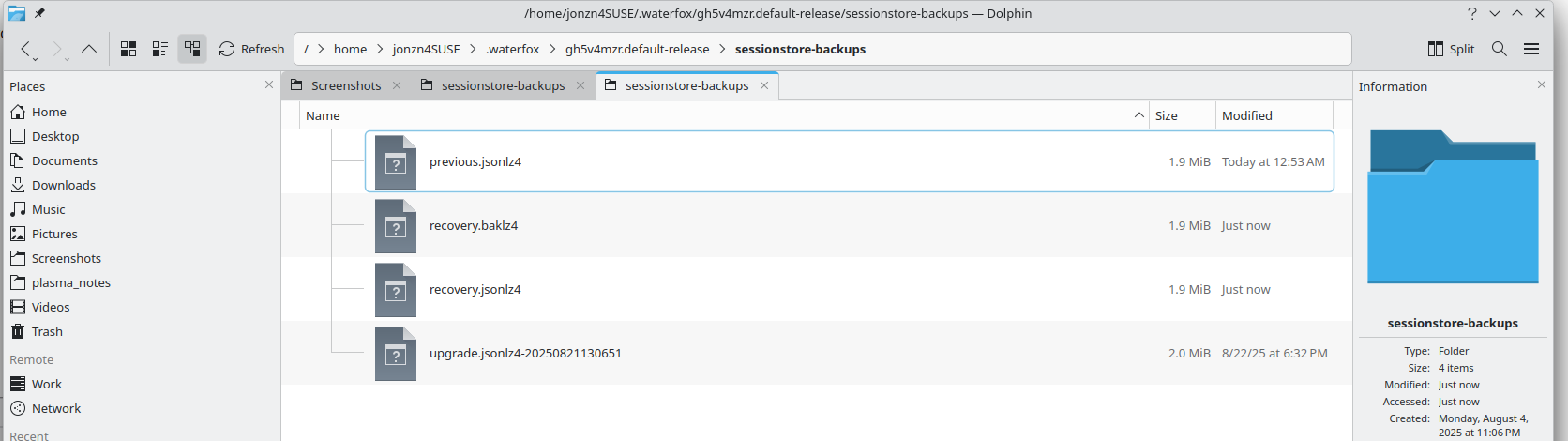
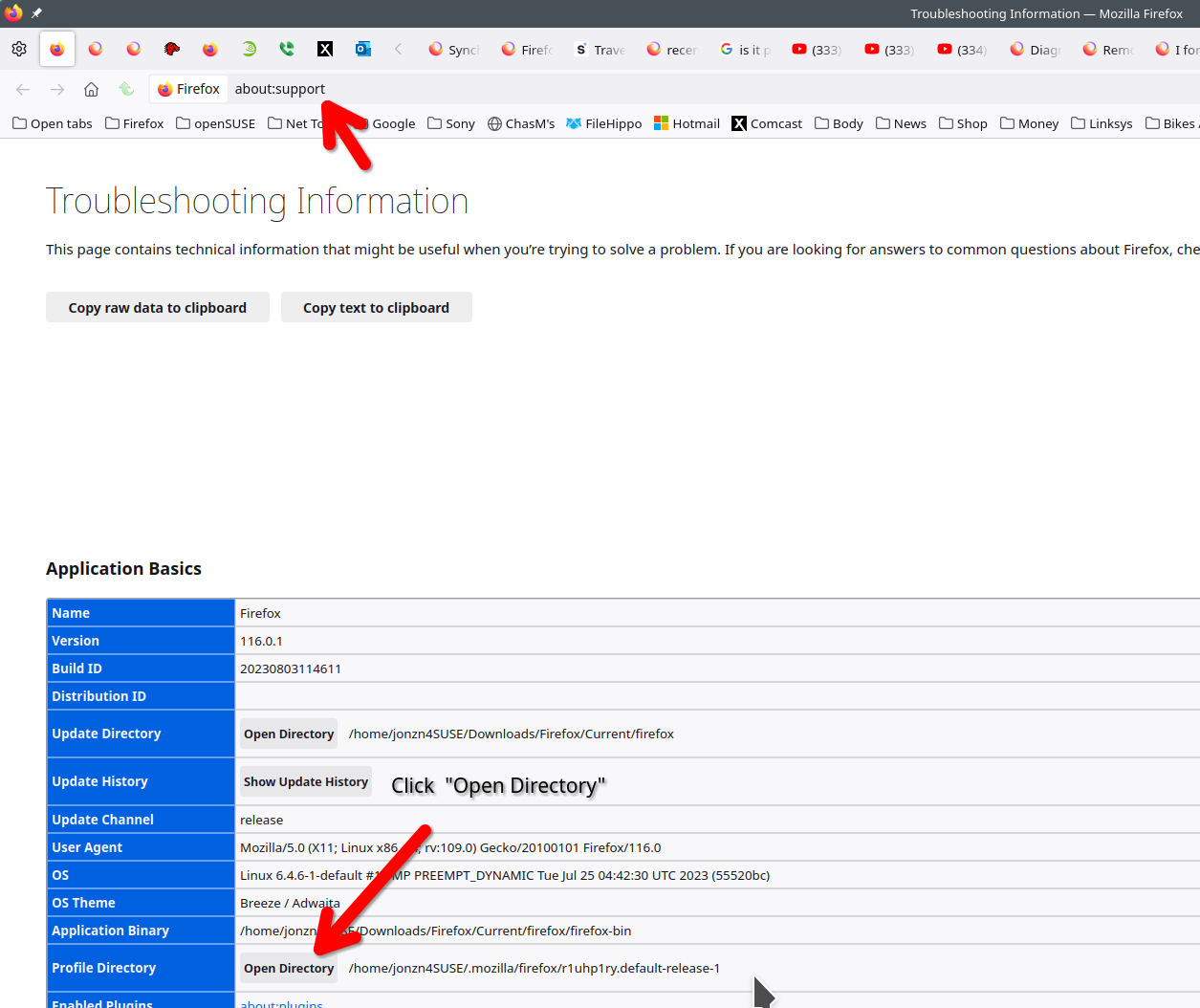
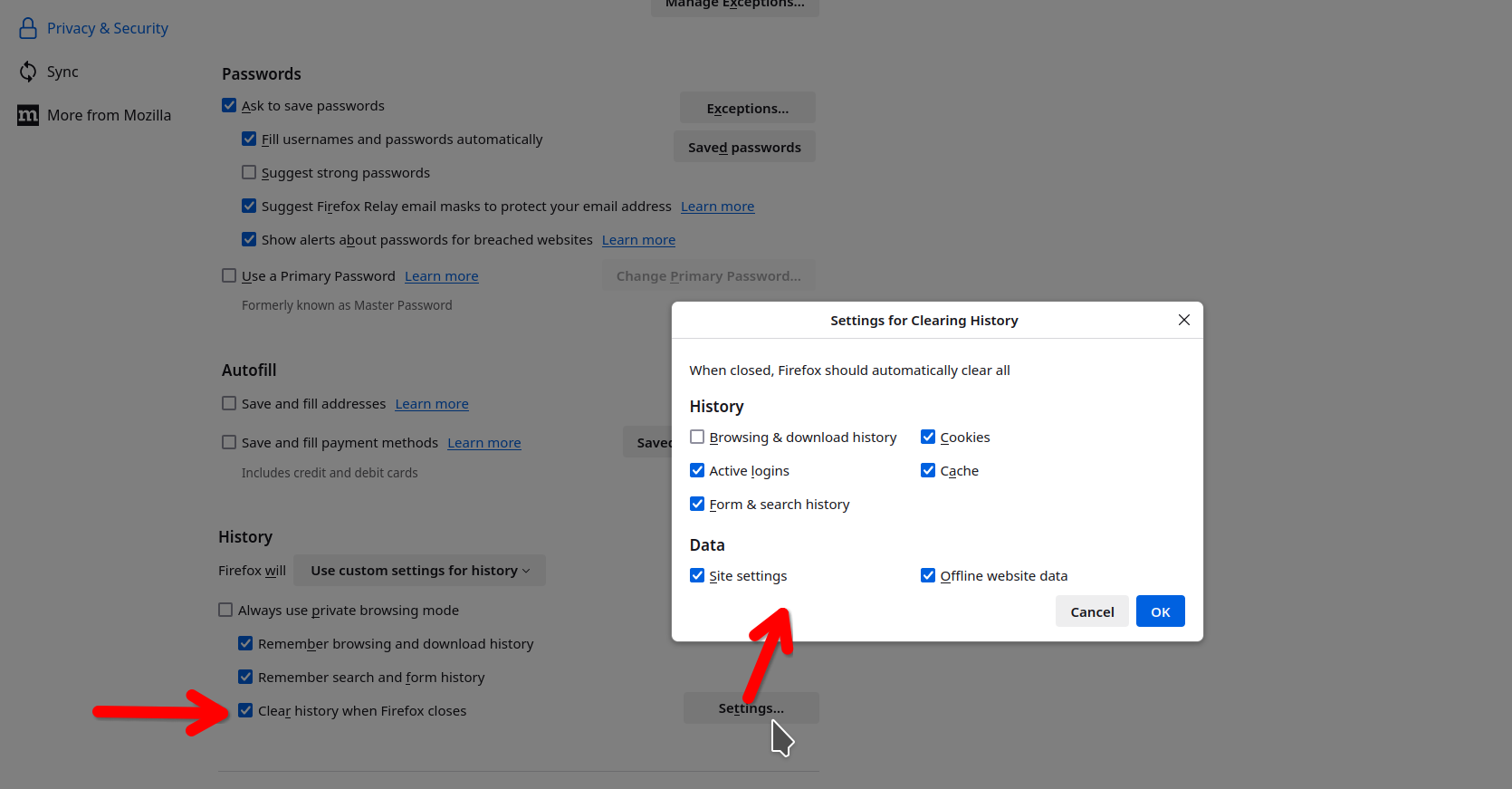
Post a screenshot from the folder sessionstore-backups in your profile folder. see screenshot of mine What are your settings for Firefox when you close the browser? see screenshot You cannot have it delete browser history when it closes.
fredklass52 said
It has always been the case that when I closed Firefox, it asked if I wanted my open files saved and reopened when I opened the browser again.
I thought this prompt was removed a few years ago and Firefox always saved your full session automatically when you Quit using the menu or keyboard shortcut. Is there a secret way to turn it back on?
Either way, you can set Firefox to restore your previous session automatically, or use the History menu:
- "3-bar" menu button > History > Restore Previous Session
- (menu bar) History > Restore Previous Session
If they are missing or grayed, check either:
- "3-bar" menu button > History > Recently Closed Windows
- (menu bar) History > Recently Closed Windows