

Ce sujet de discussion a été archivé.
Veuillez poser une nouvelle question si vous avez besoin d’aide.

Résolu
Archivé
Size of Webpage's PICTURES

When I click Ctrl and the minus/hyphen key, the size of the TEXT on the webpage is reduced but not the size of the PICTURES.
How can I reduce the size of both the TEXT and the PICTURES?
I have Windows 10 and Firefox 130.0.1 (64-bit)
When I click Ctrl and the minus/hyphen key, the size of the TEXT on the webpage is reduced but not the size of the PICTURES.
How can I reduce the size of both the TEXT and the PICTURES?
I have Windows 10 and Firefox 130.0.1 (64-bit)
Toutes les réponses (2)

Solution choisie
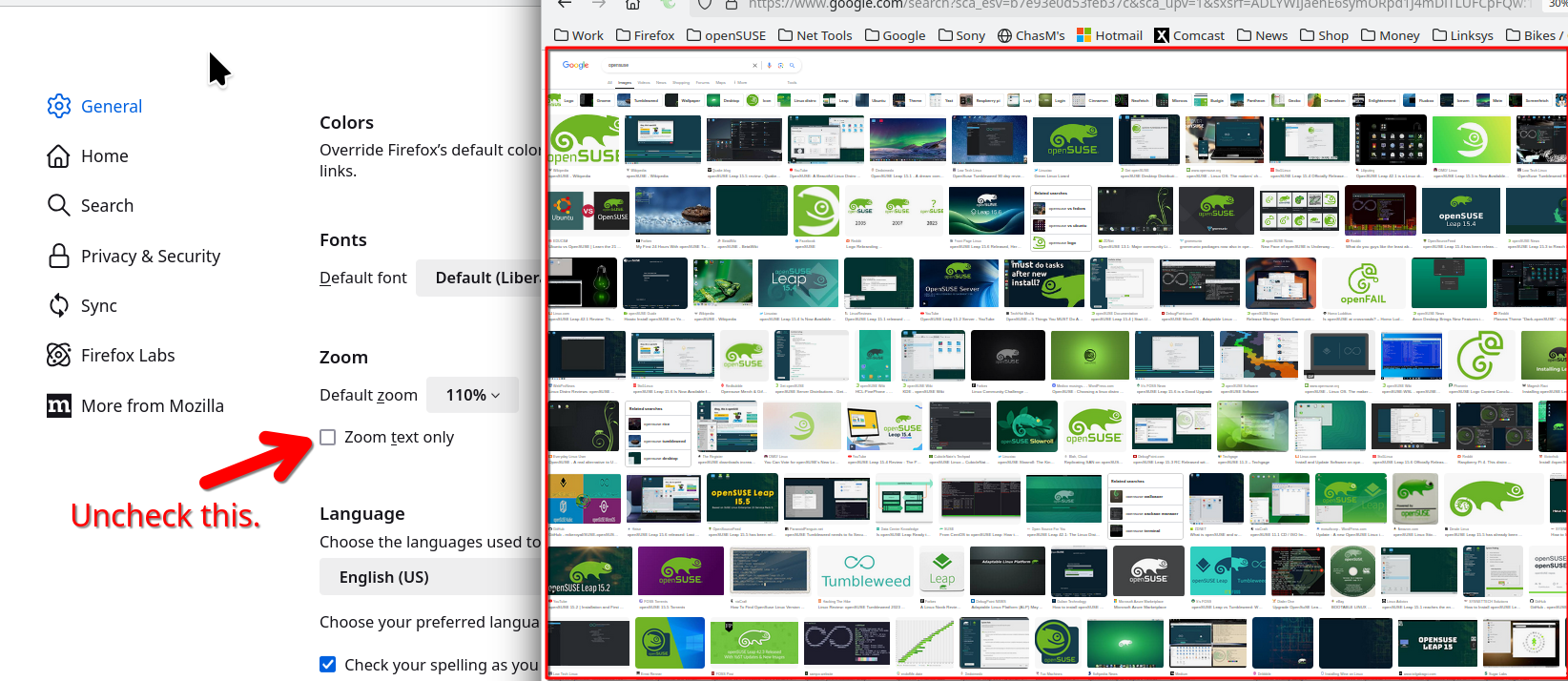
Uncheck this. see screenshot
That worked!
BTW: I didn't have that problem before today.
But, this afternoon, I downloaded and installed the newest version of Firefox and had the problem