Windows 10 reached EOS (end of support) on October 14, 2025. If you are on Windows 10, see this article.

Rechercher dans l’assistance

Évitez les escroqueries à l’assistance. Nous ne vous demanderons jamais d’appeler ou d’envoyer un SMS à un numéro de téléphone ou de partager des informations personnelles. Veuillez signaler toute activité suspecte en utilisant l’option « Signaler un abus ».

En savoir plus
Archivé

BROWSER HIJACKER

Ross29

I have tried everything I can think of to get rid of this BROWSER HIJACKER. It just seems that I can't get rid of it. When I try a simple search on the search bar, it redirects to "BING". I just tried searching travel, and this is where it took me: "https://www.bing.com/search?ptag=ICO-86655dbd68d344bb&form=INCOH1&pc=1AWL&q=TRAVEL"

I don't have anything against MIcrosoft, but don't want to always go to a BING site. Once I hit the enter button, it says "redirecting....." Anyone know of an answer for me?

Thank YOU! Ross L.

I have tried everything I can think of to get rid of this BROWSER HIJACKER. It just seems that I can't get rid of it. When I try a simple search on the search bar, it redirects to "BING". I just tried searching travel, and this is where it took me: "https://www.bing.com/search?ptag=ICO-86655dbd68d344bb&form=INCOH1&pc=1AWL&q=TRAVEL" I don't have anything against MIcrosoft, but don't want to always go to a BING site. Once I hit the enter button, it says "redirecting....." Anyone know of an answer for me? Thank YOU! Ross L.

Toutes les réponses (3)

Have you cleared all of your computer's cache, if browsers' data? This is a huge Java6<, .Net3<, Python3< scammer. Get the picture?

Windows users often report the issue. Have a look at this article.

https://support.mozilla.org/en-US/kb/what-search-hijacking

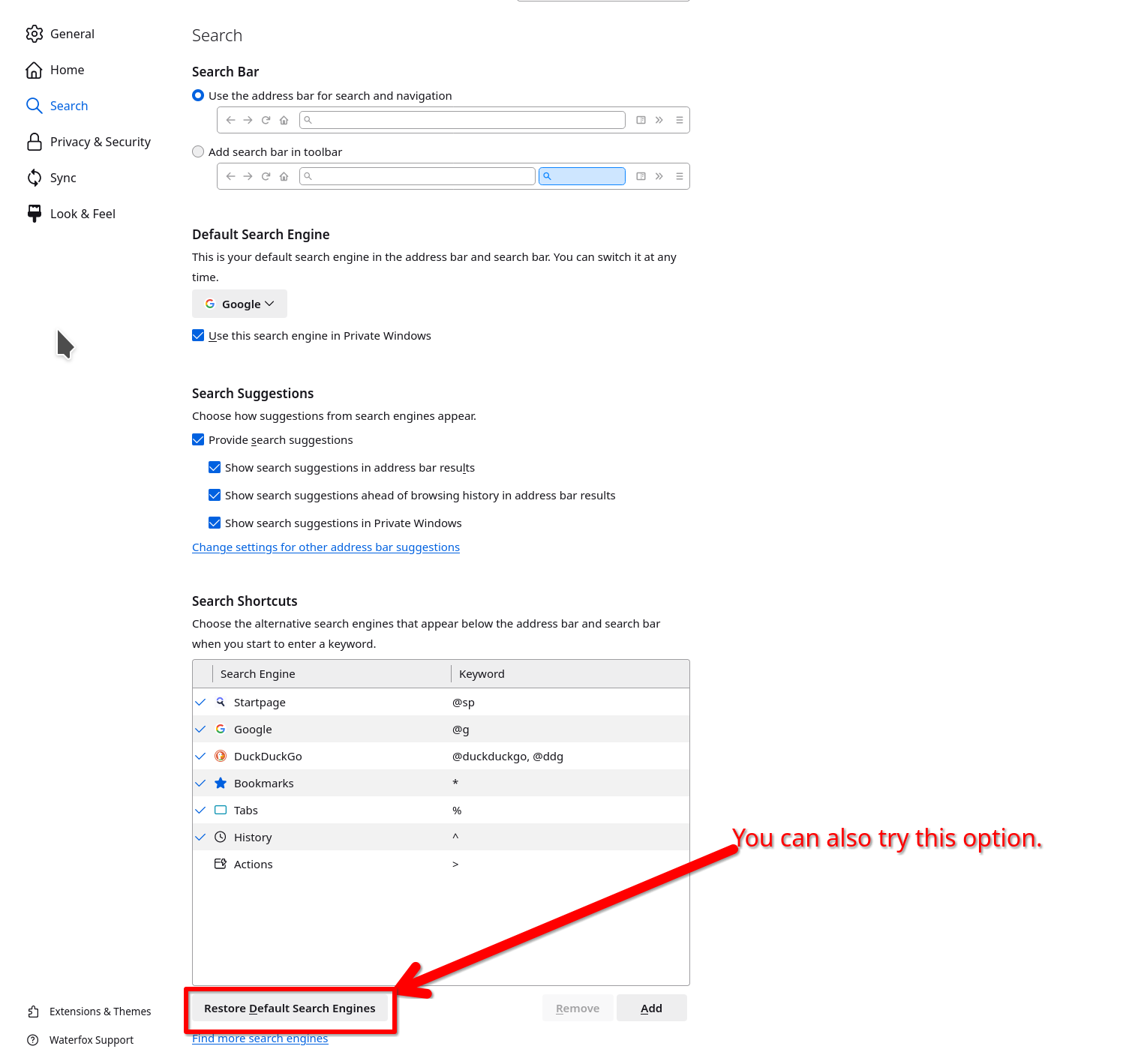
Show your search settings. see screenshot