


No container tab option when long pressing new tab button or in settings

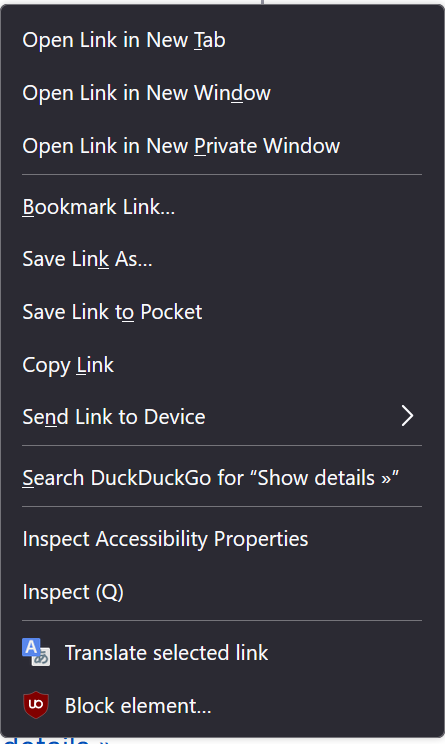
How do I enable container tabs? The option to open a new link in a container tab has disappeared and the prompt doesn't show up when I long press the new tab button either
Solution choisie
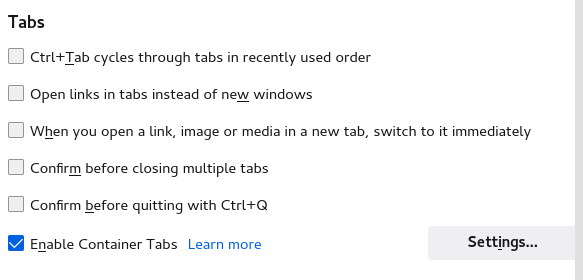
Do you have enabled containers (i.e. do you have it in Settings)?
You can check these privacy.userContext prefs on the about:config page.
- privacy.userContext.enabled = true
- privacy.userContext.ui.enabled = true
- https://support.mozilla.org/en-US/kb/about-config-editor-firefox
Toutes les réponses (3)
Solution choisie
Do you have enabled containers (i.e. do you have it in Settings)?
You can check these privacy.userContext prefs on the about:config page.
- privacy.userContext.enabled = true
- privacy.userContext.ui.enabled = true
- https://support.mozilla.org/en-US/kb/about-config-editor-firefox
I didn't realize it was an extension, I thought it came with Firefox! Everything works after I installed it. Thank you so much!
Firefox has basic support for containers. You only need the Multi-Account Containers extension if you need the extras offered by this extension.
You would normally find "Enable Container Tab" to control this feature in "Settings -> General -> Tabs" with privacy.userContext.ui.enabled set to true.
Modifié le par cor-el