Why text or image is blurry on firefox when serving an animated HTML5 banner

Hello all, When serving an animated HTML5 banner on Firefox the text or image is blurry Serving the same in Chrome or Edge is super sharp Attache is a sample showing the different results in each browser
Thank you for your help!


Toutes les réponses (9)
Anyone ?
Is that image scaled up/down as that can be a possible cause ?
Can you post a link to a publicly accessible page (i.e. no authentication or signing on required)?
cor-el said
Is that image scaled up/down as that can be a possible cause ? Can you post a link to a publicly accessible page (i.e. no authentication or signing on required)?
Thank you for your reply No, it is not scaled up/down You can see the banner live in the following link: https://programmaticdemo.online/Mozilla-blurry/ Open it in Firefox & Chrome, you will see the difference :)
Thanks!
Modifié le par yehoudab
cor-el said
Is that image scaled up/down as that can be a possible cause ? Can you post a link to a publicly accessible page (i.e. no authentication or signing on required)?
Thank you fro your reply No, it is not scaled up/down You can see the banner live version in the following URL: https://programmaticdemo.online/Mozilla-blurry/
If you open it in Firefox and Chrome you will see the difference (attach is another screenshot showing the difference)

Anyone ?
The images are scaled via transform.
kevin_garnet.png: PNG Image, 251 × 55 pixels => 57 x 17 pixels
- https://programmaticdemo.online/Mozilla-blurry/kevin_garnet.png
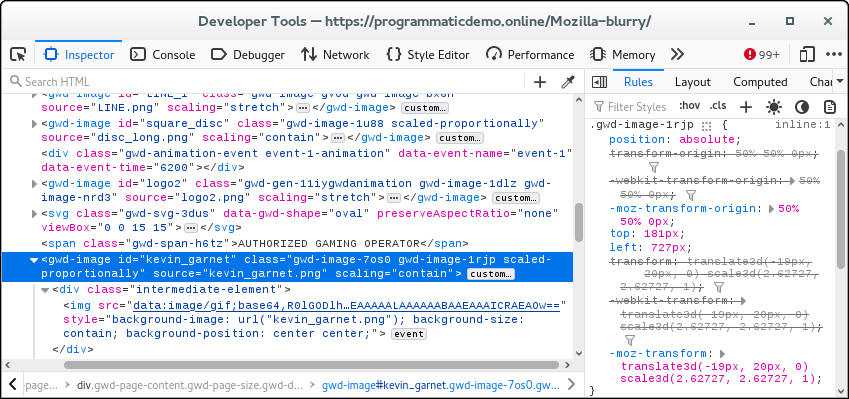
Thank you very much for your help We resized the images and it worked as you predicted You can see the result here: https://programmaticdemo.online/Mozilla-blurry2/
The issue is that we are preparing so many sizes that it is inconvenient to create for each one of them a specific image size.
The question is why Chrome result is different and is there a way to achieve the same in Firefox without creating so many variation of the same image ?
Thank you
Modifié le par yehoudab
Thank you very much for your help We resized the images and it worked as you predicted You can see the result here: https://programmaticdemo.online/Mozilla-blurry2/
The issue is that we are preparing so many sizes that it is inconvenient to create for each one of them a specific image size.
The question is why Chrome result is different and is there a way to achieve the same in Firefox without creating so many variation of the same image ?
Thank you
Firefox doesn't always do a good job with scaling images and results may vary. In this case it looks rather bad and I don't know if this is about using transform as it doesn't look that bad if I zoom the image in a tab.
Maybe file a bug report if you can attach a test page that clearly shows the problem.