


Thunderbird problems on a networked drive

I have had my thunderbird on a mapped network drive for a long time (NAS). It works fine, BUT I cannot update it so its running on an outdated version.
When I start it, it says updating, but after the updater quits, I am still on the same version.
Previously I have solved this issue by downloading the install file and running it.
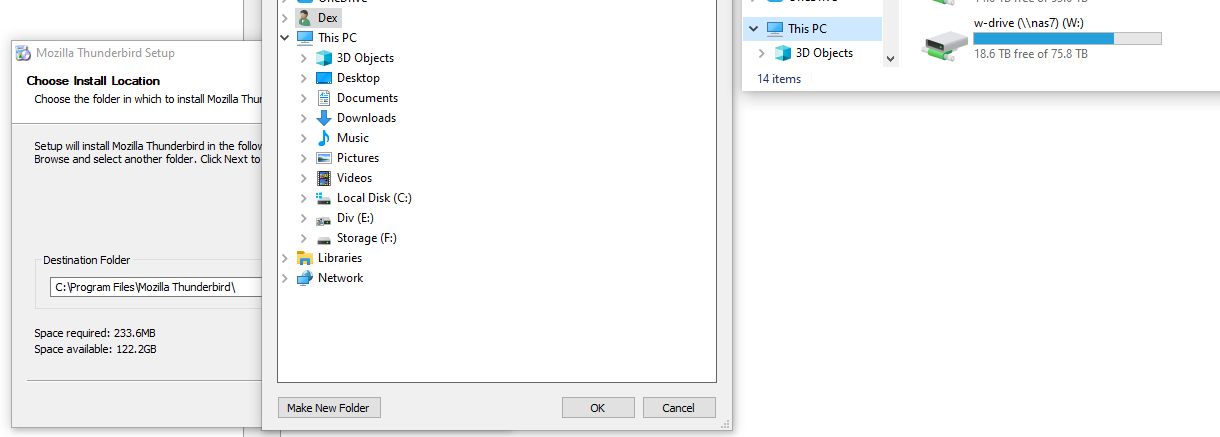
However, when trying to do this now, my network driveletter isn't listed, only local drives. If I manually type in the path, it says I don't have write access, which is not true.
I have also tried running the installer as administrator without any further luck.
Solution choisie
That is a Windows problem. See https://docs.microsoft.com/en-us/troubleshoot/windows-client/networking/mapped-drives-not-available-from-elevated-command and https://support.microsoft.com/en-gb/topic/programs-may-be-unable-to-access-some-network-locations-after-you-turn-on-user-account-control-in-windows-vista-or-newer-operating-systems-a3dd1683-9769-8ae2-7ec7-eae45147280b
A quicker solution is available here https://www.tenforums.com/tutorials/155350-enable-mapped-drives-available-elevated-command-prompt.html
I don't see why, though, you would need to install Thunderbird on a network drive instead if the default local location on drive C. You've got plenty of free space on drive C and Thunderbird needs a very tiny portion of it, so what gives?
Lire cette réponse dans son contexte 👍 0Toutes les réponses (2)

Solution choisie
That is a Windows problem. See https://docs.microsoft.com/en-us/troubleshoot/windows-client/networking/mapped-drives-not-available-from-elevated-command and https://support.microsoft.com/en-gb/topic/programs-may-be-unable-to-access-some-network-locations-after-you-turn-on-user-account-control-in-windows-vista-or-newer-operating-systems-a3dd1683-9769-8ae2-7ec7-eae45147280b
A quicker solution is available here https://www.tenforums.com/tutorials/155350-enable-mapped-drives-available-elevated-command-prompt.html
I don't see why, though, you would need to install Thunderbird on a network drive instead if the default local location on drive C. You've got plenty of free space on drive C and Thunderbird needs a very tiny portion of it, so what gives?
Modifié le par Stans
Thank you. This solved my problem. I originally installed thunderbird + mailboxes on a raid6 volume for redundancy.