


No more images on certain sites after upgrading to Firefox 79
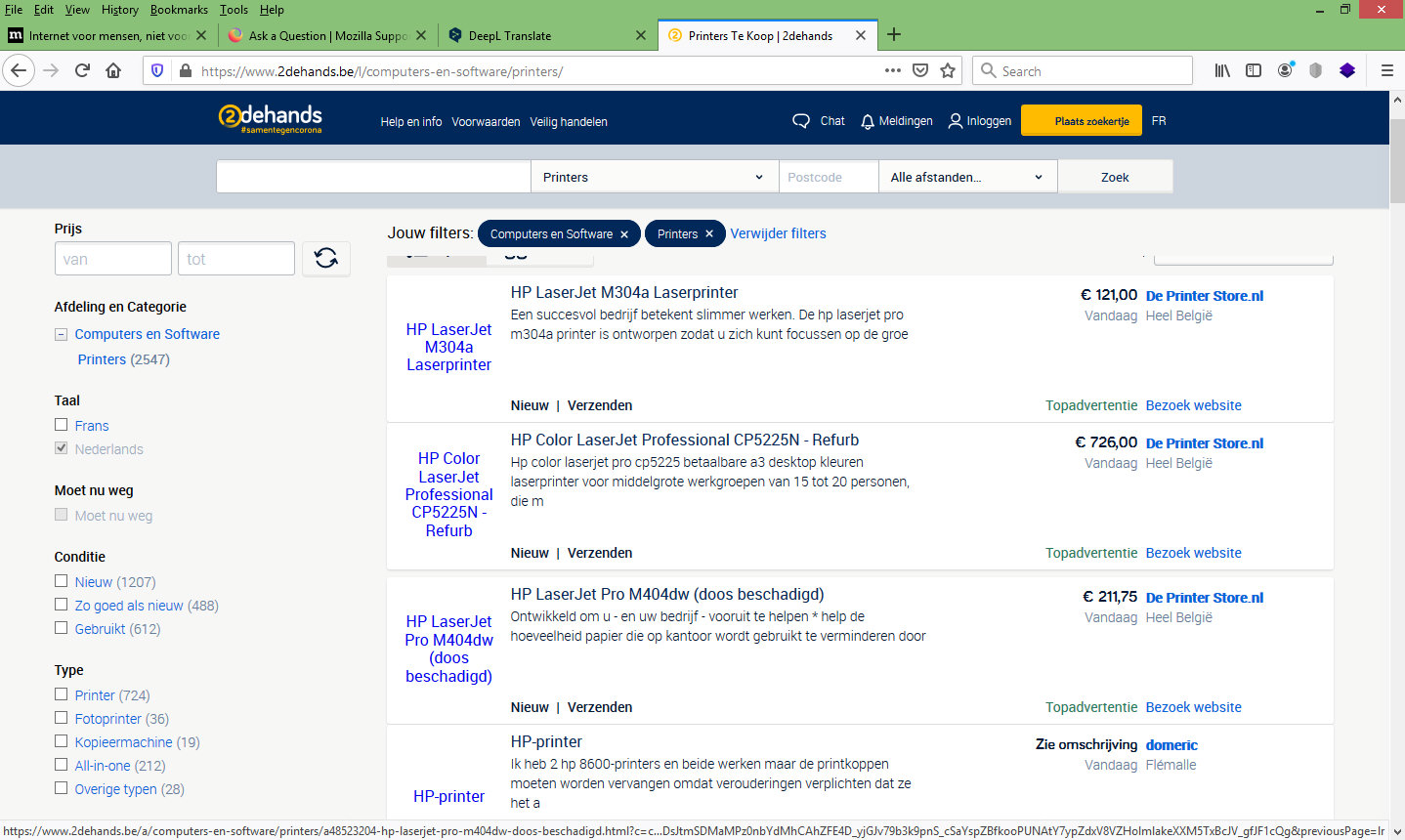
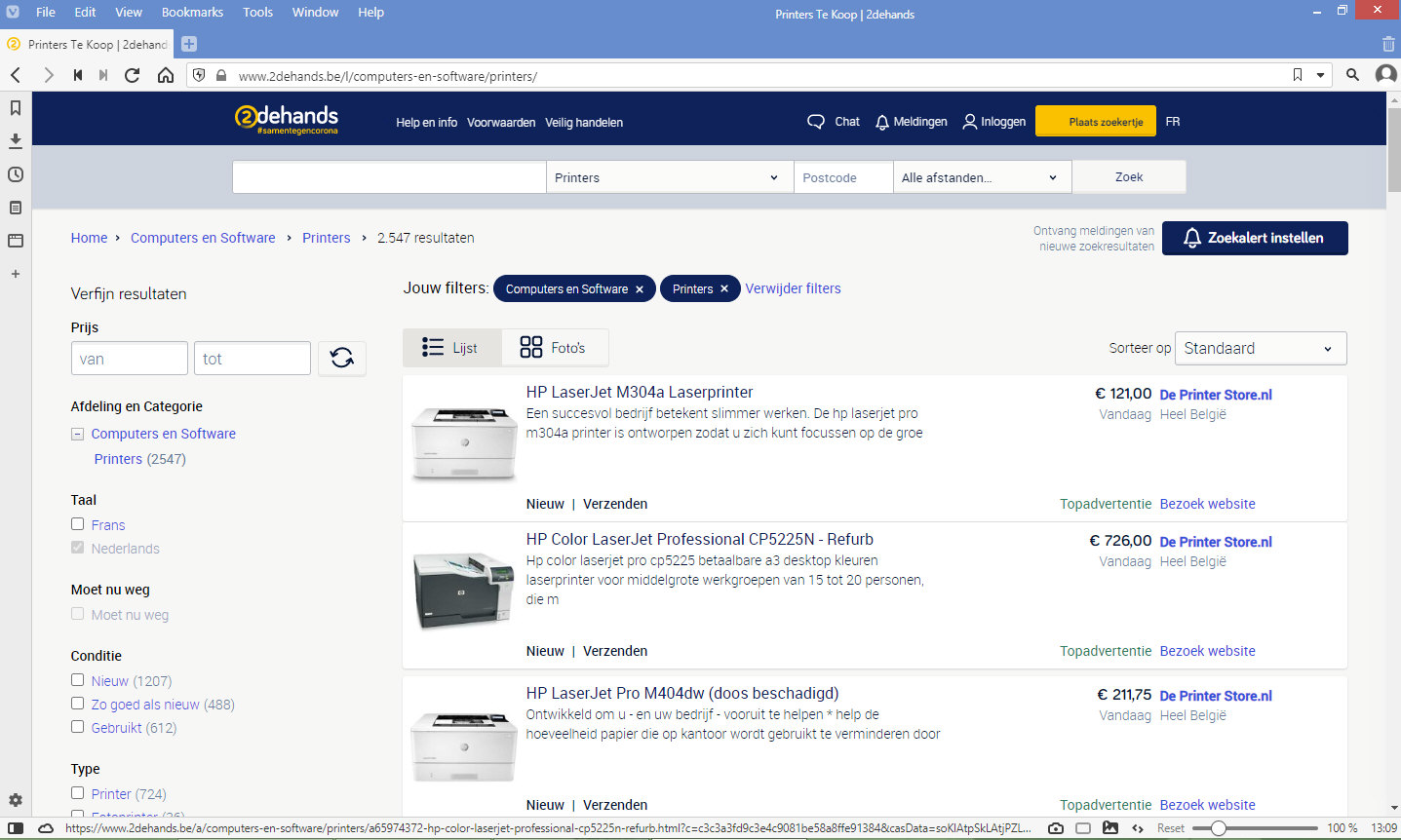
No more images on certain sites after upgrading to Firefox 79Since the upgrade to Firefox 79, the sites www.2dehands.be and www.markplaats.nl no longer display images with the articles. Is so in the dutch, english, german and french version (so separate installations with different user profiles) and I hear that complaint from multiple users of Firefox (so not only on my computers). Use Vivaldi now for those sites, because it shows the images. Attached a print screen of a Firefox 79 and the same page in Vivaldi so you can see it.
Translated with www.DeepL.com/Translator (free version)
Toutes les réponses (3)
Try to click the shield icon in the URL bar and turn off the Tracking Protection for that site.
Thank you for your answer. By now (2020-08-07 19.40h), the images in www.2dehands.be and www.marktplaats.nl are visible after startup.
This is possibly about background images.
Make sure you haven't enabled a High Contrast theme in the Windows/Mac Accessibility settings.
Make sure you allow pages to choose their own colors.
- Options/Preferences -> General: Fonts & Colors -> Colors: "Override the colors specified by the page with my selections above"
Try "Never" if the default "Only with High Contrast themes" isn't working.