


Pinterest Blank with Firefox
Hi there,
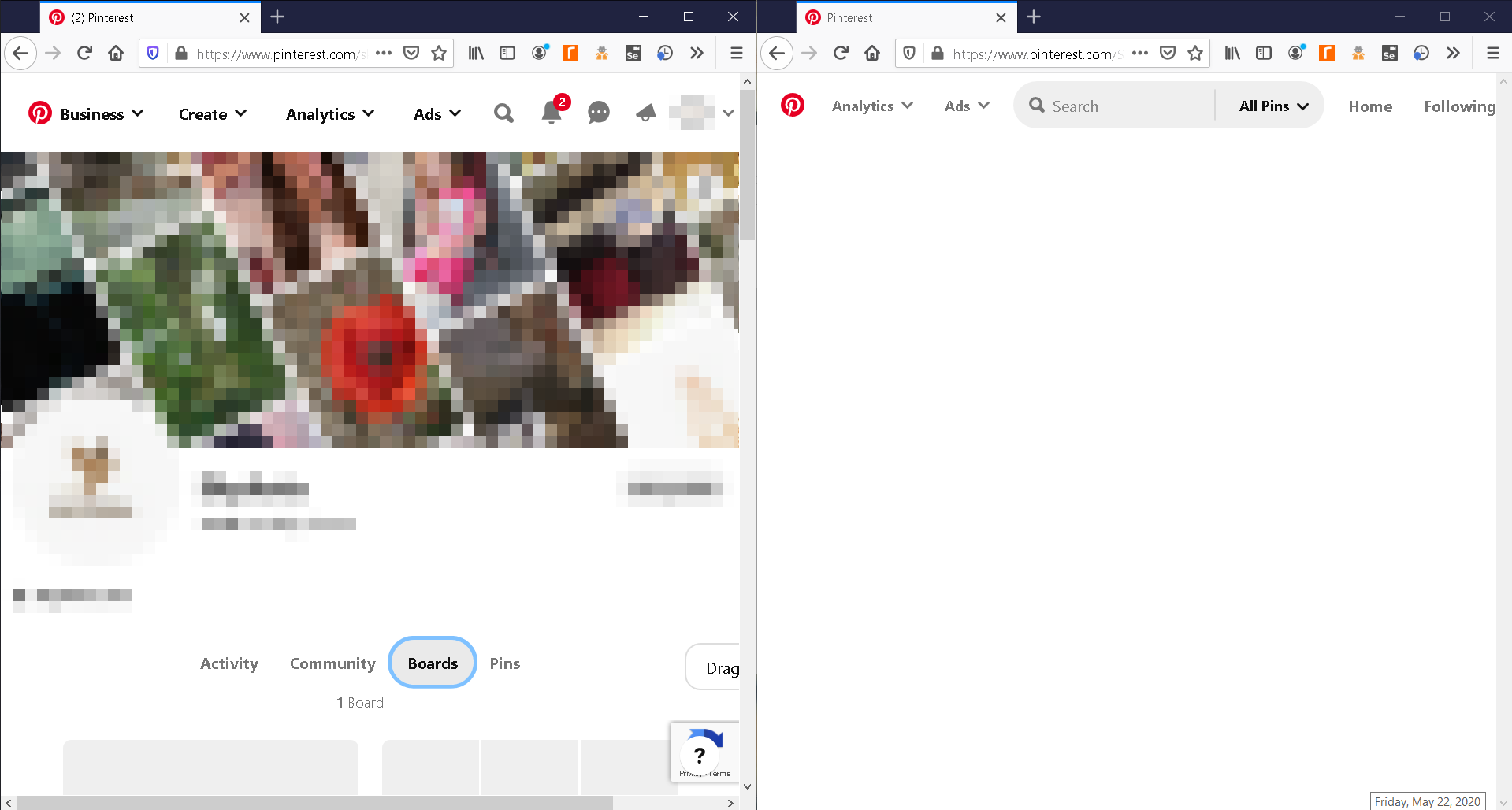
Only with Firefox, Pinterest shows up blank: [https://i.imgur.com/huNHSI0.png]

However, what works is: Restarting with add-ons disabled and then restarting again with addons enabled: [https://i.imgur.com/6HMYXO7.png] But after closing and opening that Firefox, the blank returns.

Other things I have tried are: clearing cache, disabling VPN, disabling antivirus || They all lead to the blank
My target is to open Pinterest with Firefox without the blank and without requiring the 2x restart.
Please advise, thanks.
Modifié le par Baventhiran
Solution choisie
I believe I have found the cause, its likely this addon: t.ly/LvQK
After removing the addon and starting up Firefox several times in-between hours, everything loads fine every single time. Will be careful with addons for Firefox from now.
Lire cette réponse dans son contexte 👍 0Toutes les réponses (3)
hello Baventhiran.....
You can remove all data stored in Firefox from a specific domain via "Forget About This Site" in the right-click context menu of an history entry ("History -> Show All History" or "View -> Sidebar -> History").
Using "Forget About This Site" will remove all data stored in Firefox from that domain like bookmarks and history and cookies and passwords and cache and exceptions, so be cautious. If you have a password or other data from that domain that you do not want to lose then make sure to backup this data or make a note.
You can't recover from this 'forget' unless you have a backup of involved files.
If you revisit a 'forgotten' website then data from that website will be saved once again.
https://support.mozilla.org/en-US/kb/delete-browsing-search-download-history-firefox
Hi Ankit Kumar,
Thank you for your response.
I tried your guidance but it too worked similarly to the "Restarting with add-ons disabled and then restarting again with addons enabled" (have to keep using "Forget About This Site" after starting Firefox to view page fully).
Unfortunately, that is not the solution, so I'll keep waiting.
Solution choisie
I believe I have found the cause, its likely this addon: t.ly/LvQK
After removing the addon and starting up Firefox several times in-between hours, everything loads fine every single time. Will be careful with addons for Firefox from now.