


Windows 10 reached EOS (end of support) on October 14, 2025. If you are on Windows 10, see this article.

Rechercher dans l’assistance

Évitez les escroqueries à l’assistance. Nous ne vous demanderons jamais d’appeler ou d’envoyer un SMS à un numéro de téléphone ou de partager des informations personnelles. Veuillez signaler toute activité suspecte en utilisant l’option « Signaler un abus ».

En savoir plus
Résolu Archivé

Sync does not work android 10

Timothée a répondu
Timothée

On a newly setup Pixel 4 I installed Firefox for Android and connected it successfully to my Firefox account using my password, then my authenticator app (I had to switch from firefox to the authenticator then back to firefox) since I use 2FA. Then it gets stuck at a stage where it is not synchronized, and when I click on Sync now, it briefly says Syncing, then reverts back to the previous state where sync has never worked.

I've blacked out my name and email.

I tried disconnecting / reconnecting. Nothing changes. And by the way, Firefox Lockwise never ends syncing on the same phone, I'll open another ticket though.
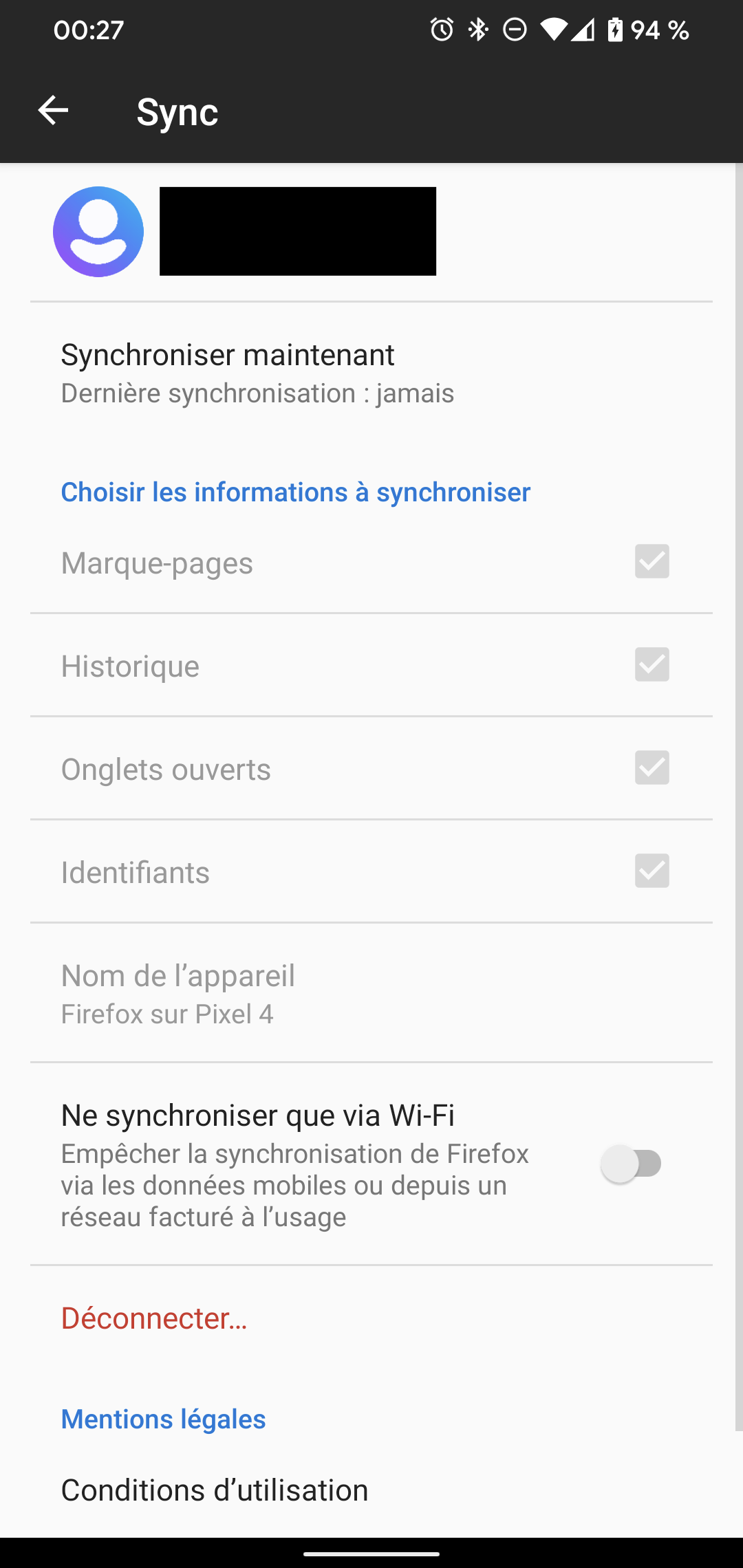
On a newly setup Pixel 4 I installed Firefox for Android and connected it successfully to my Firefox account using my password, then my authenticator app (I had to switch from firefox to the authenticator then back to firefox) since I use 2FA. Then it gets stuck at a stage where it is not synchronized, and when I click on Sync now, it briefly says Syncing, then reverts back to the previous state where sync has never worked. I've blacked out my name and email. I tried disconnecting / reconnecting. Nothing changes. And by the way, Firefox Lockwise never ends syncing on the same phone, I'll open another ticket though.
Captures d’écran jointes

Toutes les réponses (1)

Solution choisie

After a bit of investigating, it seems it doesn't work on my desktop either with the same problem as this ongoing issue: https://bugzilla.mozilla.org/show_bug.cgi?id=1595311

Apparently the sync server I use is unexpectedly in maintenance mode.