


I have installed firefox esr 60 and importing my certificates via certutil .exe but certificates are not getting installed

Trying to import few my certificates to firefox esr 60 via below command script but its not working :(.
Set FFProfdir=%Appdata%\mozilla\firefox\profiles Set CERTDIR=%TEMP%\CERTIMPORT DIR /A:D /B %FFProfdir% > "%TEMP%\FFProfile.txt"
FOR /F "tokens=*" %%i in (%TEMP%\FFProfile.txt) do (
CD /d "%FFProfDir%\%%i" COPY cert8.db cert8.db.orig /y For %%x in ("%CERTDIR%\CERTS\*.cer") do "%CERTDIR%\certutil.exe" -A -n "%%x" -i "%%x" -t "TCu,TCu,TCu" -d . For %%x in ("%CERTDIR%\CERTS\*.crt") do "%CERTDIR%\certutil.exe" -A -n "%%x" -i "%%x" -t "TCu,TCu,TCu" -d . ) DEL /f /q "%Temp%\FFProfile.txt
Solution choisie
Note that Firefox 60 ESR uses cert9.db (SQLite) and not cert8.db (DBM).
- https://blogs.oracle.com/meena/whats-new-in-nss-312-new-shared-dbs
- https://wiki.mozilla.org/NSS_Shared_DB
Toutes les réponses (7)
Solution choisie
Note that Firefox 60 ESR uses cert9.db (SQLite) and not cert8.db (DBM).

Yes, the issue is the rename to cert9.db.
yes I already tried with cert9.db but no luck :(
Set FFProfdir=%Appdata%\mozilla\firefox\profiles
Set CERTDIR=%TEMP%\CERTIMPORT
DIR /A:D /B %FFProfdir% > "%TEMP%\FFProfile.txt"
FOR /F "tokens=*" %%i in (%TEMP%\FFProfile.txt) do (
CD /d "%FFProfDir%\%%i" COPY cert9.db cert9.db.orig /y For %%x in ("%CERTDIR%\CERTS\*.cer") do "%CERTDIR%\certutil.exe" -A -n "%%x" -i "%%x" -t "TCu,TCu,TCu" -d . For %%x in ("%CERTDIR%\CERTS\*.crt") do "%CERTDIR%\certutil.exe" -A -n "%%x" -i "%%x" -t "TCu,TCu,TCu" -d . ) DEL /f /q "%Temp%\FFProfile.txt"
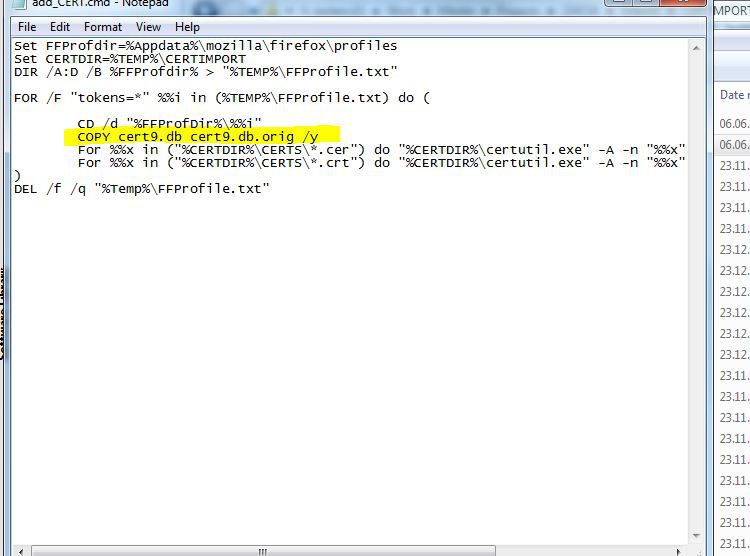
I am reading over the internet I guess I have to upgrade my cert8.db to cert9.db
You need to tell certutil to use SQLite (sql). You can either do this with the -d parameter and the sql: prefix (-d sql:.) or by creating an environment variable in the cmd or script file file.
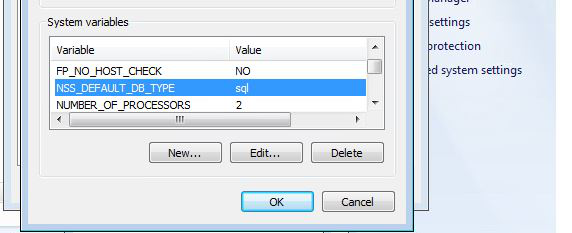
- set NSS_DEFAULT_DB_TYPE=sql
Yes by default it takes sql type as dbm.
So manually created system environment variable(set NSS_DEFAULT_DB_TYPE=sql ) and tried to run my batch file still its updating cert8.db file not cert9.db file.
Modifié le par siddhika
Any update??