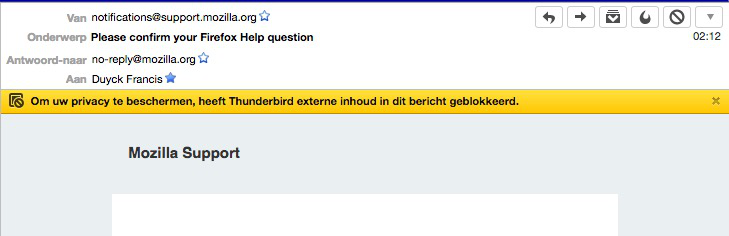
Why is the Preference button not visable when external content is blocked ? (52.8.0 (64bits) Mac OSX Yosemite 10.10.5
Why is the Preference button not visable when external content is blocked ?
Before the latest update, be default no remote content was displayed but for each mail I could chose to display just for this email, with different options ...
Now I get a message that the external content has been blocked, but I have NO possibility to have it displayed.
Where is that button ?
Best regards
Francis
(52.8.0 (64bits) Mac OSX Yosemite 10.10.5
Solution choisie
Restart Thunderbird with add-ons disabled (Thunderbird Safe Mode). On the Help menu, click on "Restart with Add-ons Disabled". If Thunderbird works like normal, there is an Add-on or Theme interfering with normal operations. You will need to re-enable add-ons one at a time until you locate the offender.
Lire cette réponse dans son contexte 👍 1Toutes les réponses (3)
Solution choisie
Restart Thunderbird with add-ons disabled (Thunderbird Safe Mode). On the Help menu, click on "Restart with Add-ons Disabled". If Thunderbird works like normal, there is an Add-on or Theme interfering with normal operations. You will need to re-enable add-ons one at a time until you locate the offender.
Thank you Matt ! That did it ! I was in Standard theme and did not install any Add-ons or even change any setting since last year. So I suppose an auto update must have provoced the issue... I'll start examining which add-on could be the origin of the issue. The preference button is back in place, that is the most important. Thanks for your quick reply. Best Regards Francis
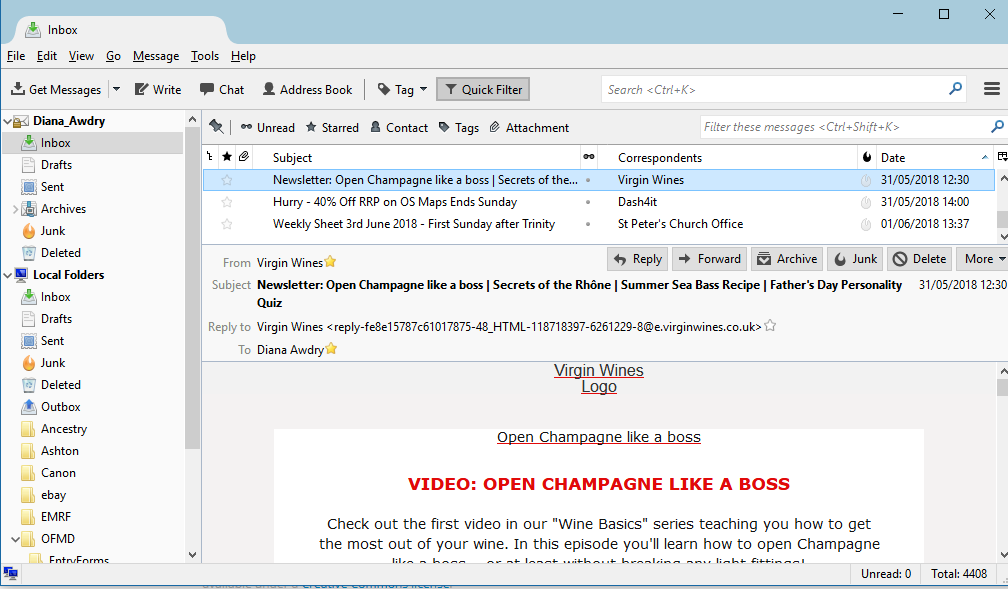
I have a similar problem: some messages from senders for which I have previously allowed remote content are now appearing without it, but the Options button is missing so I cannot reset my preferences. I have tried the fix described above but it makes no difference. I am running Windows 10 64-bit which has just issued a major update.