


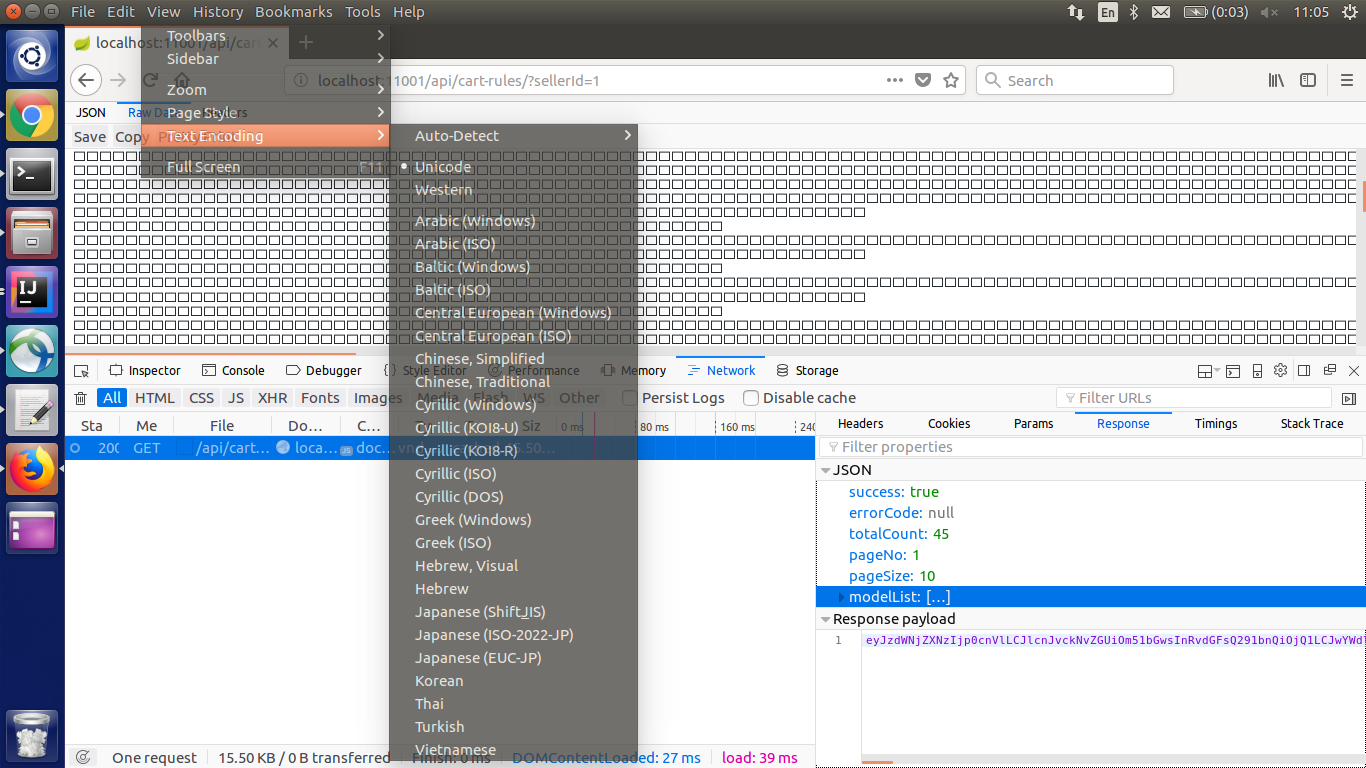
Firefox can't show JSON content correctly

Firefox open the JSON document wrongly, all I see are special character. This is the response header: X-Application-Context: lazada-promotion-web:dev:11001 Content-Type: application/json;charset=UTF-8 Transfer-Encoding: chunked Date: Sat, 02 Dec 2017 06:35:40 GMT
Request header: Host: localhost:11001 User-Agent: Mozilla/5.0 (X11; Ubuntu; Linux x86_64; rv:57.0) Gecko/20100101 Firefox/57.0 Accept: text/html,application/xhtml+xml,application/xml;q=0.9,*/*;q=0.8 Accept-Language: en-US,en;q=0.5 Accept-Encoding: gzip, deflate Connection: keep-alive Upgrade-Insecure-Requests: 1 Cache-Control: max-age=0
Solution choisie
You can check for sandbox security related issues.
You can set this pref to 2 or 1 on the about:config page to lower the sandbox security setting.
- security.sandbox.content.level = 1
- close and restart Firefox to make the change effective.
If '1' still doesn't have effect then try '0' to disable the sandbox.
If this didn't work then undo/reverse the change and reset the pref via the right-click context menu to the default value.
You can open the about:config page via the location/address bar. You can accept the warning and click "I accept the risk!" to continue.
Lire cette réponse dans son contexte 👍 1Toutes les réponses (2)
Sorry for the format, here the screenshot.
Solution choisie
You can check for sandbox security related issues.
You can set this pref to 2 or 1 on the about:config page to lower the sandbox security setting.
- security.sandbox.content.level = 1
- close and restart Firefox to make the change effective.
If '1' still doesn't have effect then try '0' to disable the sandbox.
If this didn't work then undo/reverse the change and reset the pref via the right-click context menu to the default value.
You can open the about:config page via the location/address bar. You can accept the warning and click "I accept the risk!" to continue.