

Ce sujet de discussion a été archivé.
Veuillez poser une nouvelle question si vous avez besoin d’aide.

Résolu
Archivé
how do i increase the font size in message pane?

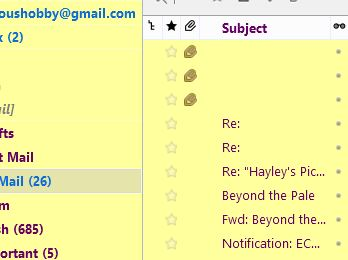
I used a theme add in to increase the size of the menu font on the left. I cannot change the font size of the message pane. See attached. How do I enlarge this print size?
I used a theme add in to increase the size of the menu font on the left. I cannot change the font size of the message pane. See attached. How do I enlarge this print size?
Toutes les réponses (4)
Try the userChrome.css solution offered here.
I know we can also insert a font face definition here, and probably a style; bold, italic etc.
Solution choisie
You can put any of these in with the font size declaration:
 font-family : Arial !important;
 font-weight: bold !important;
 font-style: italic !important;
 color:blue !important;
etc.
Modifié le par Zenos
Where do I find the font size declaration for Thunderbird