


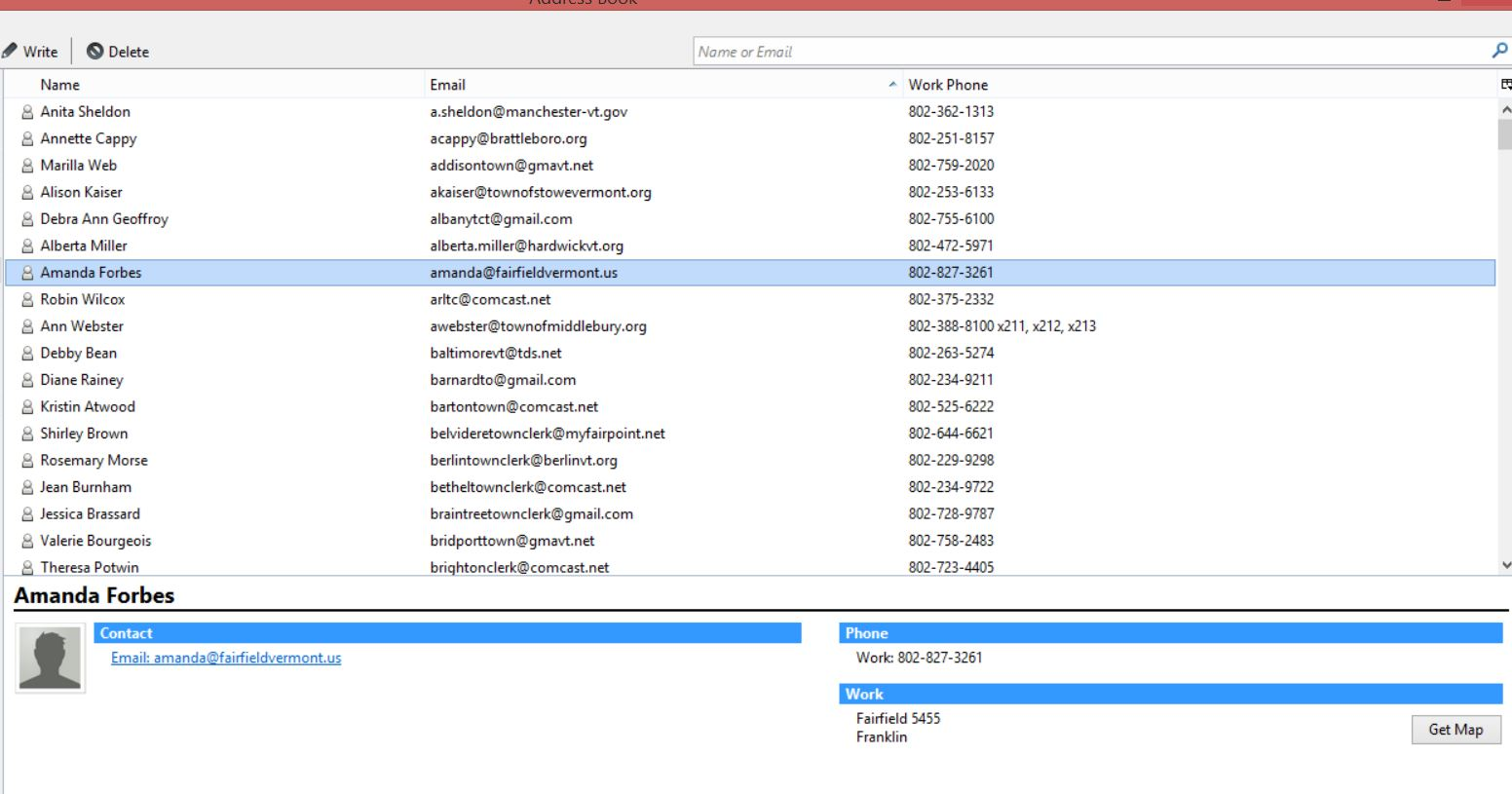
Importing data (6 fields) from Excel to Tb address book. All 6 show up in the contact pane, but 3 of them are under Work and don't show up above so can't sort.

I am trying to Import data (6 fields) from Excel file to Tbird address book. All 6 fields do show up in the contact pane, but only 3 of them show up in my list where I can sort them. I tried adding all the options for display (Chat name, organizations, etc.) but there is no data in any of those. The other 3 fields do show up for each entry in the Contact pane, but they appear under the blue bar that says "Work." These include a zip code and town name which I want to be able to sort the whole address list by.
Solution choisie
I assume you are exporting your excell-file as a comma-separated file. Try to include all column names up to last needed one, in same order and spelled as in Address-book. When you export mark the part you want to use incl column-names Open your .csv in a texteditor, is there any extra space, commas, strange letters, etc.
The easiest way of getting all names is to export them from an addressbook as a csv-file
Lire cette réponse dans son contexte 👍 1Toutes les réponses (1)
Solution choisie
I assume you are exporting your excell-file as a comma-separated file. Try to include all column names up to last needed one, in same order and spelled as in Address-book. When you export mark the part you want to use incl column-names Open your .csv in a texteditor, is there any extra space, commas, strange letters, etc.
The easiest way of getting all names is to export them from an addressbook as a csv-file