


Can not open "about.config" in either "normal" or "safe mode" in Firefox.

I am trying to modify the Preferences in the About.config settings, but I can not get into "about.config" in either normal Firefox mode or in Safe Mode Firefox.
Valittu ratkaisu
For some weird reason, the "about:config" is now working. I tried closing and reopening Firefox numerous times, but About:config refused to work. Now after posting my problem with Mozilla Support, I went back into Firefox and was able to open About:config. Sorry about that.
Kaikki vastaukset (5)
hello Keepper, it's about:config!
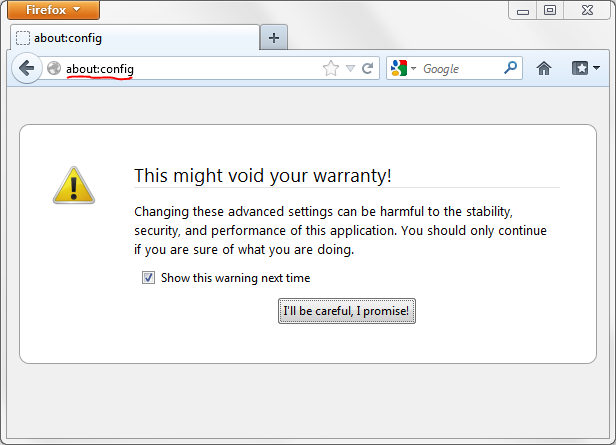
I am typing ABOUT:CONFIG in that exact way. Is that not correct or should it be ABOUT CONFIG ? In the search (Location Bar) and I keep getting the message "there is no such website."
Valittu ratkaisu
For some weird reason, the "about:config" is now working. I tried closing and reopening Firefox numerous times, but About:config refused to work. Now after posting my problem with Mozilla Support, I went back into Firefox and was able to open About:config. Sorry about that.
check it in Safe Mode, select "Start in Safe Mode" and see if this happen again, if not see: Troubleshoot extensions, themes and hardware acceleration issues to solve common Firefox problems
thanks again