


Why does a script lock up everything when I just try to bookmark something?

Win 7. Has been doing this now for over 6 months of updates that don't fix it. Just trying to bookmark any page, a script starts that appears to be accessing Chrome, but I'm not using Chrome. This is the code I get. chrome://browser/content/PlacesViews.js:265
Kaikki vastaukset (9)
That isn't referring to Google Chrome.
Firefox uses the chrome protocol to access build-in files and files added by extensions.
What is the name of the script that is causing the problem?
This code is all I know: chrome://browser/content/places/browserPlacesViews.js:265 The system locks for :30 seconds before showing this to me. When I select "stop script" it returns to normal and allows a single URL to be bookmarked. But trying to bookmark anything again goes through the same frustrating cycle. What is "js.265" ? That would be my only guess. I mis-typed the code yesterday. I corrected it here and am adding a screen shot of it now. Clarification, it is only Firefox that locks up, other functions on the computer work, so I was able to obtain a screen shot for you.
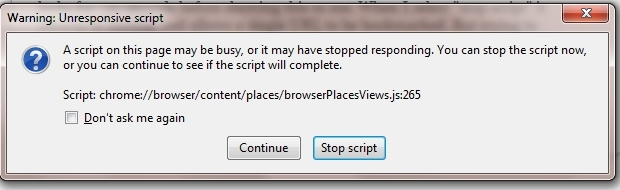
Please try to start Firefox in Safe Mode by following this article: Use Troubleshoot Mode in Firefox
Cheers!
Also: .js is the extension for JavaScript.
This refers to a program file of Firefox, in more detail the file that is responsible for showing bookmarks and stuff (called places). 265 is the line number where the code is located that hangs Firefox.
--tobbi
You can open such chrome links via the location bar to inspect the file (use View Page Source to get access to the line numbers).
In this case line 265 seems to show a problem with creating a pop-up menu probably showing folder content of a folder that needs to be processed and takes too long to finish.
That can be caused by having a folder structure that nest rather deeply or there may be a problem with the places.sqlite database.
A possible cause is a problem with the file places.sqlite that stores the bookmarks and the history.
Opening in Safe mode created more problems. The bookmark button disappeared, so I could not check if the problem continued. Safe mode also generated a 388 code. Image below. I eventually found the "view page source" command (haven't seen that one since the Netscape days) but only saw a mountain of meaningless html code with no line numbers to locate the issue. So I saved my bookmarks, and did a complete uninstall of Mozilla Firefox, downloaded a new copy and reinstalled. Code 265 returned and continues to lock up when I try to bookmark anything. Is this a conflict between Mozilla and Windows 7, or maybe Dell architecture? I also have Firefox running on a Vista/Toshiba computer and there it works perfectly.
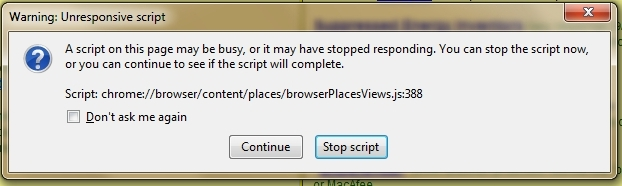
Create a new profile as a test to check if your current profile is causing the problems.
See "Basic Troubleshooting: Make a new profile":
There may be extensions and plugins installed by default in a new profile, so check that in "Tools > Add-ons > Extensions & Plugins" in case there are still problems.
If that new profile works then you can transfer some files from the old profile to that new profile, but be careful not to copy corrupted files.
See:
A new profile was able to bookmark properly. But as soon as I tried to import my old bookmark list, multiple .js codes came up and stalled the import, which ultimately stopped and said unable to import data. So the java script causing the problem is in my bookmark list. How can that be? I thought bookmarks was only a text list of URL's, nothing else? How can I clean all the javascript out of the list without destroying an important list of URL's? Apparently none qualify as a virus or spyware as none of my scans have removed them.
This problem is not yet solved. A new profile is worthless to me without the existing bookmark list. How do I locate the offending javascript file and remove it from the contaminated bookmark list under my old profile?