


Firefox browser allows frequent pop-ups despite installing blockers

I keep getting annoying block-ups on different websites, all of which are asking me to sign up for a newsletter e.g. - https://michaelwest.com.au/ https://theconversation.com/au https://johnmenadue.com/category/politics/
Is there a pop-up blocker that can stop these annoying intrusions?
I would be grateful for any help.
Όλες οι απαντήσεις (6)

There is a built-in pop-up blocker. For more you need to search the add-ons site.
https://support.mozilla.org/en-US/kb/pop-blocker-settings-exceptions-troubleshooting https://addons.mozilla.org/firefox/
Thanks for considering the problem but these suggestions do not address the problem. The pop-up blocker is on, but the pop-ups continue. They appear to be triggered by using the mouse. It would be lovely if Mozilla could stop this problem.
Thanks for trying guys.
Can you post a screenshot of such a pop-up?
I have attached a screen shot of one typical pop-up as requested. It was difficult to capture as the Snipping Tool wanted to treat the pop-up differently to the underlying web page. I had to confine my snip to the actual pop-up to capture this image. I hope this helps and thanks for considering this issue.

And here is another screen shot of a pop-up, not so difficult to capture with the Snipping Tool.
I also notice that both pop-ups cannot be moved to another part of the screen by a mouse. They appear "nailed onto" the screen - not sure if this is useful but cannot hurt to give more data.
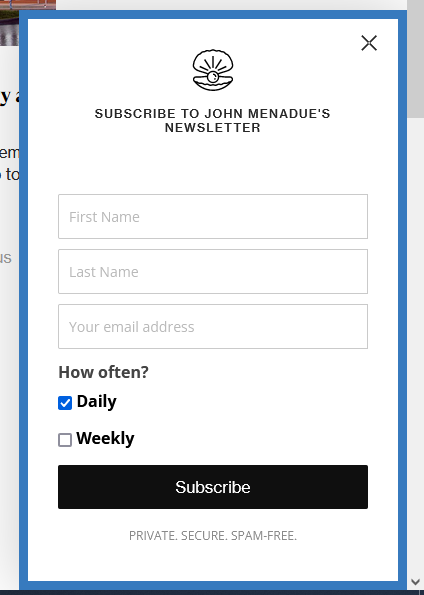
I only see a pop-up on the johnmenadue.com website. I can hide it with code in userContent.css.
@-moz-document domain(johnmenadue.com) {
.et_bloom .et_bloom_visible,
.et_bloom .et_bloom_flyin  { display: none !important; }
}
More info about userContent.css and userChrome.css in case you are not familiar: *https://www.userchrome.org/what-is-userchrome-css.html
- https://www.userchrome.org/how-create-userchrome-css.html
- https://www.userchrome.org/firefox-changes-userchrome-css.html
In Firefox 69 and later you need to set this pref to true on the about:config page to enable userChrome.css and userContent.css in the chrome folder.
- about:config => toolkit.legacyUserProfileCustomizations.stylesheets = true
- https://support.mozilla.org/en-US/kb/about-config-editor-firefox