


What is the Firefox Installer?

I'm trying to migrate to the newest version of Firefox on an old installation of Fedora. I've downloaded and unpacked the installation files but can't identify the installer. All I probably need is the name, as I know how to make it executable and run it once I know what file it is.
Ausgewählte Lösung
OK, the launcher works now but it doesn't save settings on exit. Time for a new question.
Diese Antwort im Kontext lesen 👍 0Alle Antworten (12)
No install, just run firefox-bin. see screenshot
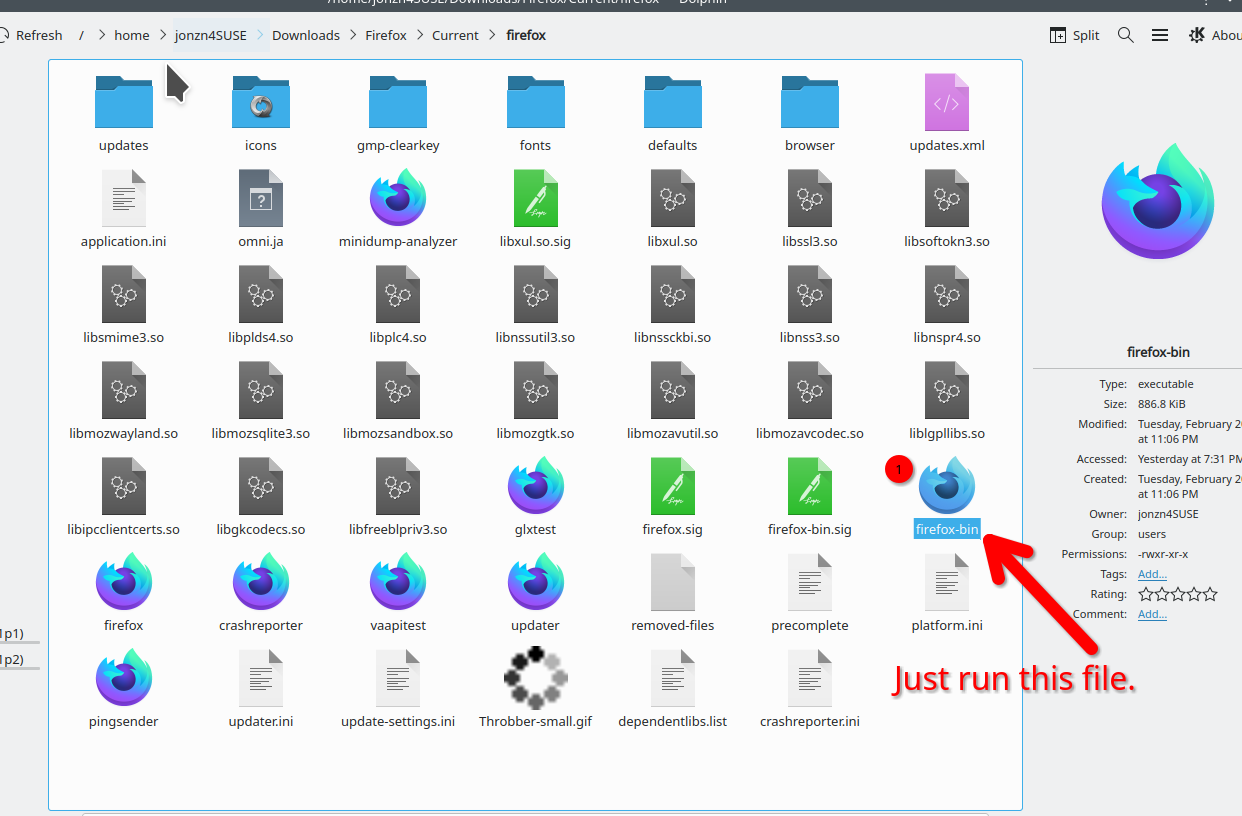
Geändert am von jonzn4SUSE
I'm curious to see what version you downloaded and if the that version will run on your old OS.
Geändert am von jonzn4SUSE
Verify that you meet the System Requirements (GTK+ and GLib) for the current Firefox release.
sideburns said
I've downloaded and unpacked the installation files but can't identify the installer. All I probably need is the name, as I know how to make it executable and run it once I know what file it is.
Just untar the tarball archive and run the firefox-bin file to use Firefox is the basics. You may want the Firefox folder to have read/write permissions for the user in order to get internal Firefox updates from Mozilla. A easy way is to have the Firefox folder in Home if you are the only user. Then perhaps make a launcher shortcut to the firefox-bin on desktop or panel or such.
There used to be a so called installer but it was short lived as it took a couple extra steps compared to the tarball for the same end result.
Geändert am von James
Running the installer helped but it installed it in my download folder and didn't update icon. It also didn't save the configuration when I exited.
Download folder works. That's where my versions run from. see screenshot It's not a installer, it just runs and you will have to create the icon wherever you want it to be. My icons are on the desktop. see screenshot What version are you running?
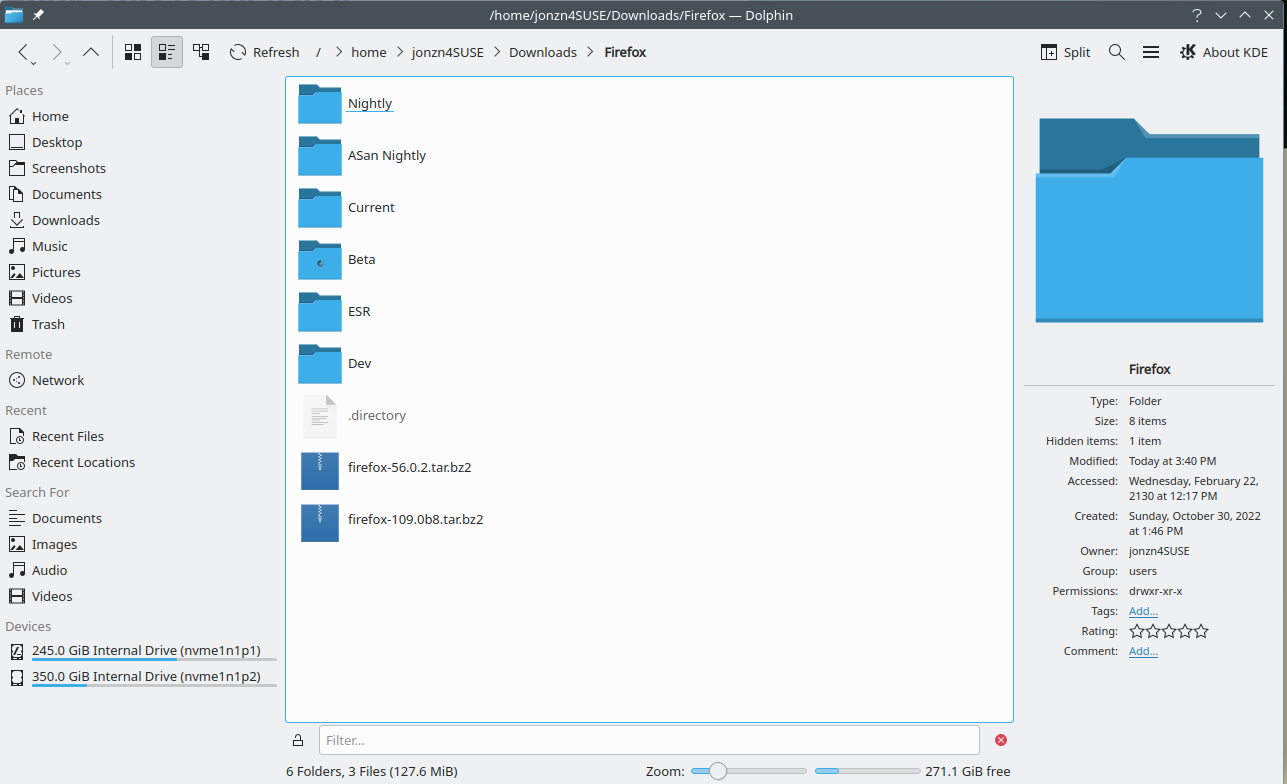
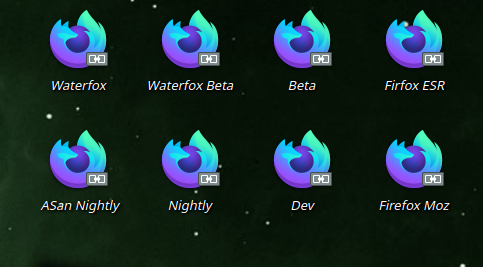
Geändert am von jonzn4SUSE

The Mozilla version doesn't 'install' on Linux. You merely unpack the tarball.
https://support.mozilla.org/en-US/kb/install-firefox-linux
Use the script to launch Firefox. It's either firefox.sig or firefox, I forget which.
Ausgewählte Lösung
OK, the launcher works now but it doesn't save settings on exit. Time for a new question.