


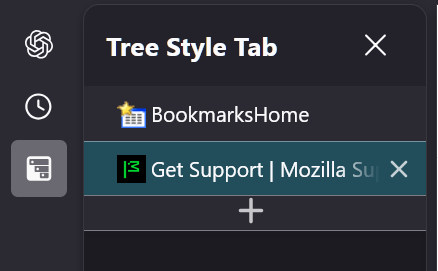
"Tree Style Tab" displays on the top of the sidebar

Firefox 140 I use Tree Style Tabs for my tabs, and have for a long time. I updated to 140 and now, at the top of the sidebar is "Tree Style Tab X". Clicking X closes Tree Style Tab and the sidebar. My question. Is there a way to not have Tree Style Tabs and the top of the sidebar, but return to "BookmarksHome" which was at the top previously? Appreciate any help or ideas.
Všechny odpovědi (3)
Hello
An subject. Remove "Tree Style Tabs" header on the actual tree?
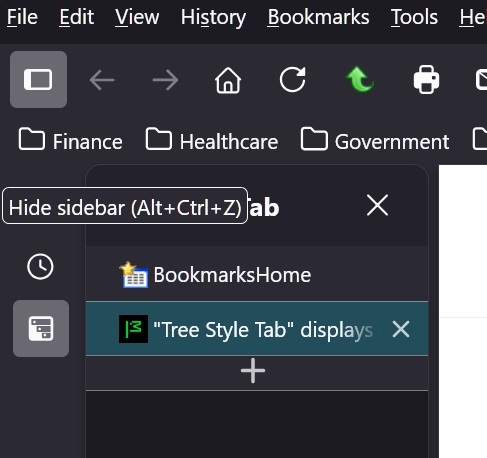
I posted a picture of it, I don't know what you mean by "the actual tree". I would like BooksmarksHome to be the top item, and I would like Tree Style Tab X to not be there. I re-posted the picture in case there was a problem. Thanks.
Solved the problem
Open userChrome.css by clicking on it
Copy and Paste in the following:
- |sidebar-panel-header {
display: none !important;
}
Close and restart Firefox - the tree style tabs header should is gone - on my PC anyway.
Thanks