


Picture in Picture toggle

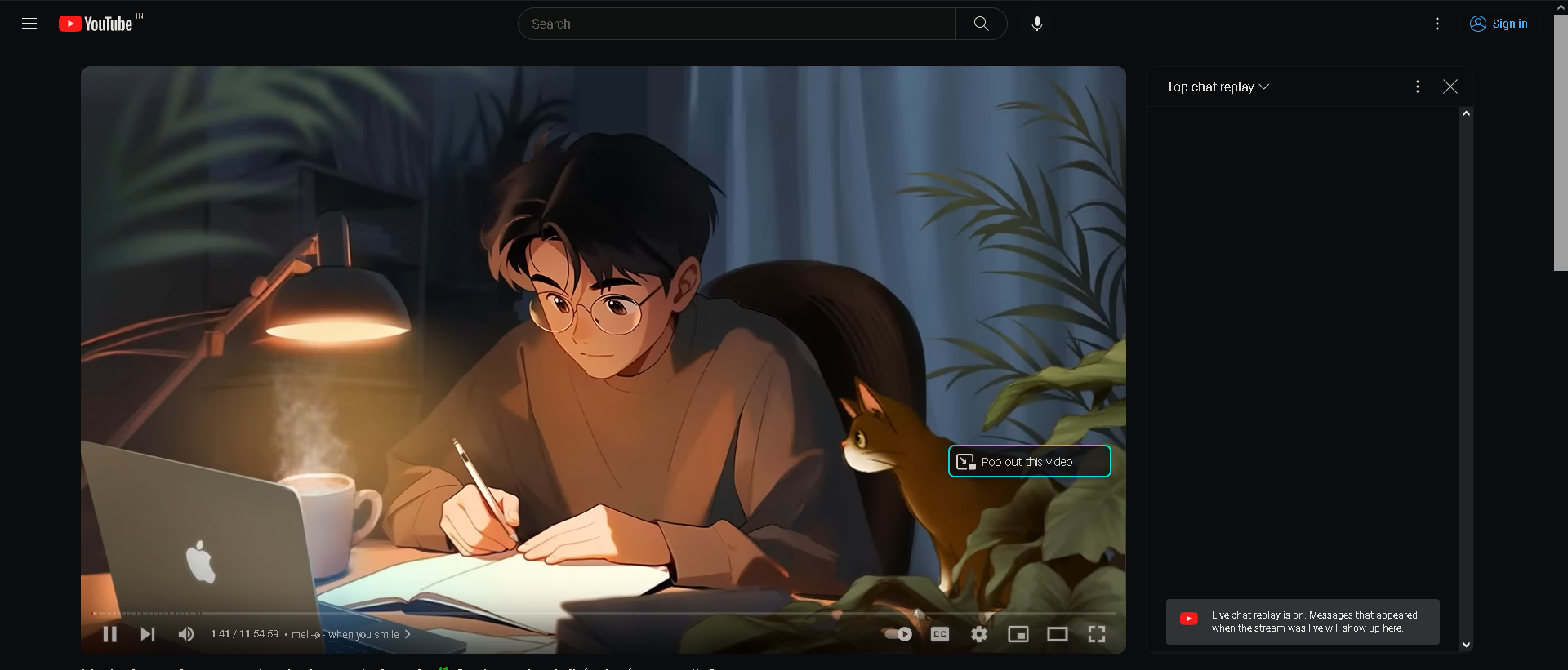
Is there a way I can disable the "Pop out this video" button on the video player itself but keep the toggle present in the url bar? I have attached the pictures of what I am talking about I don't like the pop out button appearing on the video everytime I try to use my mouse around the video player but like the option of picture in picture seems like a good option for me.
Currently if I try to disable the button from the menu after right-clicking, it also disable the button present in the url bar.

Všechny odpovědi (1)
Note that with the PiP control hidden, you can still open a PiP window via the right-click context menu. You may have to hold the Shift key while right-clicking the player area to get the Firefox context menu. If you have used this button, media.videocontrols.picture-in-picture.video-toggle.has-used should be set to true and you should only see a small icon and not the label text.
You can move the pop-out button a more convenient position or hide the button via code in userContent.css. I place the button in the top-right corner.
Add CSS code to the userContent.css file in the chrome folder in the Firefox profile folder. To hide the button, add display:none!important; within the {}.
/* Picture in Picture - #pictureInPictureToggle */
 .pip-wrapper{top:0% !important; right:35px !important}
More info about userContent.css/userChrome.css in case you are not familiar:
- https://www.userchrome.org/what-is-userchrome-css.html
- https://www.userchrome.org/how-create-userchrome-css.html
- https://www.userchrome.org/firefox-changes-userchrome-css.html
In Firefox 69 and later, you need to set this pref to true on the about:config page to enable userChrome.css and userContent.css.
- about:config => toolkit.legacyUserProfileCustomizations.stylesheets = true
- https://support.mozilla.org/en-US/kb/about-config-editor-firefox