


Firefox not working correctly with new Wikipedia as of 1/22/23

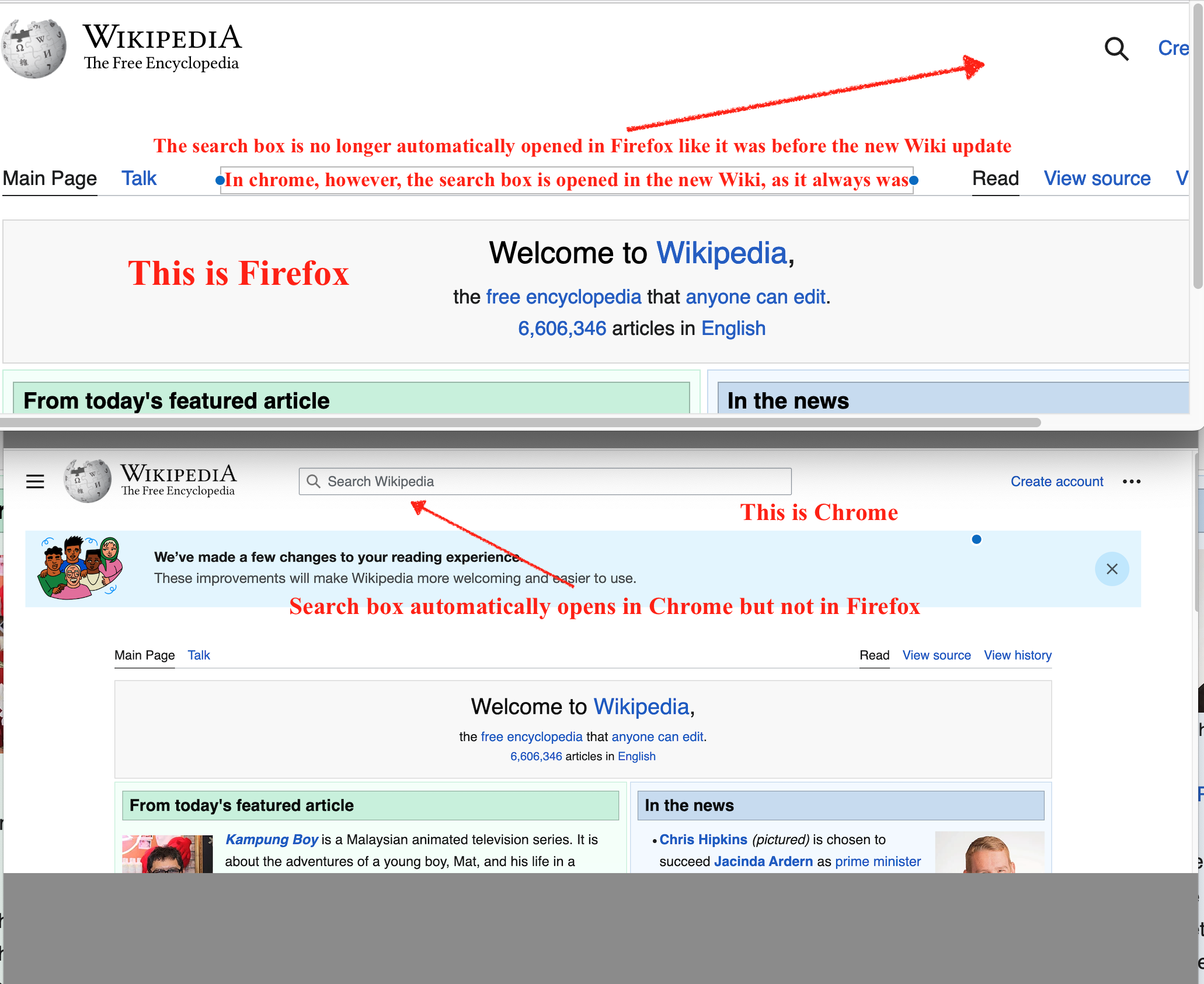
In the past, going to Wikipedia in Firefox automatically opened a search box to type in a search term. However, with the recently updated Wikipedia interface, Firefox no long opens a search box, so the user must: (a) stop typing (b) grab a mouse (c) click on the magnifying glass icon just to enter a search term. To demonstrate this, please go to https://en.wikipedia.org/wiki/Main_Page and you will see there is no search box and you have to manually open the search box.
However, this works perfectly in Chrome. Going to https://en.wikipedia.org/wiki/Main_Page automatically opens a search field to easily type into.
Will Firefox be updated to allow immediate access to search field in Wiki? Please see attached .png file and thank you for listening! CW
Zvolené řešení
Thanks cor-el. In the mean time, someone (perhaps Wikipedia) has solved the problem, the search field is now automatically opening as it did before. Best wishes and thanks!
Přečíst dotaz v kontextu 👍 0Všechny odpovědi (4)
As a possible workaround you can press its shortcut key (Alt+Shift+F) to focus the magnifier icon and press Enter to open the search bar.
Zvolené řešení
Thanks cor-el. In the mean time, someone (perhaps Wikipedia) has solved the problem, the search field is now automatically opening as it did before. Best wishes and thanks!
Do you need to be logged in to make this work ?
I just checked, the search field now shows up whether one is logged in or not logged in, so this issue is solved. Thanks again for your help!
BTW the link attached to the "mark it as solved" button in the emails from Mozilla Support stalls out when I try to access it in Firefox. Just a blank page.
I tried in Chrome and it says htp error 405.