


Firefox will not load - missing VCRUNTIME140_1.dll

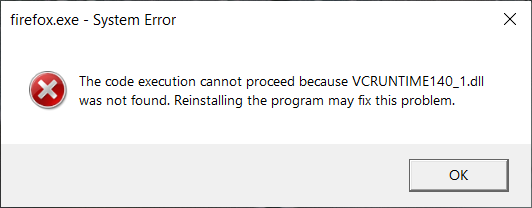
Firefox not loading and missing VCRUNTIME140_1.dll preventing re-installation. Full message is: 'The code execution cannot proceed because VCRUNTIME140_1.dll was not found. Reinstalling the program may fix this problem.' Tried to install an old version of Firefox (28.0) but this is not upgradeable.
Všechny odpovědi (3)
- Enter this link: https://support.microsoft.com/en-us/help/2977003/the-latest-supported-visual-c-downloads
- From the section Visual Studio 2015, 2017, 2019 and 2022 download the following executable file: vc_redist.x64.exe
- Install this file
- Restart the computer and run Firefox

Thank you so much. This resolved my issue. I was about to restore my PC to a restore point, which I really didn't want to do and something told me to check mozilla support. I'm glad I did. Thank you again.
Note that this can happen if you recently uninstalled an application that was using Visual C+ runtime components. Firefox doesn't come with these files and expect they are installed, but doesn't increment its install counter what causes Windows to silently remove those VCR Redistributable Packages when other applications are uninstalled and the counter reaches zero.