


I want to add a bookmark to a URL on my android home page.

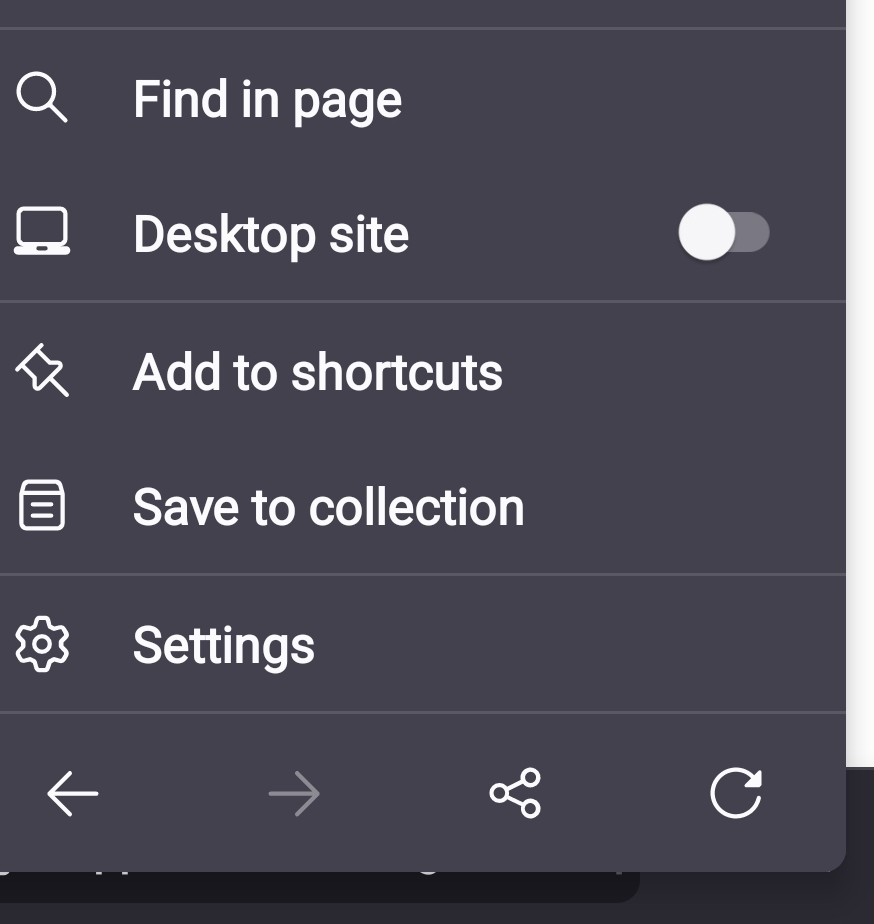
I want to add a bookmark to a URL on my android home page. only shortcuts option appears.. and no shortcuts is not what I need/want... also please add more slots to shortcuts, like the entire home screen from firefox browser.
Zvolené řešení
turns out that it was the launcher app fault, here the "corrected" one: https://github.com/MASTERdjango/openLAUNCHER hope this helps others...
Všechny odpovědi (12)
Hi
This support article should help you to add a shortcut to your Firefox for Android homescreen:
https://support.mozilla.org/en-US/kb/customize-firefox-home-screen#w_add-a-site-to-your-shortcuts
Please remember that you can add 16 shortcuts, you can swipe them from right to left to see the second set of eight shortcuts.
WTF dude clearly says:"I want to add a bookmark to a URL on my ANDROID HOME PAGE" .... 16 not enough.... just make it hable to add un unlimited rows and columns...is that hard? bugzila would hep with these? IF ITS NOT POSSIBLE JUST SAY IT.... It would help if you tell me how to suggest a change....
"can swipe them from right to left to see the second set of eight shortcuts." thats basically insulting me....Paul.
A bookmark is a URL - how do you add a bookmark to a URL? What are you trying to achieve?
here some fotos so you can understand...
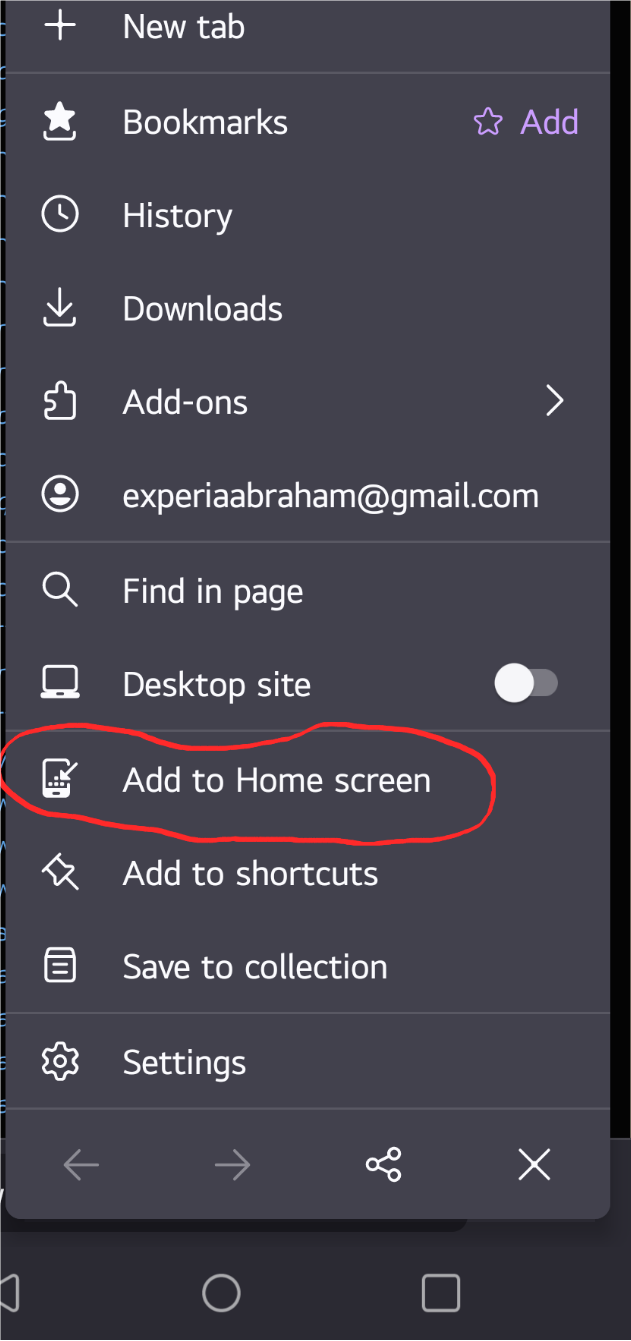
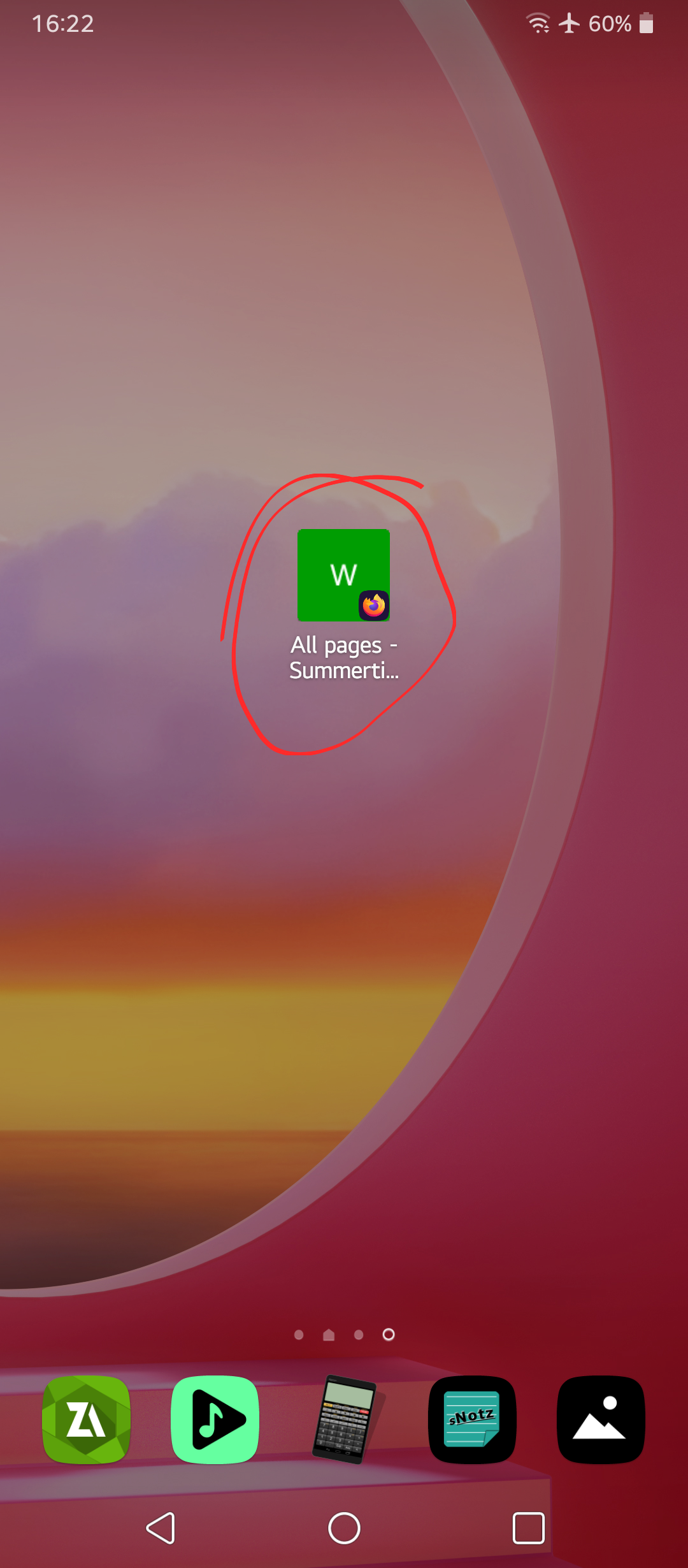
Ah, okay, so you wish to add a website as a shortcut on your Android homescreen?
The options that you have circled in your images are the way to add a shortcut.
yes but i can not do it in the other cellphone.... the build is the same..
What happens when you try to do this on your other cellphone?
Is there any error message?
the icon just doesn't appear.... as showed in the first coment photo.
The images that you have uploaded show that a shortcut has been added to the Android homescreen.
there are 2 cellphones... in 1 of them the method works in the other does not... avoiding questions will drive us nowhere.
What is the make, model and Android version for the handset where it does not work?
Is the latest version of Firefox for Android installed on that device?
Zvolené řešení
turns out that it was the launcher app fault, here the "corrected" one: https://github.com/MASTERdjango/openLAUNCHER hope this helps others...