


MQTT (wss) Not Connecting in Firefox, Works in Other Browsers
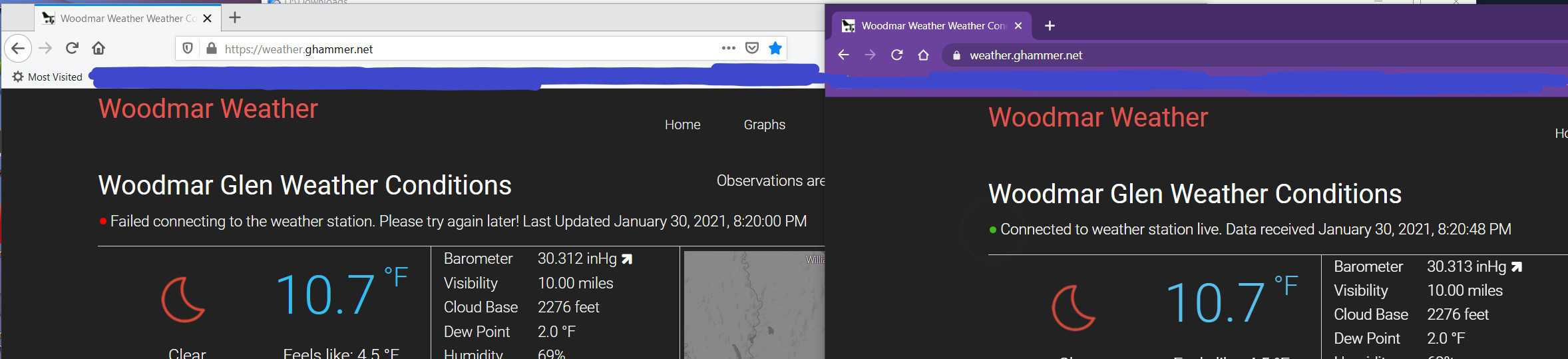
I have a website that uses live data from an MQTT server. The server has proper certs, and works fine with Chrome, Opera, Edge on various platforms (mobile, Windows, Linux). The live data does not display in Firefox and has not in several months/FF builds.
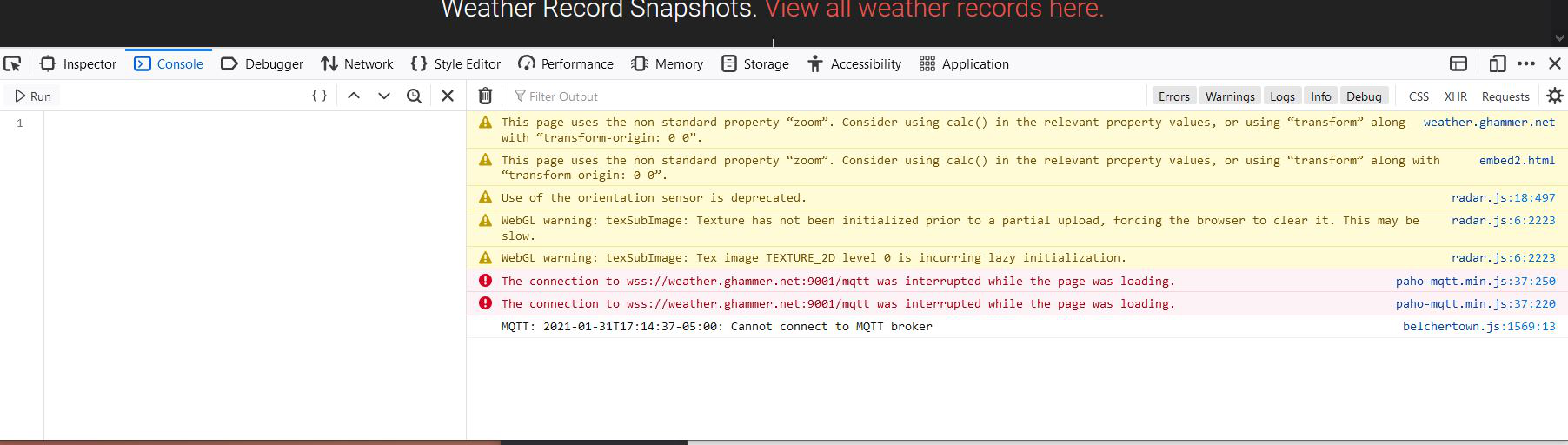
The console shows The connection to wss://weather.ghammer.net:9001/mqtt was interrupted while the page was loading.
No further info is available. In order to continue to use and recommend Firefox, this needs to work as in other browsers.
Any ideas?
Zvolené řešení
Your page's behavior seems to match a pattern of problems with Firefox attempting to make an SSL connection to MQTT servers via HTTP/2. Users can disable HTTP/2 for Websockets --
(1) In a new tab, type or paste about:config in the address bar and press Enter/Return. Click the button accepting the risk.
(2) In the search box in the page, type or paste websockets and pause while the list is filtered
(3) Double-click the network.http.spdy.websockets preference to switch the value from true to false (switches Firefox from using HTTP/2 to HTTP/1.1 for WebSockets)
-- but that isn't something the server could dictate to Firefox users.
- https://github.com/eclipse/paho.mqtt.javascript/issues/231
- https://github.com/eclipse/mosquitto/issues/1211
What makes this even stranger is that the Websocket connection the page is making to the radar server is working just fine with the standard setting. ??
Upravil uživatel jscher2000 - Support Volunteer dne
Všechny odpovědi (6)
I'm not very familiar with WebSocket connections. This question might be more suited for another venue:
No, not a developer thing, this is just a Firefox not displaying what others do. wss is fairly common.
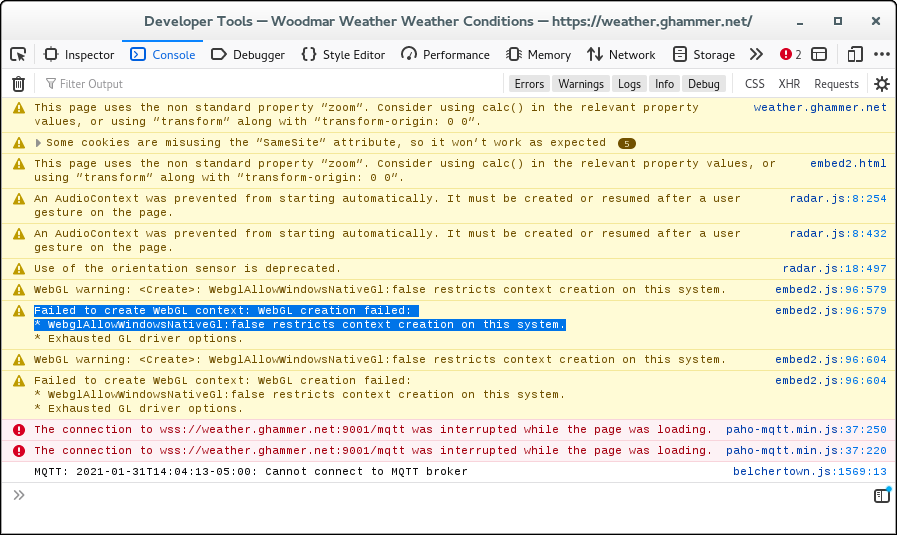
I see errors in the Web Console.
Failed to create WebGL context: WebGL creation failed:
- WebglAllowWindowsNativeGl:false restricts context creation on this system.
Upravil uživatel cor-el dne
That could easily be, but it would be your system. It also would not impact MQTT connecting.
Zvolené řešení
Your page's behavior seems to match a pattern of problems with Firefox attempting to make an SSL connection to MQTT servers via HTTP/2. Users can disable HTTP/2 for Websockets --
(1) In a new tab, type or paste about:config in the address bar and press Enter/Return. Click the button accepting the risk.
(2) In the search box in the page, type or paste websockets and pause while the list is filtered
(3) Double-click the network.http.spdy.websockets preference to switch the value from true to false (switches Firefox from using HTTP/2 to HTTP/1.1 for WebSockets)
-- but that isn't something the server could dictate to Firefox users.
- https://github.com/eclipse/paho.mqtt.javascript/issues/231
- https://github.com/eclipse/mosquitto/issues/1211
What makes this even stranger is that the Websocket connection the page is making to the radar server is working just fine with the standard setting. ??
Upravil uživatel jscher2000 - Support Volunteer dne
@jscher2000
Thanks for the pointers to the issue on github and for the workaround. I agree that the fact the same type connection works for one service but not another is odd. Makes for difficult troubleshooting for sure.