


Navigation from the new tab page to a website results in blocked files in developer console
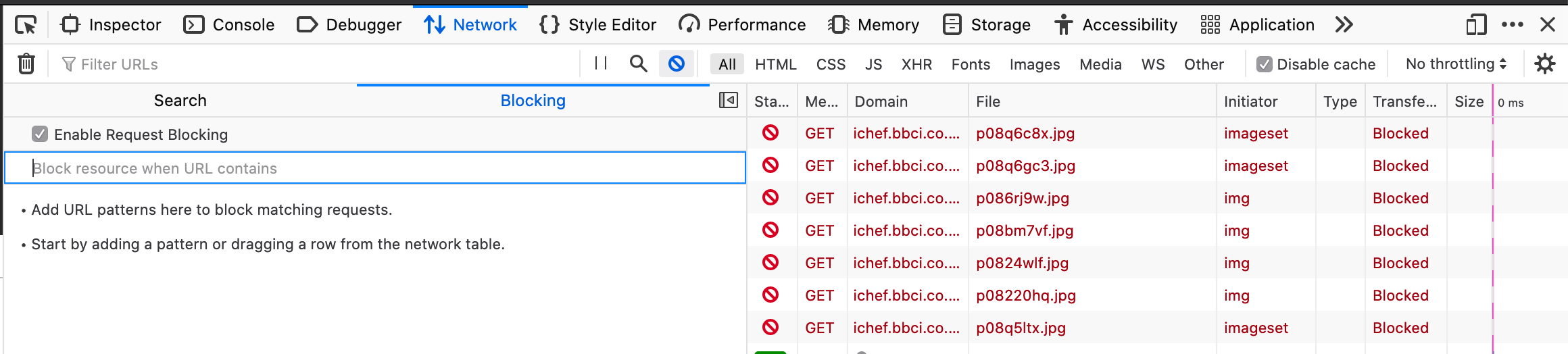
When using Firefox I have noticed that viewing the new tab page with the developer console open and navigating to a different website, some of the files (CSS, JS, images) that are in use by the website are blocked by devtools.
If you then refresh the page none of the files the site uses are blocked, similarly if you double click a blocked file Firefox will open the file in a separate tab. I am also able to resend the request for a blocked file and it will result in a 200 response.
The problem only seems to occur when navigating from the new tab page as I have also tried the same test when starting from another website like Google results. I've also tried various websites with the same results.
A video capture of testing can be found here: https://streamable.com/amx9df
I'm wondering if this is some sort of prefetch that has been blocked or it has been documented somewhere before? Obviously the sites are not unusable but it is quite confusing when loading websites to see assets being blocked but the page loading correctly.
Thanks.
Všechny odpovědi (3)
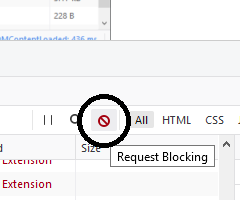
Hmm, there is a feature in the Network Monitor to block exact URLs or URLs that match a pattern. Do you have a little circle-slash icon to open the list:

Note: If you include a URL in a reply, including the above image URL, your post will be delayed while it transits the link moderation queue.
I've opened the blocked URL section and there is none listed. The only time I have seen the URL of the asset in that list is when I have clicked the "block" button when selecting a blocked request.

As a follow up, I've found that a new private tab does not reflect this issue and works as expected on all websites I have tested.