


Missing ad-on preferences after upgrade to TB68

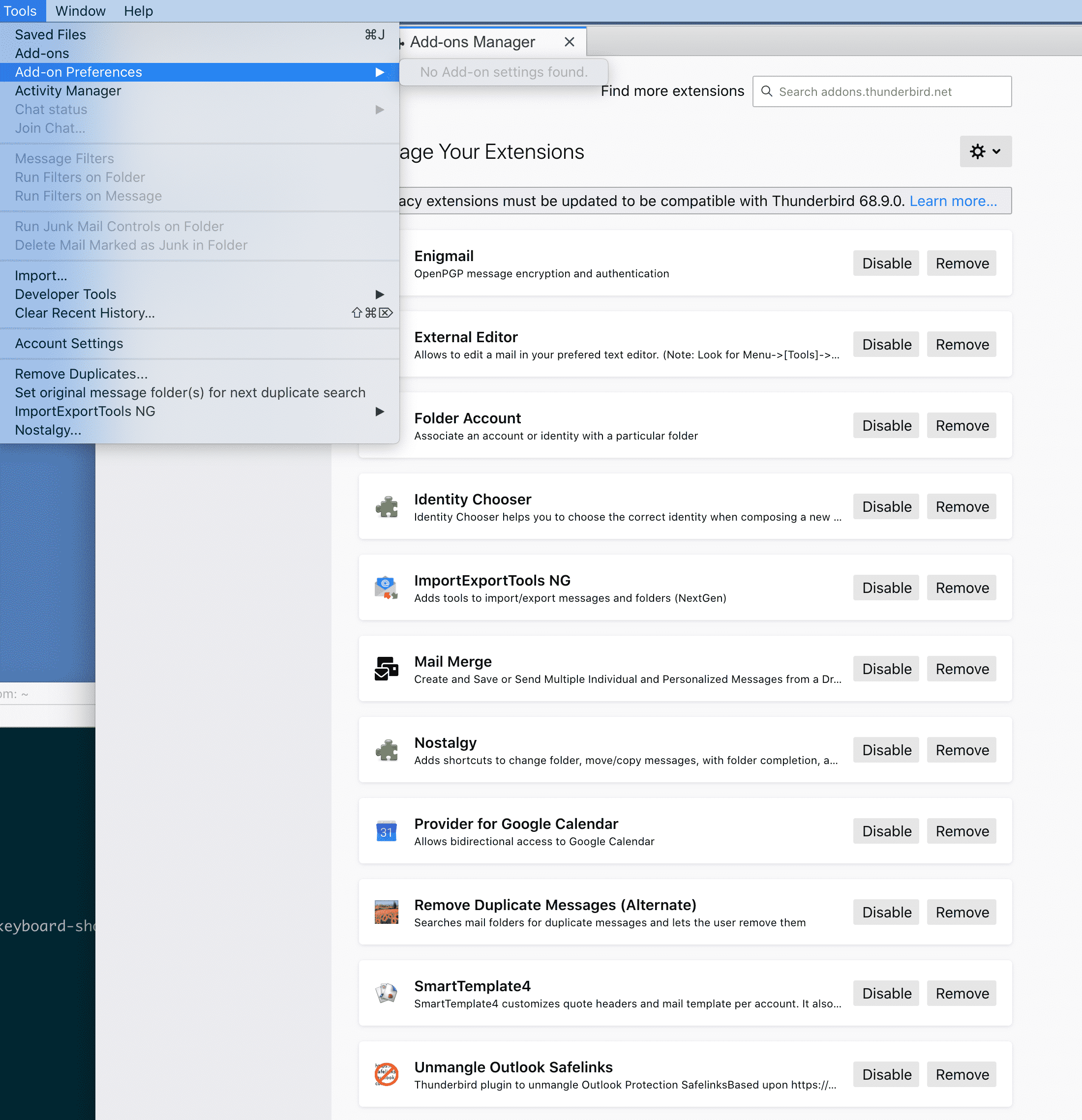
I've finally upgraded TB (68.9.0) from TB60 on my Mac Mini (10.15). My addons are installed and seem to be working, but I can't configure any of their preferences. I've reinstalled a few to no avail.
Zvolené řešení
This is a known bug. Click the 3-bar icon at the upper right and then Add-ons to see Add-on Options.
Přečíst dotaz v kontextu 👍 1Všechny odpovědi (7)

Remove then reinstall them. See if it helps.
I removed all of them, restarted, restarted, reinstalled them (with various restarts), and still no add-on preferences.
Try restart in safe mode from help menu, then start normal.
Zvolené řešení
This is a known bug. Click the 3-bar icon at the upper right and then Add-ons to see Add-on Options.
Wayne Mery said
Try restart in safe mode from help menu, then start normal.
I had tried that (/Help/Restart with Add-ons Disabled) as well since my initial posting with, sadly, no luck.
So sad - I should have looked that the picture - because I even confirmed the bug report several days ago https://bugzilla.mozilla.org/show_bug.cgi?id=1611349
sfhowes said
This is a known bug. Click the 3-bar icon at the upper right and then Add-ons to see Add-on Options.
There they are, thank you! Perhaps you could link to the bug #, which I wasn't able to find.