


I currently have 2 versions of Firefox - one with all my customisations and one with nothing. Both are 67.0. How do I join them and have just one?

In the attached photo you can see browser on R has customised bookmark toolbar (e.g., has "my.UQ Staff Portal) but on the L has nothing (sidebar shows only "Getting Started". Both appear to be 67.0. How do I get rid of the one with no cusomisations. I think non-customised appears when I click on a link and I get the customised when I open from widows icon
Všechny odpovědi (2)
I dont think image loaded for previous message. Here it is now.
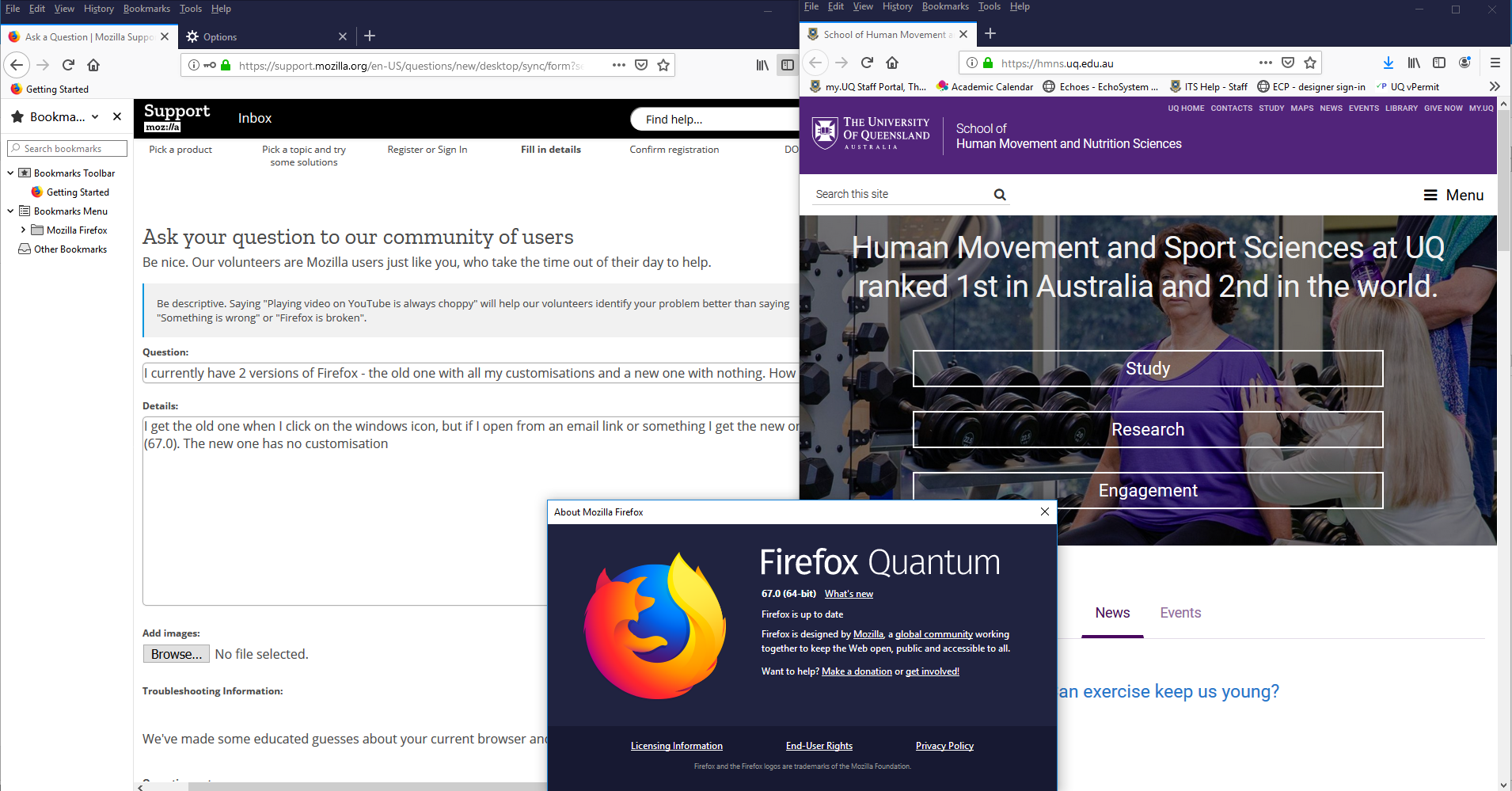
Hi
You might be getting a different profile in each case, one that has your settings and a new default-release profile that got newly created without your settings. You can open the about:profiles page to see if you have multiple profiles. Do NOT click any Remove buttons on this page.
You can try to use the Profile Manager to start Firefox and set the old profile as the preferred default profile.
Firefox 67 and later can use a dedicated profile for each of the Firefox update channels and will lock the profile, so it can only be used by Firefox in a specific installation folder. For Release this profile would be a xxxxxxxx.default-release profile.