


Thunderbird printing small

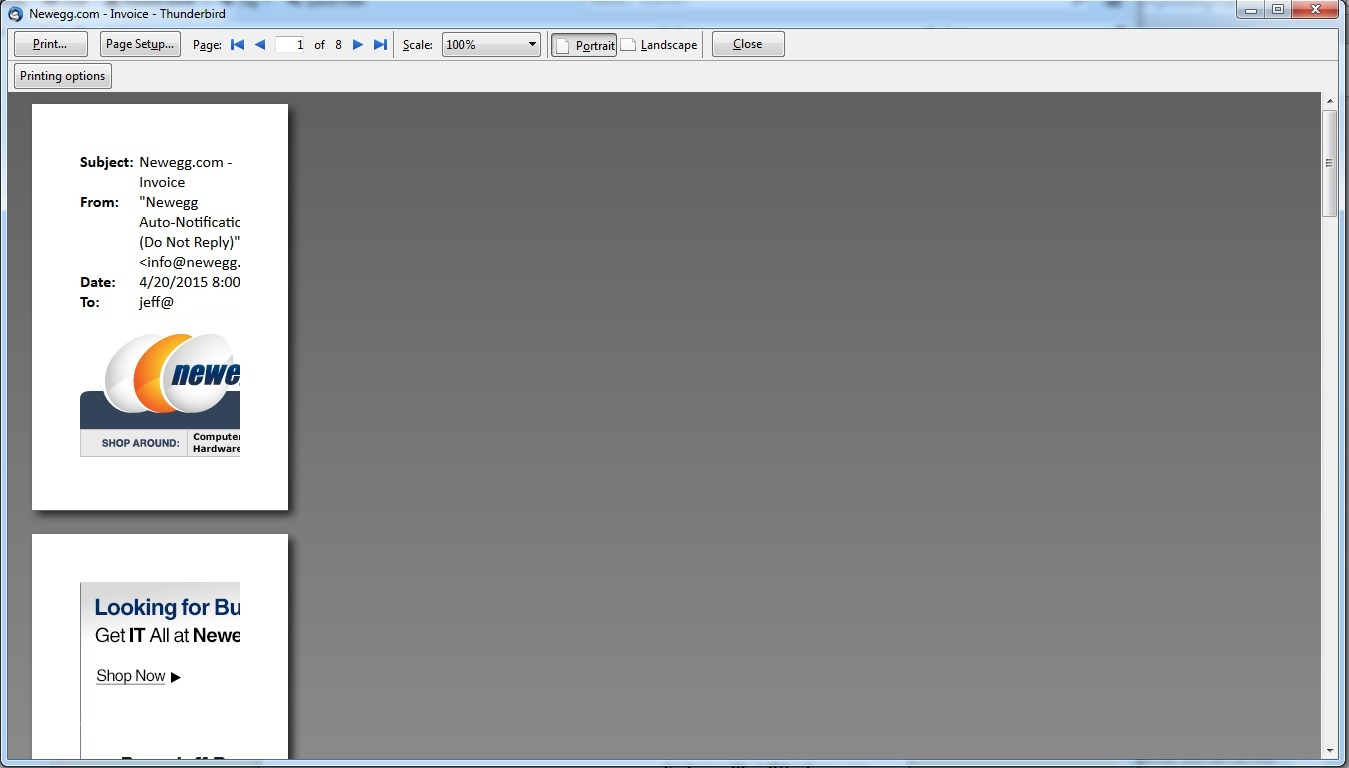
My issue just started recently, before I had no issues with printing or scaling in Print Preview. When trying to print recently Thunderbird will only show and print a small amount of a page. I have tried to use the Print Preview to adjust the sizing but that does very little to help. It seems like Thunderbird thinks the top left 3" by 3" is the whole page.
Zvolené řešení
On Firefox, which I suspect is very similar, this can be caused by storing incorrect data about your printer. You can blank out (reset) that stored data so Thunderbird will query Windows for it again.
To do this, you will need to use the Configuration Editor. You can call that up using the steps in this article: Config Editor.
In the search box above the list of preferences, type or paste printer and pause while the list is filtered. Then you can find all the preferences relating to the problem printer, and right-click > Reset them. The fastest way is to right-click with the mouse in your right hand, and tap the r key to active Reset on the right-click context menu.
Note: In a couple other threads involving Brother printers, the preference printer_printer_name.print_paper_data was set to 256 and when the user edited it to 1 that fixed the paper size problem. If you see a 256 there, you can edit the value by doubling-clicking it or using right-click>Modify.
The next time you try to print, Thunderbird should requery Windows. Any improvement?
Přečíst dotaz v kontextu 👍 0Všechny odpovědi (2)
Zvolené řešení
On Firefox, which I suspect is very similar, this can be caused by storing incorrect data about your printer. You can blank out (reset) that stored data so Thunderbird will query Windows for it again.
To do this, you will need to use the Configuration Editor. You can call that up using the steps in this article: Config Editor.
In the search box above the list of preferences, type or paste printer and pause while the list is filtered. Then you can find all the preferences relating to the problem printer, and right-click > Reset them. The fastest way is to right-click with the mouse in your right hand, and tap the r key to active Reset on the right-click context menu.
Note: In a couple other threads involving Brother printers, the preference printer_printer_name.print_paper_data was set to 256 and when the user edited it to 1 that fixed the paper size problem. If you see a 256 there, you can edit the value by doubling-clicking it or using right-click>Modify.
The next time you try to print, Thunderbird should requery Windows. Any improvement?
Clearing the printers setting within Thunderbird fixed the issue. Thanks for the quick response.