


When trying to print a Word document it only prints off half (the left side) of the document.

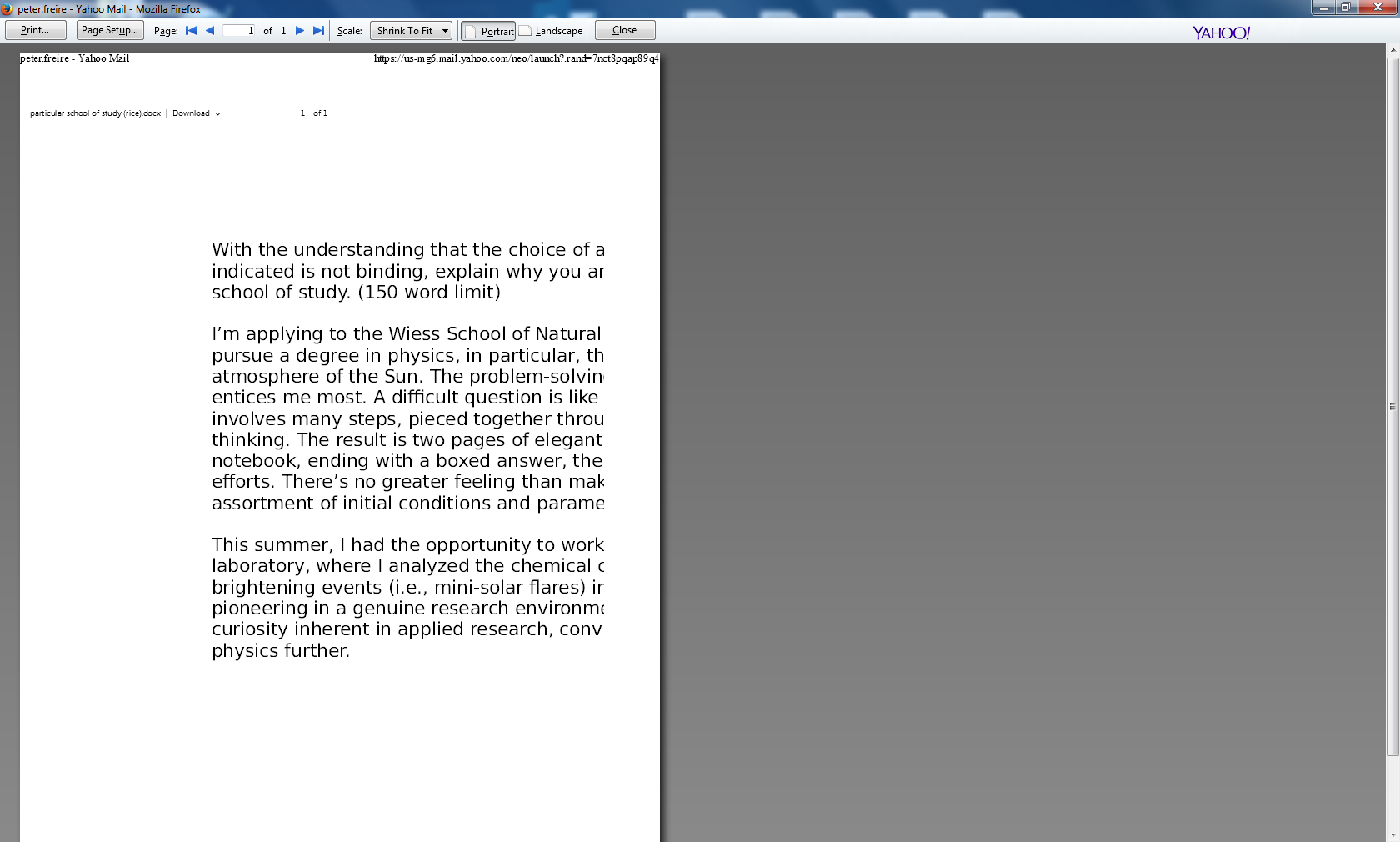
When I try and open a Word document in Firefox I can only see half the document, and that is what prints. The "half" being left to right, not top to bottom. It is as if all the text has shifted to the right. Really odd. I do not have this problem in Chrome or IE.
Všechny odpovědi (6)
A screenshot of the Print Preview window would be nice.
https://support.mozilla.org/en-US/kb/how-do-i-create-screenshot-my-problem
It is best to use a compressed image type like PNG or JPG to save the screenshot and make sure that you do not exceed a maximum file size of 1 MB.
Then use the Browse .... button below the Post a Reply text box to upload the screenshot.
What type of Word document is that? the file suffix - like .txt?
Cannot figure out how to take a screen shot... Canno0t find Microsoft Paint...
I cannot get a screen shot...not sure why.
Because I cannot manage a screen shot, let me try again with what I am seeing:
Text Text Text_____________(this is all blank, cut-off text from that line) Text Text Text_____________ Text Text Text______________
Can anyone help? Thanks!
This is what I see...
Try to adjust the print scale and deselect: "Shrink to Fit"