


Email headers not displaying

Wrong forum
Modified by nickatherton1
All Replies (6)
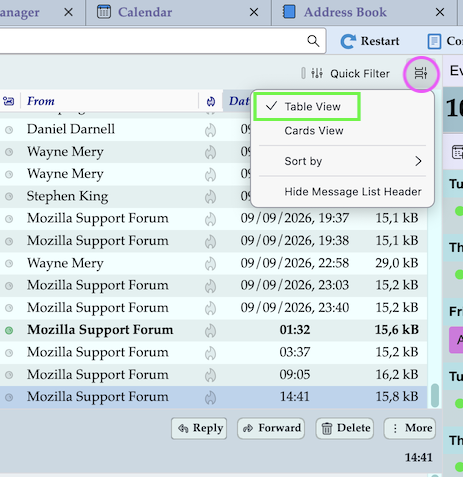
Maybe you were used to "Table View" in your previous Thunderbird installation. By default Thunderbird chooses "Cards View" in new installations. You can switch to Table View via the "message list display options" button I surrounded in my screen shot
Recent messages after displaying correctly (circled blue) but older messages are not (circled red). They are not showing the subject/sender and are all displaying they are from today at 16.33 which is the time the inbox was populated not when they were originally sent/received
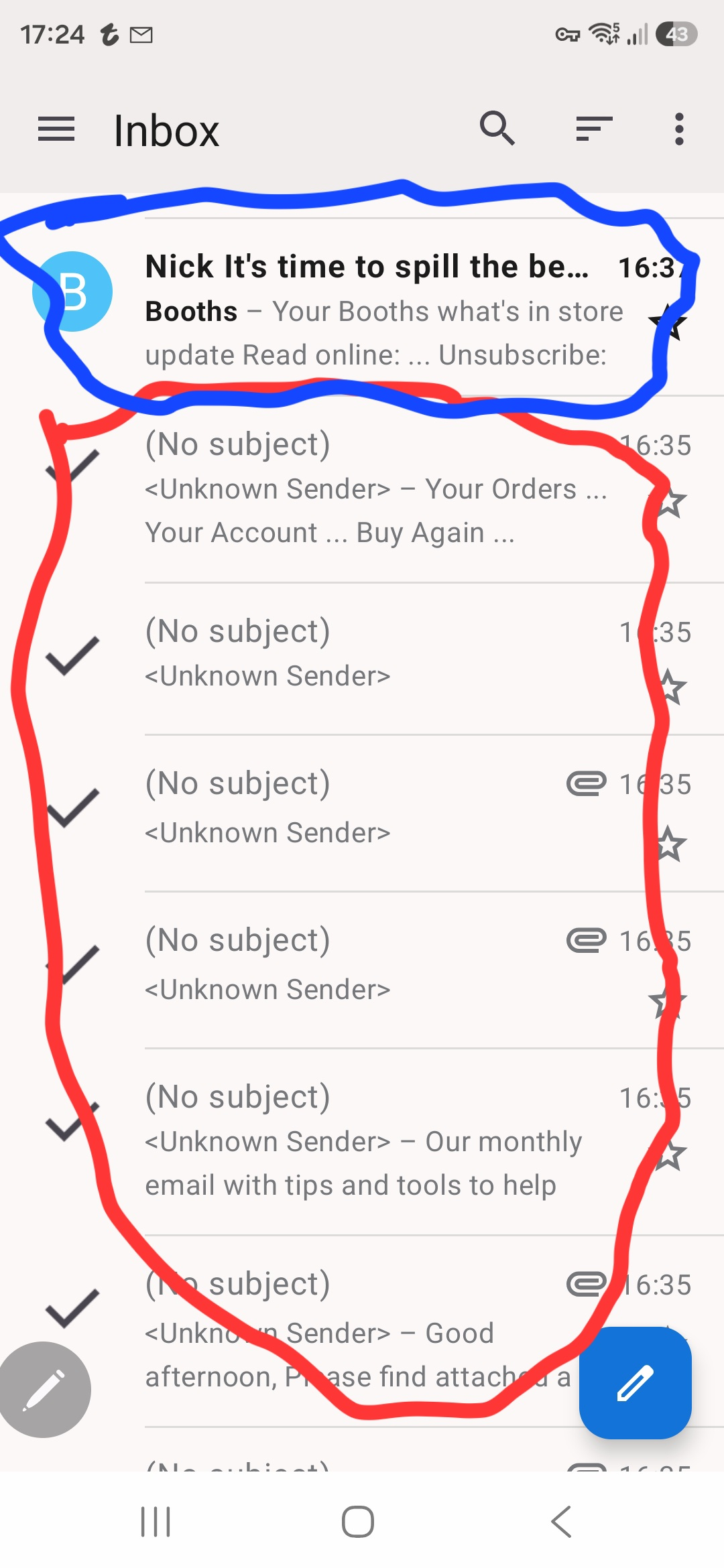
I am sorry that I didn't notice before that your screen shot has been made in the "Thunderbird Mobile" version on an android smartphone. I cannot install the mobile version on my smartphone, so I am unable to help you..
Modified by Mapenzi
To clarify this is happening in the android app
nickatherton1 said
To clarify this is happening in the android app
Yes, I understood that this happens in the Thunderbird mobile app, yet I still cannot help you since I cannot install the mobile app on my iPhone to try to reproduce your problem.

This is the Thunderbird for Desktop operating systems forum. You would be best off asking your question in the Thunderbird for Android forum, where its experts reside.: