


Umlauts are not displayed in German Thunderbird

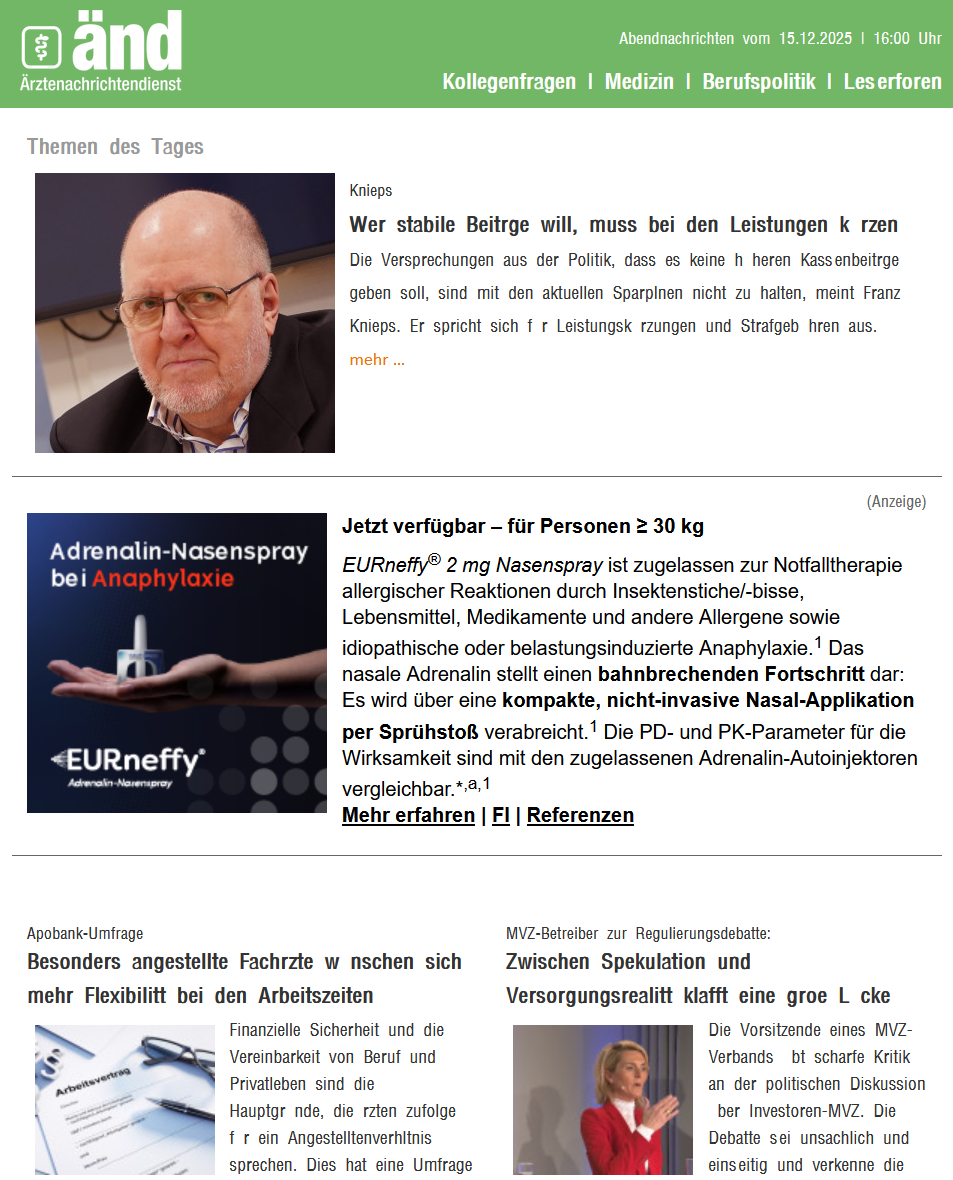
As you can see in the screenshot, the umlauts are missing in many emails. Unfortunately, the corresponding fonts can no longer be set in Thunderbird; I use version 140.6.0esr (32-bit). Where can I set that ä, ö, ü, ß (...) are displayed normally? Greetings from Berlin, Markus
Chosen solution
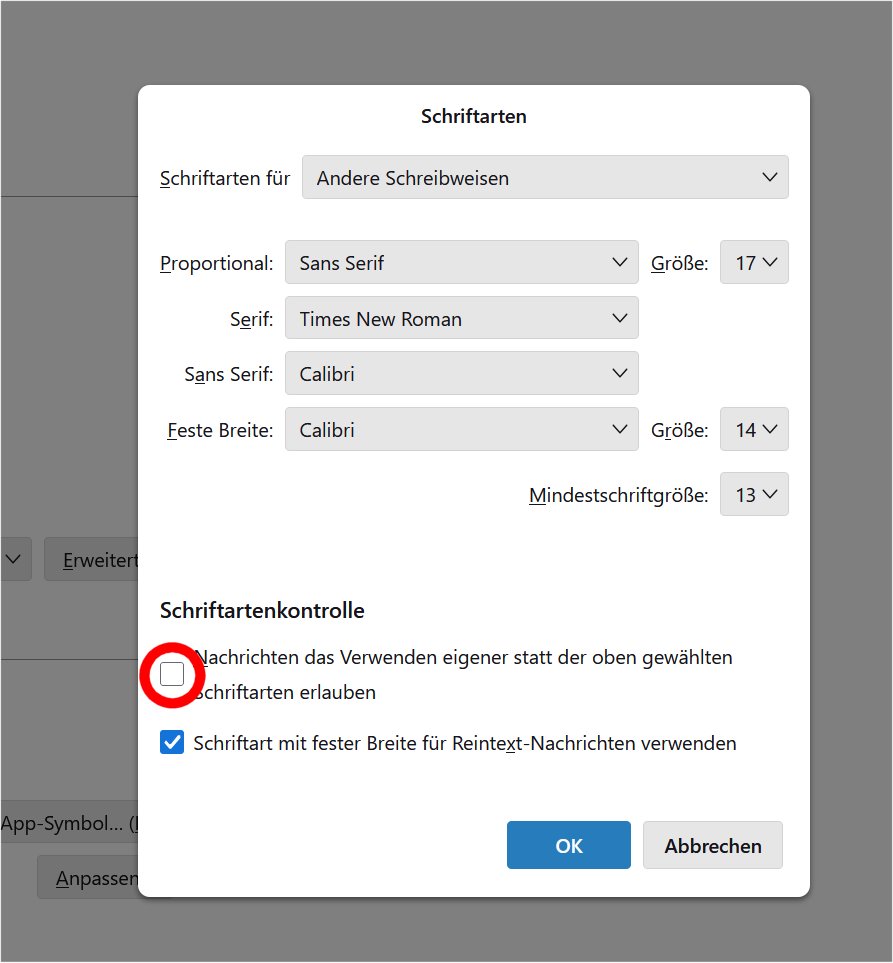
Many thanks to Mapensi! After a lot of tries and a 90-min TeamViewer-meeting we found the simple solution to show the hidden umlauts. Just uncheck this box and everything works fine:
Read this answer in context 👍 0All Replies (2)
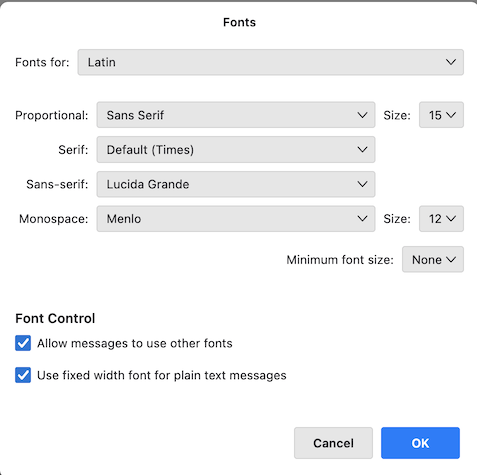
I just verified in a new Thunderbird profile. My new image shows the default (original) font settings in my macOS version of Thunderbird. You could give them a try...
Chosen Solution
Many thanks to Mapensi! After a lot of tries and a 90-min TeamViewer-meeting we found the simple solution to show the hidden umlauts. Just uncheck this box and everything works fine:
Modified by post550