


Email messages received, display single line only

Using Thunderbird 128.0.1esr (64-bit)
I have just bought a new Windows 11 laptop to replace older model. Using the old laptop, email messages are displayed in a single line format, which you click to open the message.
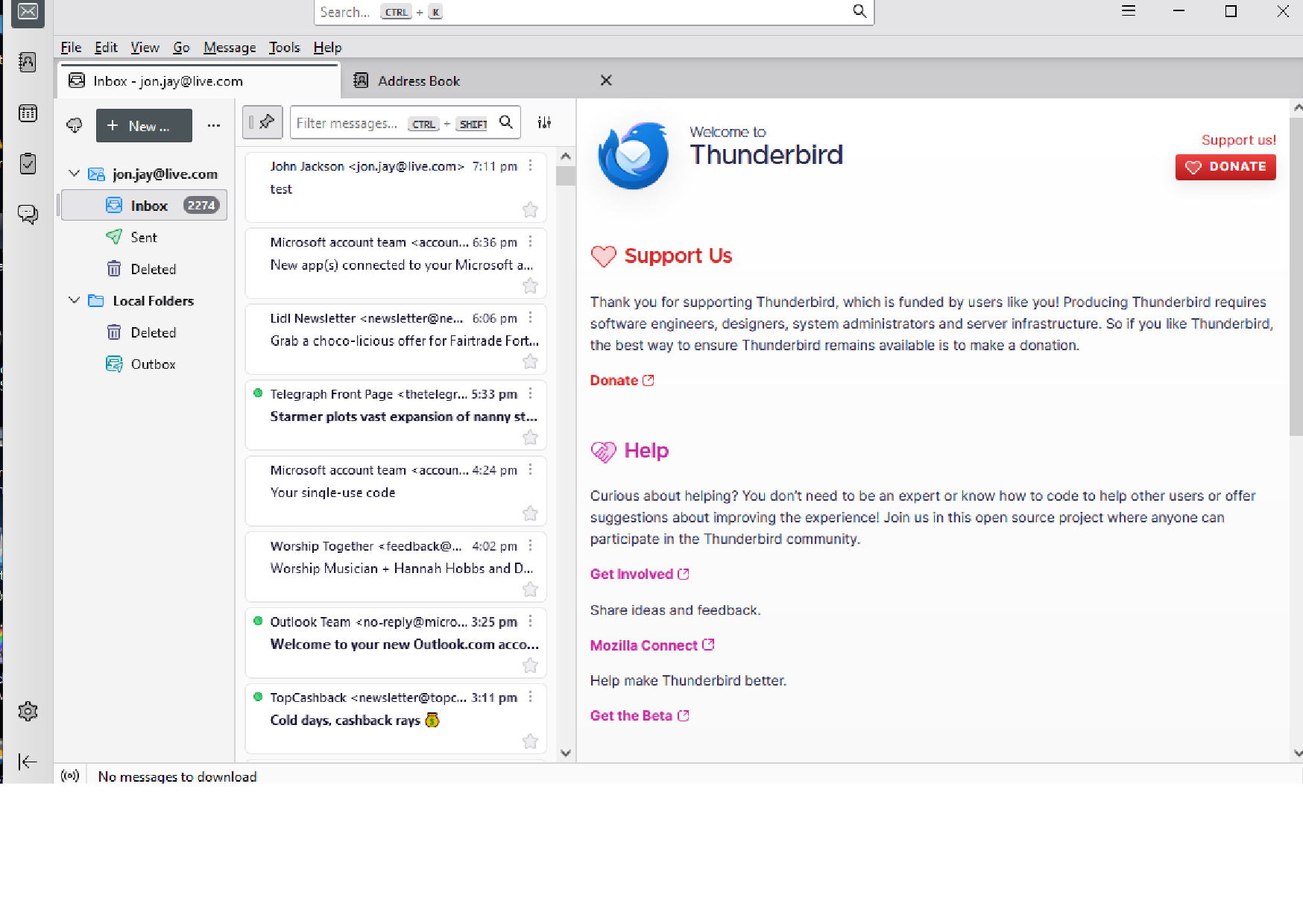
Using the new laptop, messages are displayed in two lines, taking up more space.
I much prefer the less cluttered format, and wondered whether anyone could advise the settings I need to alter.
Grateful for any advice.
All Replies (5)
Chosen Solution
if you see the 'quick filter' button above the message list pane, there is a small icon to the right. Click that and tick 'table view.' You are in card view.
Thank you very much for your helpful, speedy response.
That worked a treat!
Best wishes

I have downloaded Thunderbird 128.0.1esr (64-bit) and have the same problem. But there is no icon to be seen, only the quick filter button.
Issue now solved, thanks for helpful information.
To @jon.jay: click view>layout and tick message list header.