


Appearance

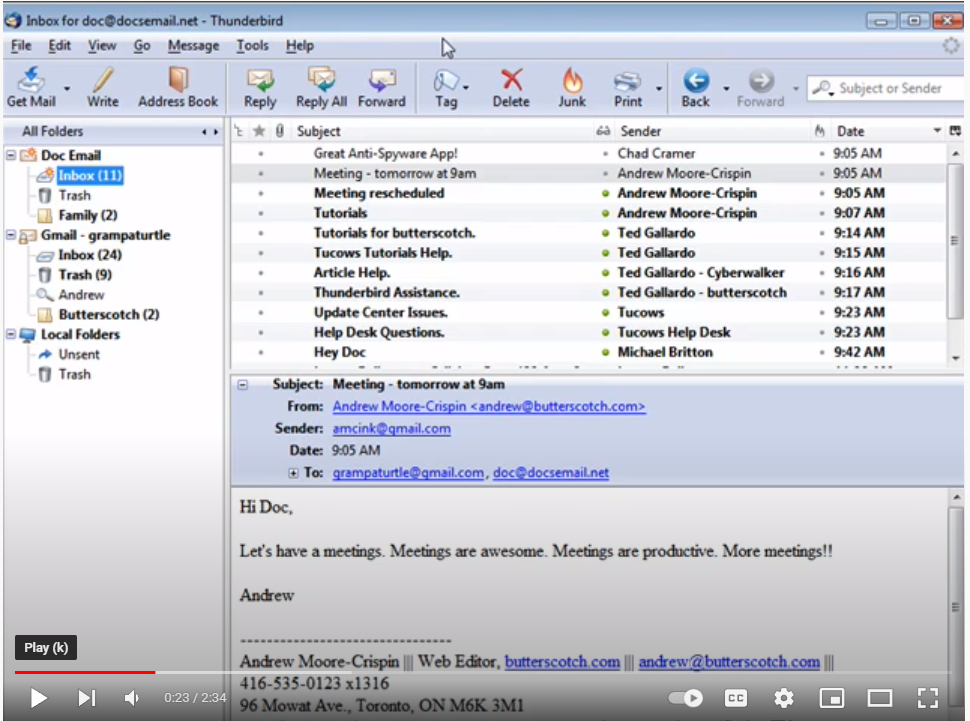
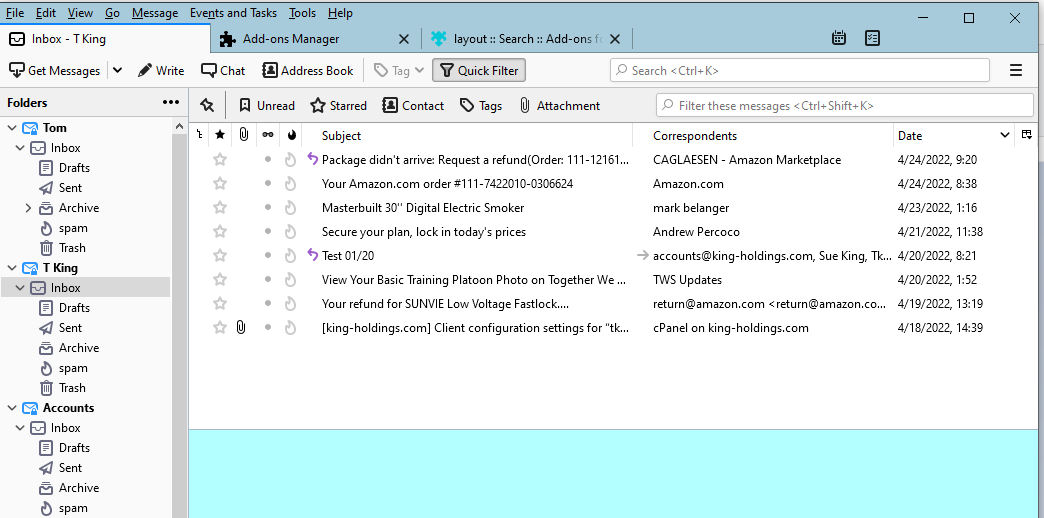
I was looking for help on Thunderbird and saw this YouTube video and the Thunderbird looked like figure number 1, but my Thunderbird looks like figure number 2. How do i get it to look like figure number 1?
All Replies (2)

Hello TOM317, If you are talking about Thunderbird's appearance, Figure 1 shows an older version of Thunderbird and I found a theme for Thunderbird that can implement your desired appearance. Link to theme: https://addons.thunderbird.net/en-us/thunderbird/addon/classic-tb2/
Unfortunately, the add-on does not work with newer versions of Thunderbird and requires Thunderbird version 60 or older. Hopefully this answer helps and if it does, kindly mark it as the solution (solved)!
Modified by YongHan
I think you're referring to the Preview Pane. Press F8 to turn it on. There are more options at View>Layout.
Modified by david