

This thread was archived.
Please ask a new question if you need help.

Archived
signing into accounts@firefox.com my google security settings show 4 unknown new devices.
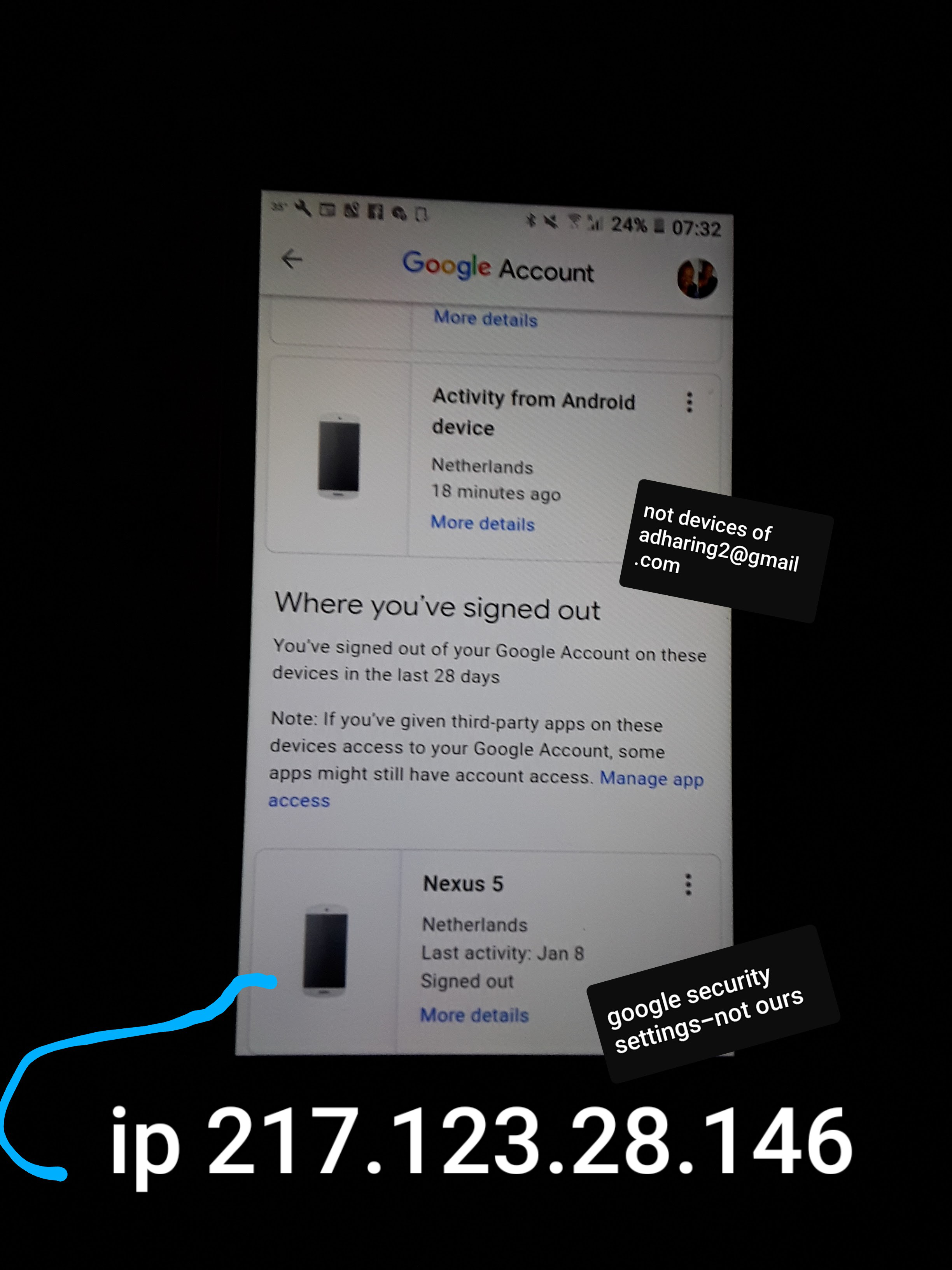
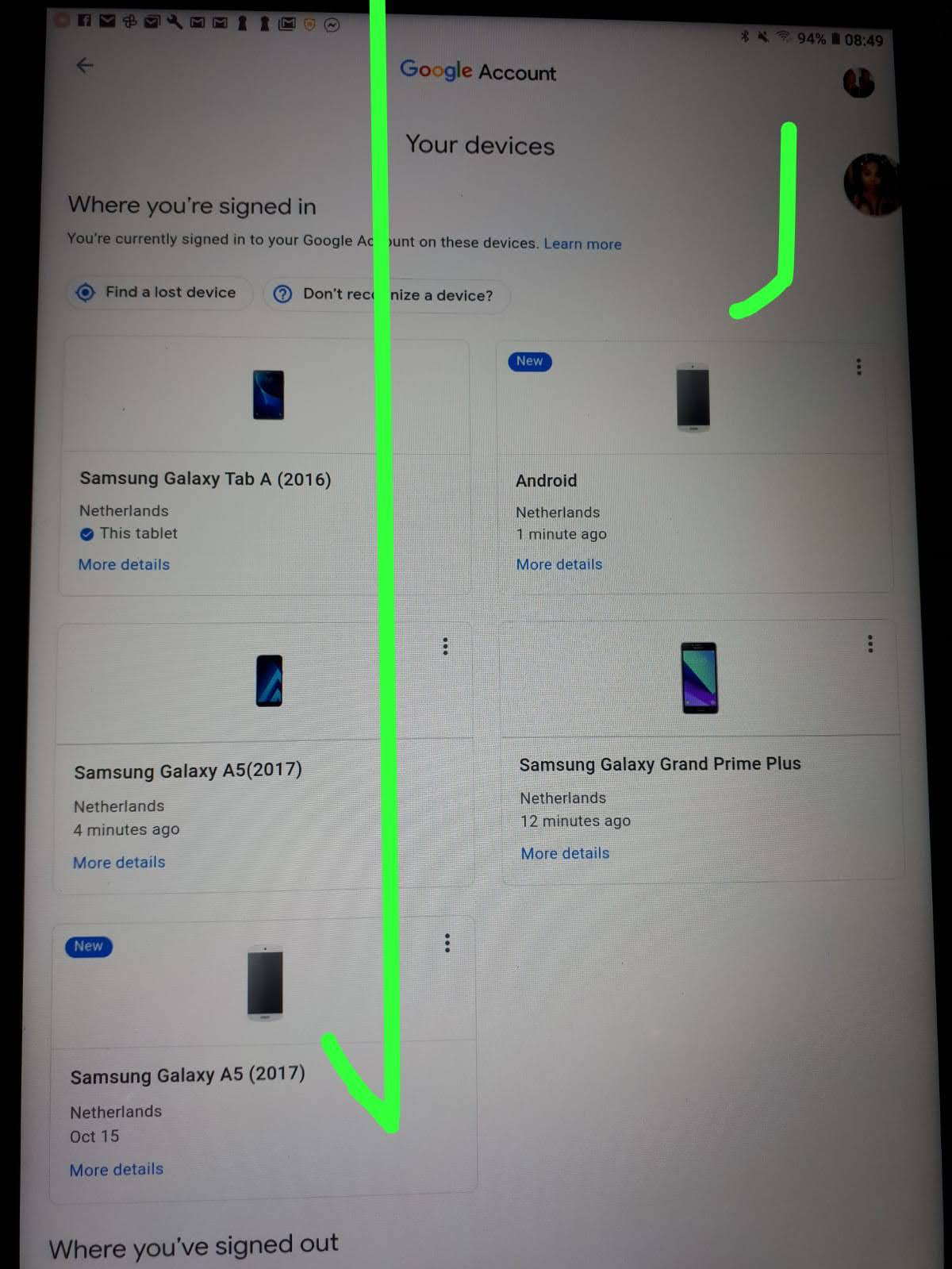
When I sign into,accounts@firefox.com my google security settings show 4 new devices, that are unknown to me with the IP.217.123.28.146 with a NEXUS 5 and 3 other samsung galaxy devices. They look identical to my only3 devices, but the last 4 digits of the IP address are not mine. Totally wrong. My frst sign in on these unknown devices was in June, and October 15, 2020. Why is this happening? Not my devices.
When I sign into,accounts@firefox.com my google security settings show 4 new devices, that are unknown to me with the IP.217.123.28.146 with a NEXUS 5 and 3 other samsung galaxy devices. They look identical to my only3 devices, but the last 4 digits of the IP address are not mine. Totally wrong. My frst sign in on these unknown devices was in June, and October 15, 2020.
Why is this happening? Not my devices.
Modified by Joice MH DESHIELD
All Replies (1)
Hey, The first step would be to remove any unknown devices if you are sure you don't recognize any of them. Secondly, in case you were using a vpn at that time a different ip address would show up from the original one.
Regards, Mamoon