Message received when opening Thunderbirds "Login to server imap.googlemail.com failed."

When I open thunderbirds I am asked to signin to my NTL account, all is find. I also get the following meaages "Login to server imap.googlemail.com failed.", but I haven't been asked to enter my password for my gmail account and have never been asked before. Please can you help.
All Replies (1)
Check your saved passwords in Thunderbird: Thunderbird menu: Tools: Options: Security: Passwords tab: Click the "Saved Password" button.
In this "Saved Logins" window you will see the incoming and outgoing servers for each of your e-mail accounts. I recommend clicking the "Remove All", click "Close", then restart Thunderbird.
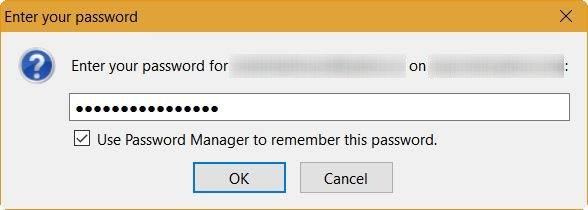
When Thunderbird restarts, it will ask for the password for each account when it tries to check the e-mail. See my snip below. Type in the password, and make sure that you check-mark the box that says, "Use Password Manager to remember this password."
Thunderbird will also ask this when you send an e-mail the first time for each e-mail address.
If you still have problems with Gmail, then you should check the e-mail server settings in Thunderbird for Gmail: Thunderbird menu: Tools: Account Settings: Select your Gmail account on the left side, then "Server Settings" under it. On the right side are the settings. Compare them to what Google says they should be: Read (and send), Gmail messages on other email clients using IMAP
If there is still a problem, then perhaps it is because you need to set a Google App password for Thunderbird. See Sign in using App Passwords for more info about this.