cAN YOU PLEASE GIVE A SOLUTION THAT WORKS To remove 'Profiles' icon from menu bar on firefox 153.0.1 (64-bit?

Running on Windows 11. There are many supposed "solutions" on the Web, but none of them work. I have tried with: about:config, css files, etc. None of them work.
I like Firefox greatly, but this is so frustrating.
The developers have created a solution to a problem that didn't exist. The result is to make Firefox user clumsy.
It would have been nice if they - at the very least - had provided a way to change the 'Profiles' icon position on the menu.
Again, Firefox 153.0.1 (64-bit) on up-to-date Windows 11. Amd Ryzen 5, 6 core processor, 32 GB Ram, 500 GB SSD C drive = 197 GB free.
All Replies (5)
To remove 'Profiles' icon from menu bar
Using 64 bit Fx 153.0.1 on Win 11 and have no such icon, nor is there an option for such via Toolbar >right click > Customise . .
Could you show via a screenshot.
I have tried with: about:config, css files, etc. None of them work.
So what did you do / try . . . .
Reply. Marked the icon in red in the screenshot.

Hello
You can try https://www.reddit.com/r/FirefoxCSS/comments/1sr35j2/comment/ohc2xf9 Install userChrome.css into all profiles if multiple Firefox profiles
Agent virtuel দ্বারা পরিমিত
Thanks, but nope - doesn't work.
I wonder why Mozilla doesn't just publish a solution that works, rather than making it impossible to do.
Again, a solution to a problem that didn't exist, makeing Firefox user clumsy.
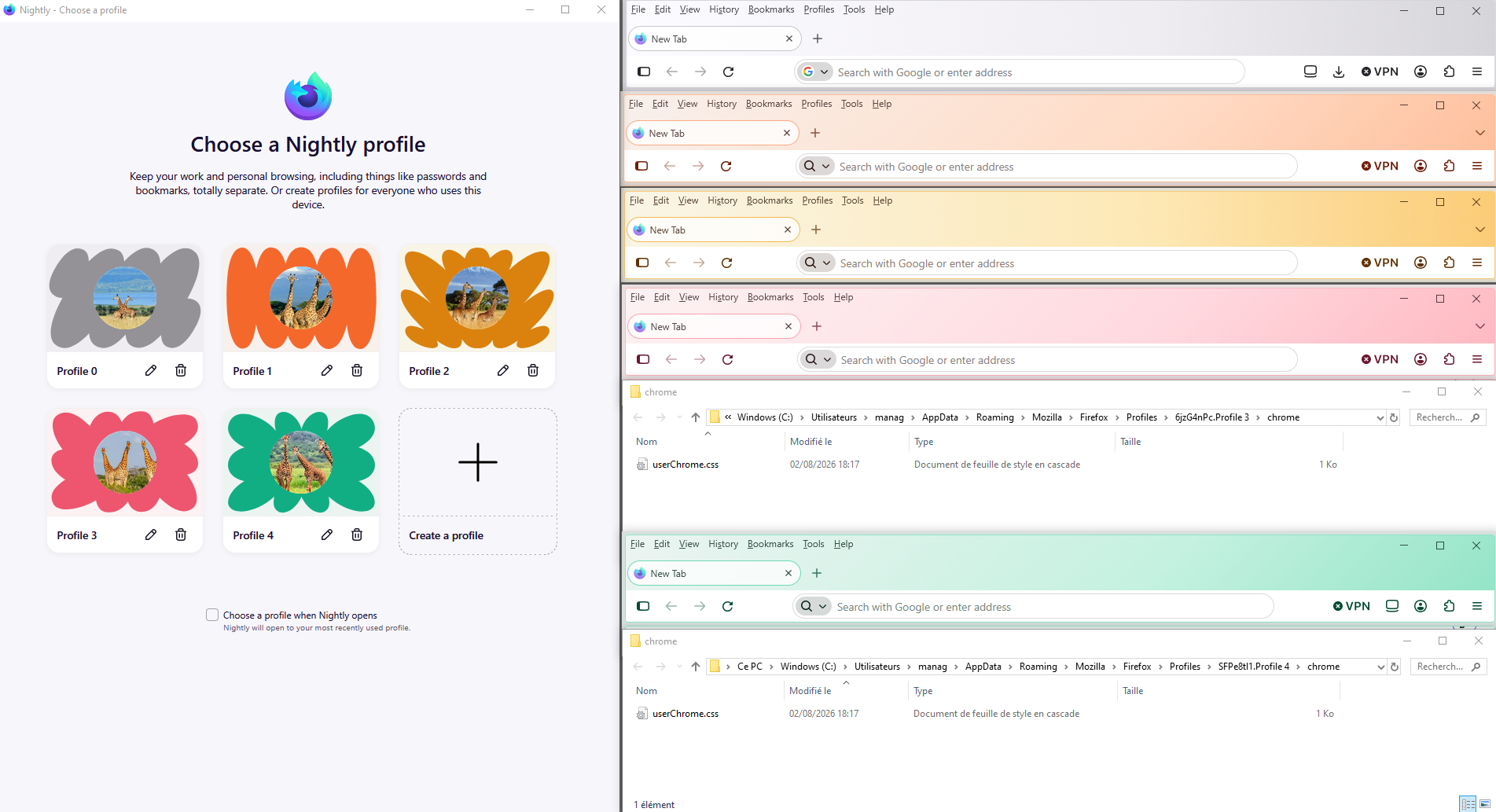
Just to see, i tested userChrome.css, into the Profile 3 and the Profile 4, it works.