


Images show up as squiggly lines

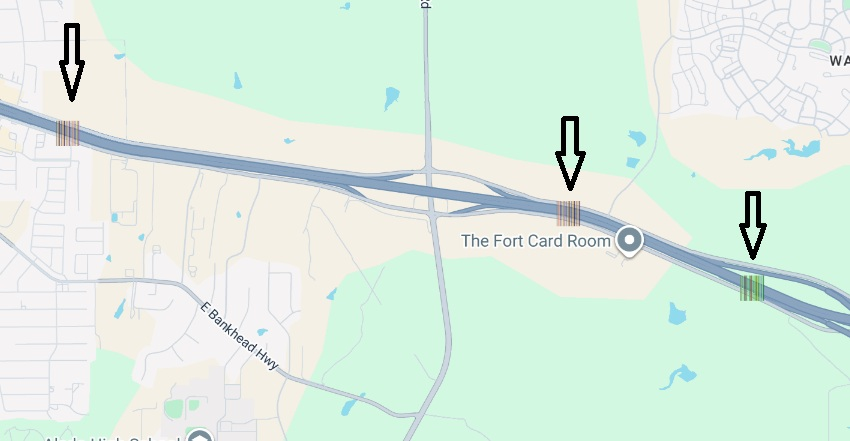
Firefox 152.0.3 on Windows 10. SVG icons such as Google Maps interstate shields flash briefly then turn into squiggly lines. Same issue occurs when uploading images to websites and viewing Amazon book previews. Works fine in Chrome. Already tried: disabling hardware acceleration, toggling gfx.webrender.all, gfx.webrender.software.d3d11, gfx.webrender.allow-partial-present-buffer-age in about:config, clearing startup cache, removing Tampermonkey extension, disabling Killer Network Manager (CNMNSST.exe). I uploaded an image of how interstate icons show up in google maps.
চয়ন করা সমাধান
Hello
privacy.resistFingerprinting, is it your case
All Replies (10)
Windows 11*
Is this a new/recent issue? Do you have an idea when this started exhibiting?
If you restart into Troubleshoot Mode or try creating a new profile to test, it still renders the same?
If you open e.g. www.svgviewer.dev do you see the sample orange box rendered in the right panel?
I don't recall when it started. Its been awhile. It just recently became an issue I needed to get fixed. I tried troubleshoot mode and don't recall the results. As per svgviewer, yes, there is an orange block on the right. If you're asking if it happens on other browsers, the answer is no. As I stated, this is not a problem in chrome. Whatever it is, it is 100% just a firefox issue.
valhalla_warrior2 দ্বারা পরিমিত
চয়ন করা সমাধান
Hello
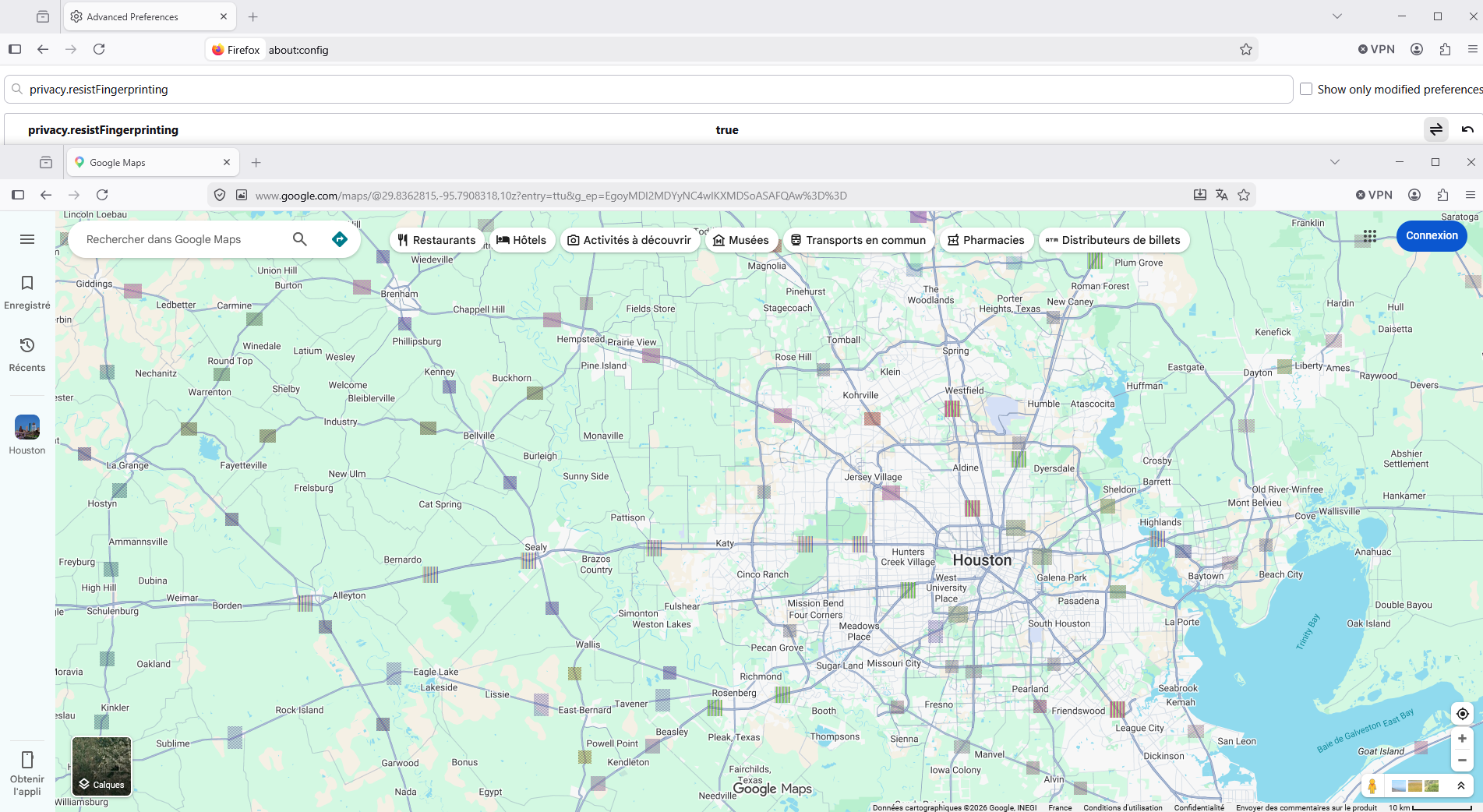
privacy.resistFingerprinting, is it your case
Below, a test performed privacy.resistFingerprinting value true
Agent virtuel দ্বারা পরিমিত
I think the use cases you describe are not SVG per se, but more likely using Canvas functionality. Which is something "privacy" addons like to tweak and fuzz, and may break these sites inadvertently if they're not updated for compatibility. Troubleshoot Mode starts without loading these so should get a better picture.
If you still reproduce in that mode, and/or a fresh profile (or a separate nightly.mozilla.org that already comes with a clean slate), it's best to file a bug so that the engineers will be able to ask for logs and provide some alternatives to verify.
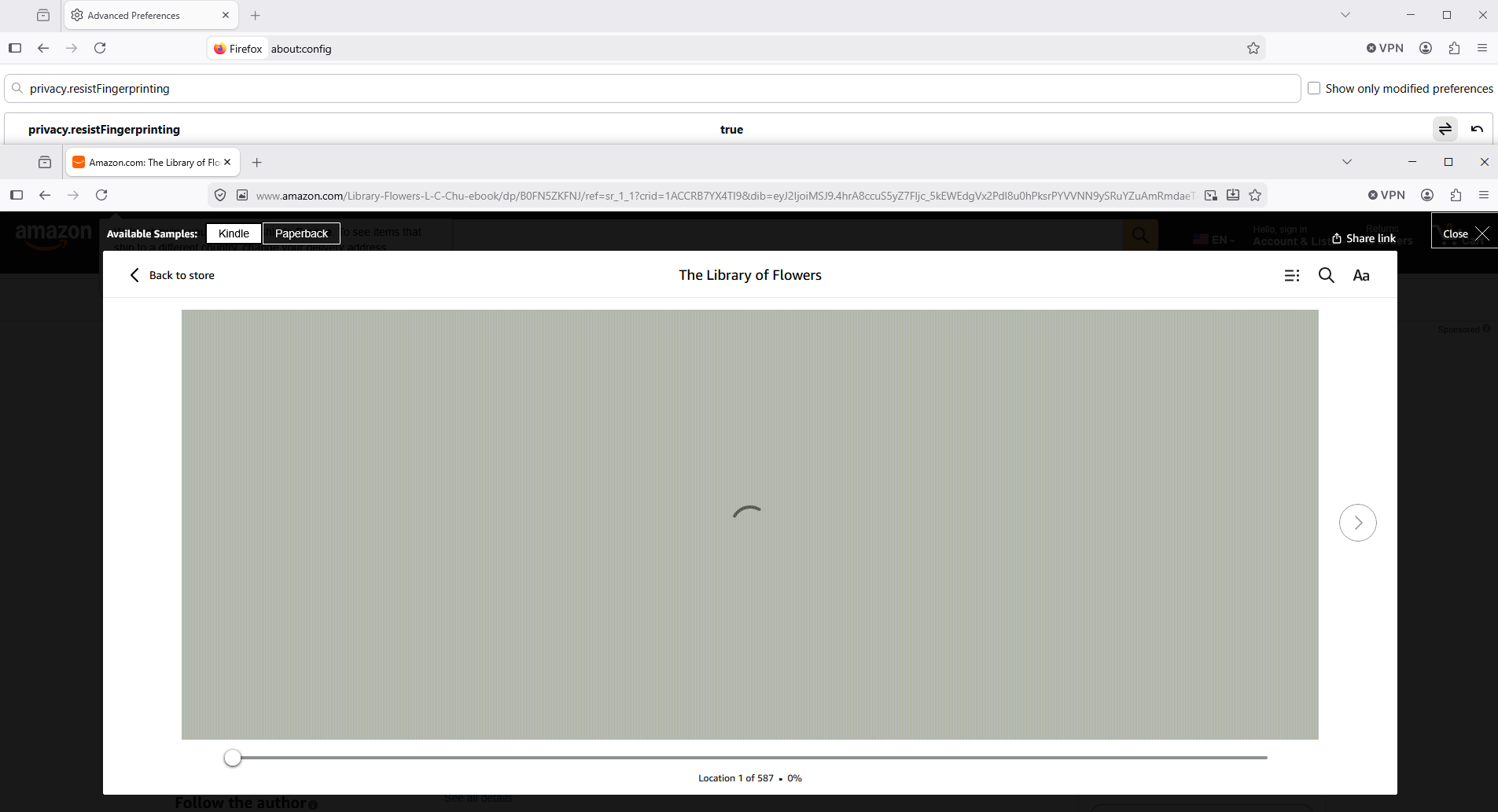
Below, a new test performed privacy.resistFingerprinting value true
That was it! Toggled to false and all is well. Thank you for the help!
Hi,
Thank you for sharing what worked for you. As a moderator, I've marked Agent virtuel's reply above as a solution to highlight it for other users.
FYI The Google Maps issue seems to be tracked under bug 1827279.