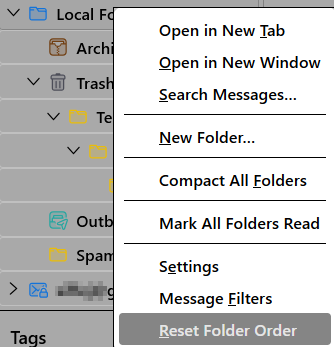
Order of manually sorted folders keeps changing after restarting Thunderbird.

I have multiple email adresses for different purposes, but all of the incoming emails are sent to the Local Folders inbox, where I have separate folders to save emails for the each purpose. I am able to manually sort the folders in the order that I prefer, however each time I shut down Thunderbird and then restart it, the folders end up in seemingly different random order each time. Is there a way to ensure the manually sorted order of the folders does not change?
I have multiple email adresses for different purposes, but all of the incoming emails are sent to the Local Folders inbox, where I have separate folders to save emails for the each purpose. I am able to manually sort the folders in the order that I prefer, however each time I shut down Thunderbird and then restart it, the folders end up in seemingly different random order each time. Is there a way to ensure the manually sorted order of the folders does not change?
All Replies (1)

There appears to be no way to prevent those folders from becoming unsorted. If you are using TB v140esr, there is also no way to reorder them with a menu choice; you would have to update to v150 for that.