


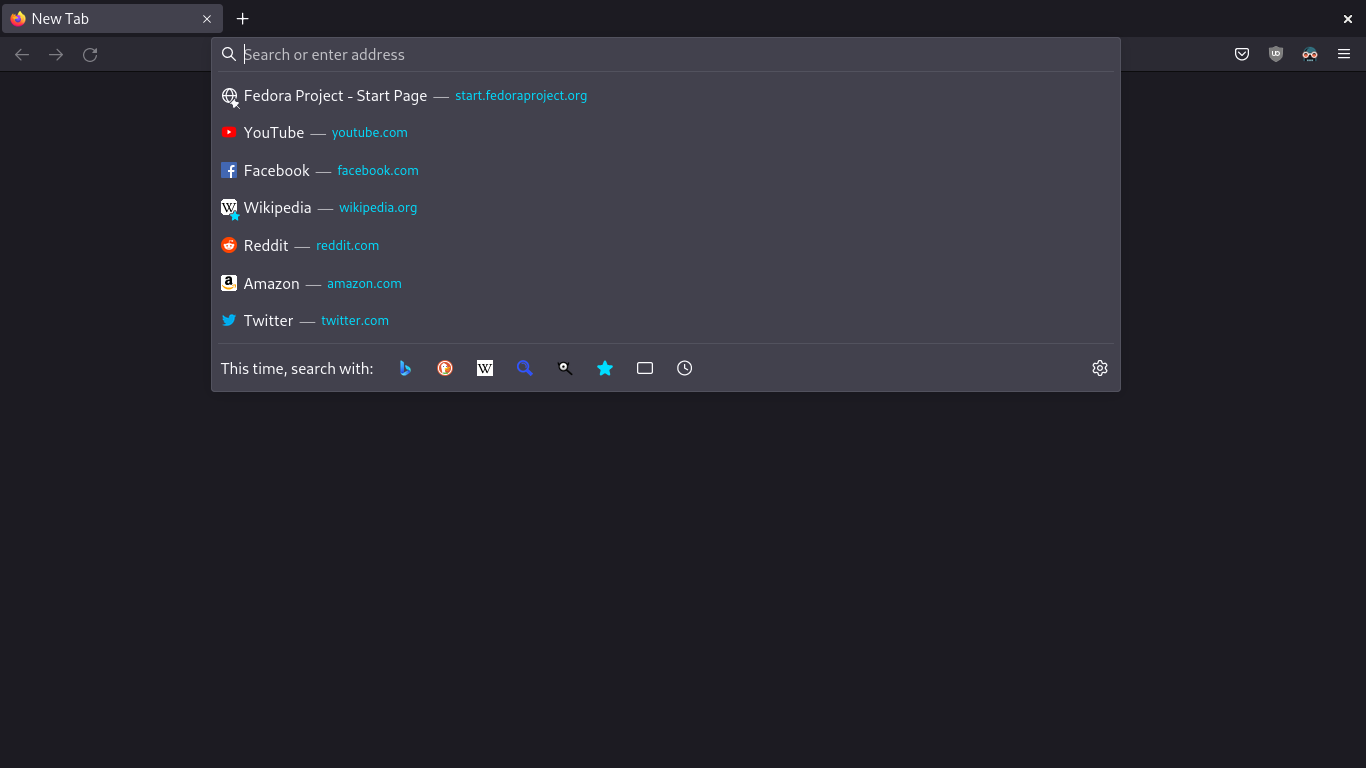
How can I remove the pinned urls? Specifically the start.fedoraproject.org when I open the URL tab.

The start.fedoraproject.org keeps showing up on my url. I don't have it pinned anywhere so I'm not sure how I can remove it.
The start.fedoraproject.org keeps showing up on my url. I don't have it pinned anywhere so I'm not sure how I can remove it.
সমাধান চয়ন করুন
Nevermind, was able to fix it by going to about:home. Then, using the tiles in the middle of the page, I just unpinned the fedora tile.
প্রেক্ষাপটে এই উত্তরটি পড়ুন। 👍 0All Replies (3)
Hi Dustin,
I suspect that it may come from your shortcuts on the New Tap page... From your screenshot it seems that you've turned them off, but I'd recommend to temporarily restore them and delete that URL if it's there.
চয়ন করা সমাধান
Nevermind, was able to fix it by going to about:home. Then, using the tiles in the middle of the page, I just unpinned the fedora tile.
Yeah, that's basically what I meant. Thank you for sharing the solution!