

Windows 10 reached EOS (end of support) on October 14, 2025. If you are on Windows 10, see this article.

সহায়তা খুঁজুন

Avoid support scams. We will never ask you to call or text a phone number or share personal information. Please report suspicious activity using the “Report Abuse” option.

আরও জানুন
সংরক্ষণ করা হয়েছে

How to avoid Firefox Survey in automated tests?

belym.andrey

Hello,

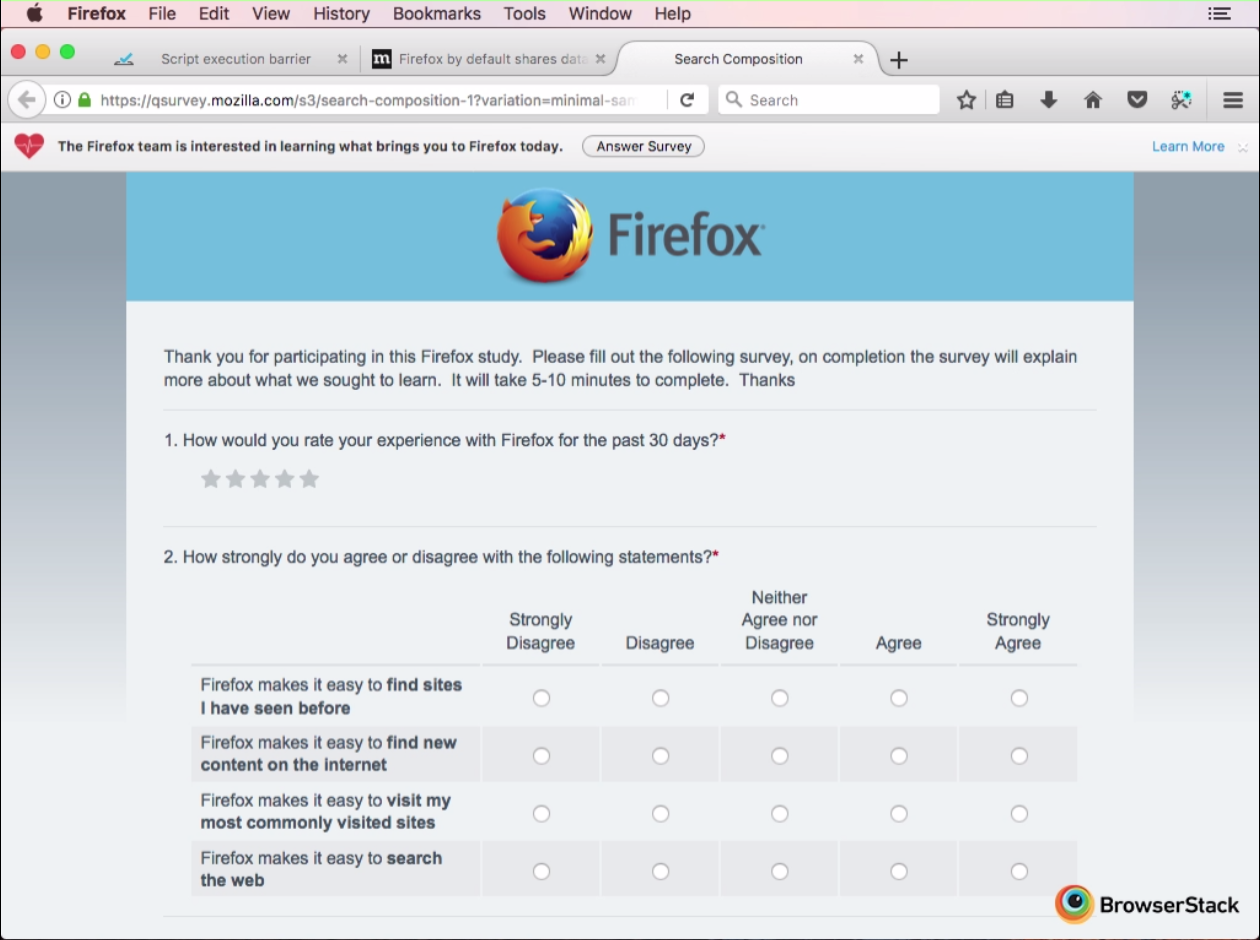
I have problem with Firefox 56 on macOS. After a week from the last update, browser started to show a toolbar "The Firefox team is interested in learning what brings you to Firefox today". Also, some time after starting (exactly 4:30) it opens a new tab with qsurvey.mozilla.com URL. It's a problem, because we use Firefox to run automated tests, and when a new foreground tab opens, browser will suspend test execution in background tab.

I was unable to upload a screenshot, so there is a screencast link: https://devexpress-my.sharepoint.com/personal/andrey_belym_devexpress_com/_layouts/15/guestaccess.aspx?docid=045ca75f312254839a72a786974495ba6&authkey=AeNiHiZtgNOXBT5zAztJb_s, rewind it to 4:30 to see the toolbar and the survey.

Maybe there is something in about:config that can prevent it from showing?

Hello, I have problem with Firefox 56 on macOS. After a week from the last update, browser started to show a toolbar "The Firefox team is interested in learning what brings you to Firefox today". Also, some time after starting (exactly 4:30) it opens a new tab with qsurvey.mozilla.com URL. It's a problem, because we use Firefox to run automated tests, and when a new foreground tab opens, browser will suspend test execution in background tab. I was unable to upload a screenshot, so there is a screencast link: https://devexpress-my.sharepoint.com/personal/andrey_belym_devexpress_com/_layouts/15/guestaccess.aspx?docid=045ca75f312254839a72a786974495ba6&authkey=AeNiHiZtgNOXBT5zAztJb_s, rewind it to 4:30 to see the toolbar and the survey. Maybe there is something in about:config that can prevent it from showing?

All Replies (2)

I've uploaded screencast to YouTube: https://youtu.be/67zUsP0XgfU?t=278
Hera ya go : https://support.mozilla.org/en-US/kb/shield?as=u&utm_source=inproduct

Please let us know if this solved your issue or if need further assistance.