


How do i restore the original Firefox default theme?

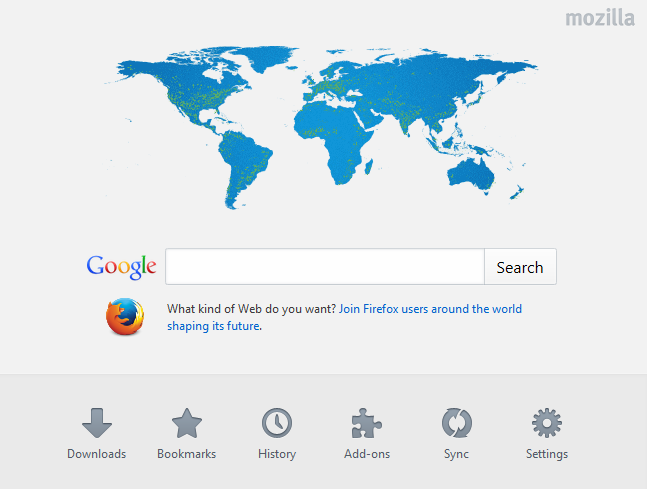
The new Firefox brings a map of the world as it's default theme. I prefer the old one - Firefox himself! How do i restore the original default theme? Can anyone help? Cheers
Избрано решение
hello jaston25, if you're referring to the current design of the default homepage (that is not a theme in itself), then it's just a temporary one these days celebrating the release of the new firefox and for promoting mozilla's web we want campaign. it will change back to the normal firefox look after some time...
Прочетете този отговор в контекста 👍 2Всички отговори (3)
Избрано решение
hello jaston25, if you're referring to the current design of the default homepage (that is not a theme in itself), then it's just a temporary one these days celebrating the release of the new firefox and for promoting mozilla's web we want campaign. it will change back to the normal firefox look after some time...
If you prefer not to see snippets then you can set the browser.aboutHomeSnippets.updateUrl pref to an empty string on the about:config page.
Delete the storage\moz-safe-about+home folder in the Firefox profile folder with Firefox closed to reset snippets stored in IndexedDB.
You can use this button to go to the currently used Firefox profile folder:
- Help > Troubleshooting Information > Profile Directory: Show Folder (Linux: Open Directory; Mac: Show in Finder)
You can reset the browser.aboutHomeSnippets.updateUrl pref via the right-click context menu to restore the snippets.
hello co-rel, thank you for your suggestion. i believe it will restore itself as the present image is to celebrate Firefox's new launch.