


My Firefox home page doesn't look the same since I installed and then uninstalled "Inbox".

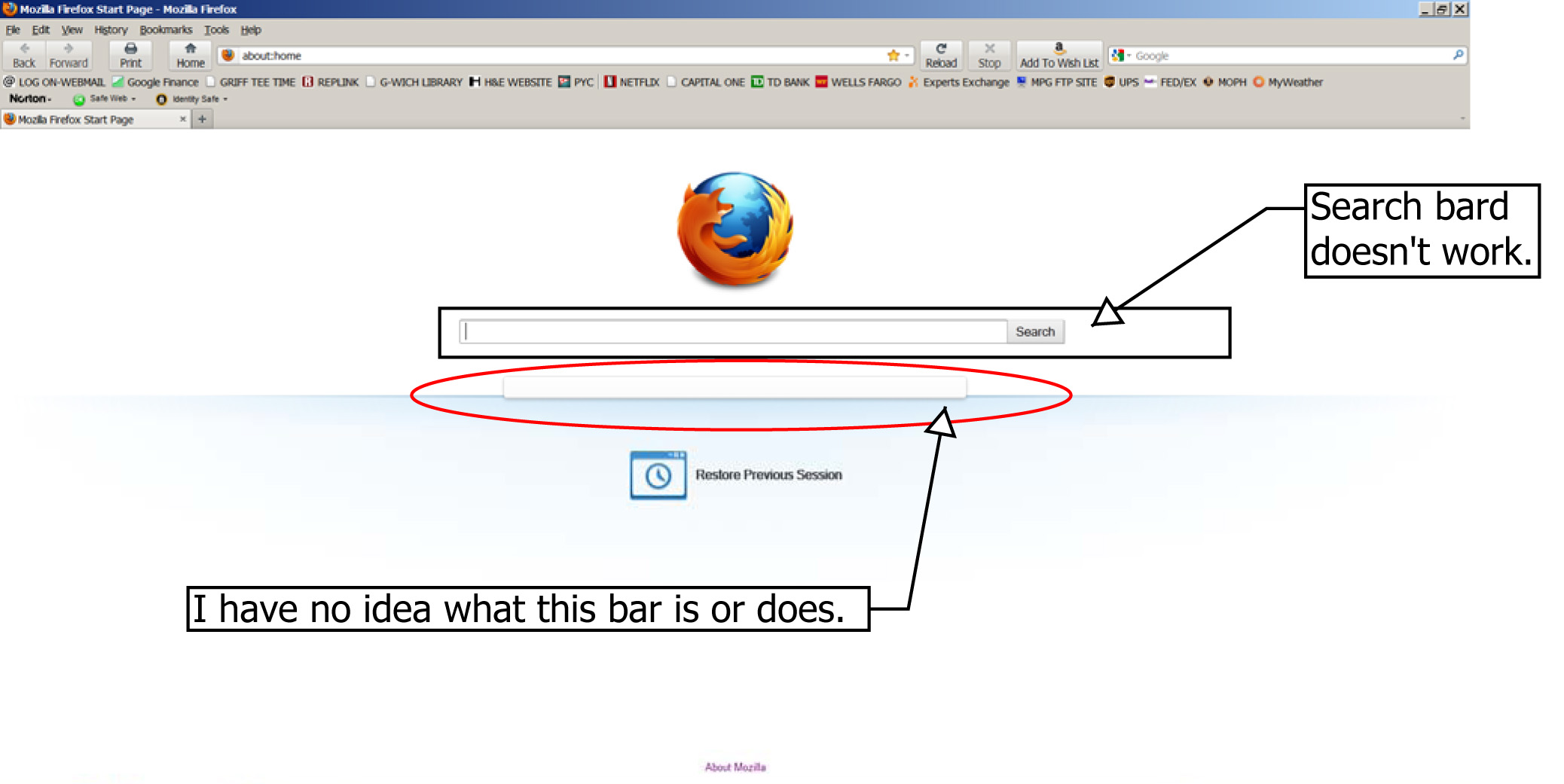
My home page used to show the Firefox logo (fox encirling the globe) with a Google search bar below. Now I just have the logo and a searchbar, but the search bar doesn't work. I enter a keyord, hit enter and nothing happens.
The only change I made was I inadvertently installed (and then uninstalled) "Inbox".
I loved my old standard, plain Firefox home page and I miss it terribly. Please help.
Променено на от oneputt
Всички отговори (5)
Thanks Cor-el. I followed your steps but couldn't find in-box tool bar in the list of add-ons.
Attached is a screen shot of what my Fire fox home page now looks like.
CR Hoffman chris@hoffedge.com
You can try to delete the file chromeappsstore.sqlite in the Firefox Profile Folder.
- http://kb.mozillazine.org/Profile_folder_-_Firefox
- Help > Troubleshooting Information > Profile Directory: Open Containing Folder
Is that search bar on the about:home page still not working after you deleted that file?
You can also try: