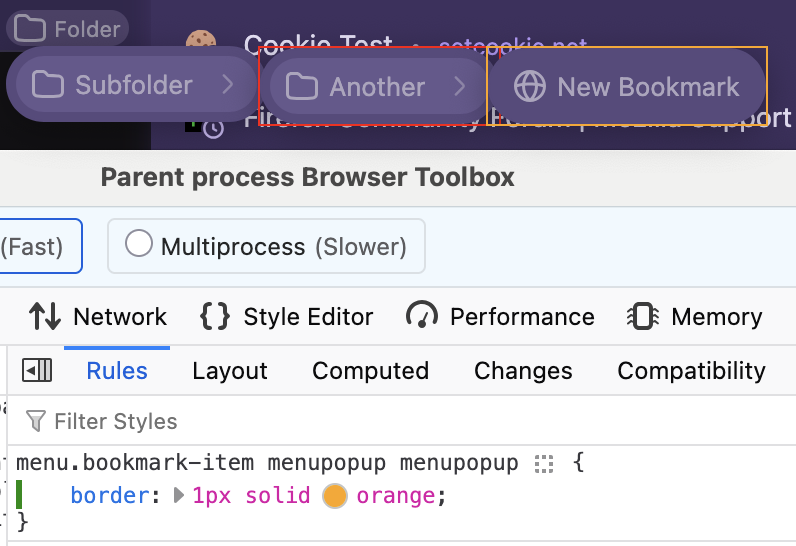
How to customize submenu colours
I use Bookmark Toolbar a lot. It has several menus, with submenus. But when they layer over top of each other, I get lost in which layer I am on and too often my mouse moves off the top layer, which closes it.
I would like to somehow change the colour of the menus, depending on the layer. Currently they seem to all be kinda grey, regardless of theme.
But if the first dropdown menu could be yellow and then the next be blue ... or whatever, it would be most helpful.
I suspect this is something that could be effected in userChrome.css, but I have no idea what to put in there to target the menus.
Any help or guidance you can provide is much appreciated.
Thanks!
Всички отговори (1)
You may want to figure out the exact descendants and the method the color tokens are applied for the items, but for the general nesting the selectors can be e.g.: (add more "menupopup" in the nesting to select the next folder)