Solved
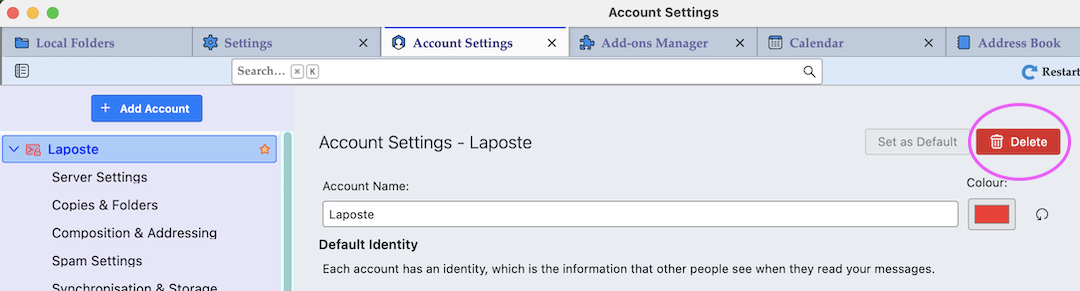
I want to delete my account but Account Actions is not visible.

I have installed Thunderbird for email but it was not what I thought it would be. I now want to cancel the account. However, the instructions are to Tools: Account Settings. 2. Select the account you want to remove on the left side. 3. Click the "Account Actions" button on the bottom left and choose, "Remove Account". Here is the problem. "Account Actions does not show"
I have installed Thunderbird for email but it was not what I thought it would be. I now want to cancel the account. However, the instructions are to Tools: Account Settings.
2. Select the account you want to remove on the left side.
3. Click the "Account Actions" button on the bottom left and choose, "Remove Account". Here is the problem. "Account Actions does not show"
Всички отговори (1)
Избрано решение
Open Account Settings, in the left pane select the account to be deleted and hit the red "Delete" button in the upper right corner.