


Windows 10 reached EOS (end of support) on October 14, 2025. If you are on Windows 10, see this article.

Търсене в помощните статии

Избягвайте измамите при поддръжката. Никога няма да ви помолим да се обадите или изпратите SMS на телефонен номер или да споделите лична информация. Моля, докладвайте подозрителна активност на "Докладване за злоупотреба".

Научете повече
Solved

Still no VPN option even though it is advertised on whats new

D B Kelly

What is the story on the VPN, a few weeks ago the previous versions new features banner said you have a new VPN option, my Firefox browser did not show the VPN button, today got a new update to 151.0 with a NEW whats new banner promoting the VPN option and I STILL do not get the VPN button. I checked customize toolbar and the VPN button is not there either.

WHY are you showing this as available when it is not ?
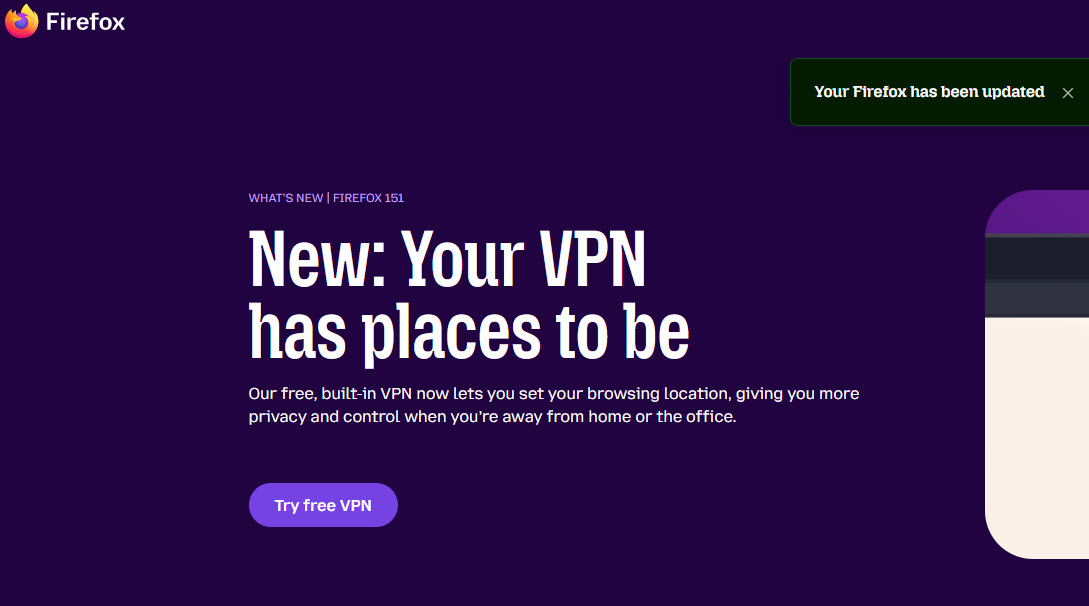
What is the story on the VPN, a few weeks ago the previous versions new features banner said you have a new VPN option, my Firefox browser did not show the VPN button, today got a new update to 151.0 with a NEW whats new banner promoting the VPN option and I STILL do not get the VPN button. I checked customize toolbar and the VPN button is not there either. WHY are you showing this as available when it is not ?
Прикачени екранни снимки

Всички отговори (3)

https://support.mozilla.org/en-US/kb/built-in-vpn The built-in VPN is currently available in the US, UK, Germany, France and Canada.

Избрано решение

If you are in one of the five locations and still do not see indication of VPN then Go to about:config (with a colon  : )

In search above search for preference name browser.ipProtection.enabled and make sure it is true

https://support.mozilla.org/en-US/kb/about-config-editor-firefox

Well that fixed it.

Thanks

Задаване на въпрос

You must log in to your account to reply to posts. Please start a new question, if you do not have an account yet.